
I Almost Didn’t Think I Needed This – Until I Did. I’m going to be honest with you. When my sister first texted me about invisaWear, I rolled my eyes a little. A panic button hidden inside a necklace? It sounded like a gadget you’d see on a late-night TV commercial, not something a real person would actually wear.
Then one evening I was walking to my car after a long shift at work. It was a quiet parking lot – the kind where half the lights don’t work and your footsteps echo a little too loudly. Someone started walking behind me, matching my pace. I picked up speed. So did they.
I got to my car fine. Nothing happened. But for about ninety seconds, I was completely frozen on the inside – and my phone was buried at the bottom of my bag.
That’s when I started taking invisaWear seriously. I’ve now spent several months researching, testing, and wearing the invisaWear panic button necklace. In this review, I’m going to walk you through everything I found – the good, the not-so-good, the pricing, the ADT connection, and most importantly: does it actually work when you need it?
The invisaWear panic button jewelry has been featured on Good Morning America, Oprah Daily, and Forbes. Over 200,000 people have reportedly bought it. But does it deserve that attention – or is it just clever marketing? Let’s find out.
Quick Verdict – invisaWear Panic Button Jewelry
| Category | Rating |
|---|---|
| Design & Wearability | ⭐⭐⭐⭐⭐ |
| Ease of Use | ⭐⭐⭐⭐⭐ |
| Safety Features | ⭐⭐⭐⭐½ |
| Value for Money | ⭐⭐⭐⭐ |
| ADT Integration | ⭐⭐⭐⭐⭐ |
| Battery Life | ⭐⭐⭐⭐⭐ |
| Overall | ⭐⭐⭐⭐½ |
Best for:
- Women who walk alone at night (to their car, on a commute, on campus)
- College students living in dorms or walking campus after dark
- People who regularly use rideshares like Uber or Lyft
- Night shift workers or professionals who meet clients in unfamiliar places
- Seniors who want a panic button that doesn’t look like medical equipment
- Parents who want a discreet safety layer for their teenager
Not ideal for:
- Anyone who doesn’t own a smartphone (the device needs a paired phone within Bluetooth range)
- People looking for a one-time purchase with no recurring fees (a $19.99/month subscription is required)
- Those who want a standalone GPS tracker that works independently of a phone
Overall Verdict: invisaWear is one of the most thoughtfully designed personal safety devices I’ve reviewed. The jewelry form factor alone solves a problem that every other panic button ignores – you won’t actually carry it if it’s ugly or bulky. Backed by ADT and founded by someone with a real story, this is a legitimate product. The subscription cost is something you need to budget for upfront, but for the right person, it’s absolutely worth it.

What Is invisaWear? (And Why Does It Exist?)
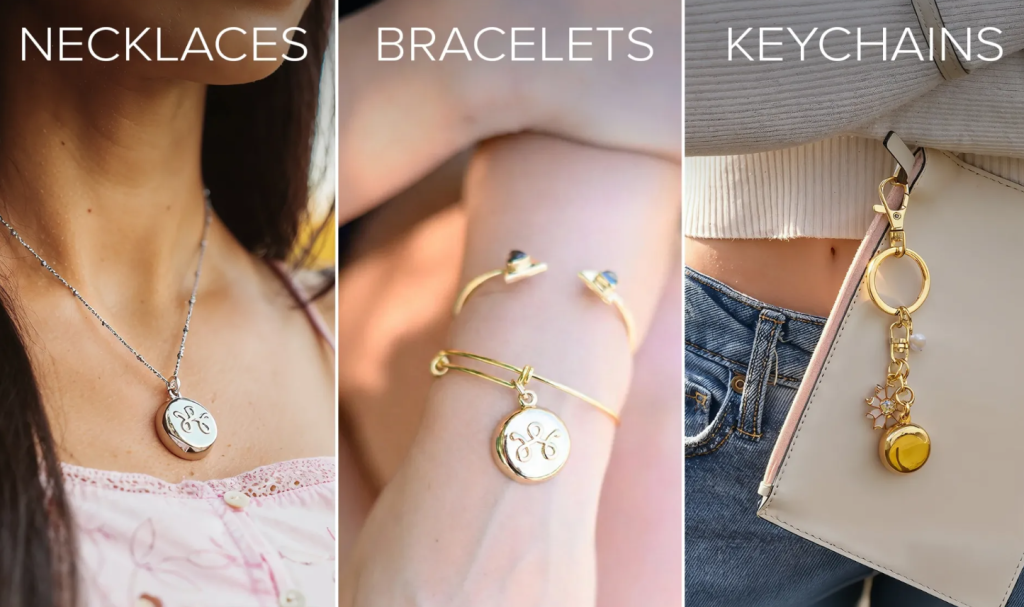
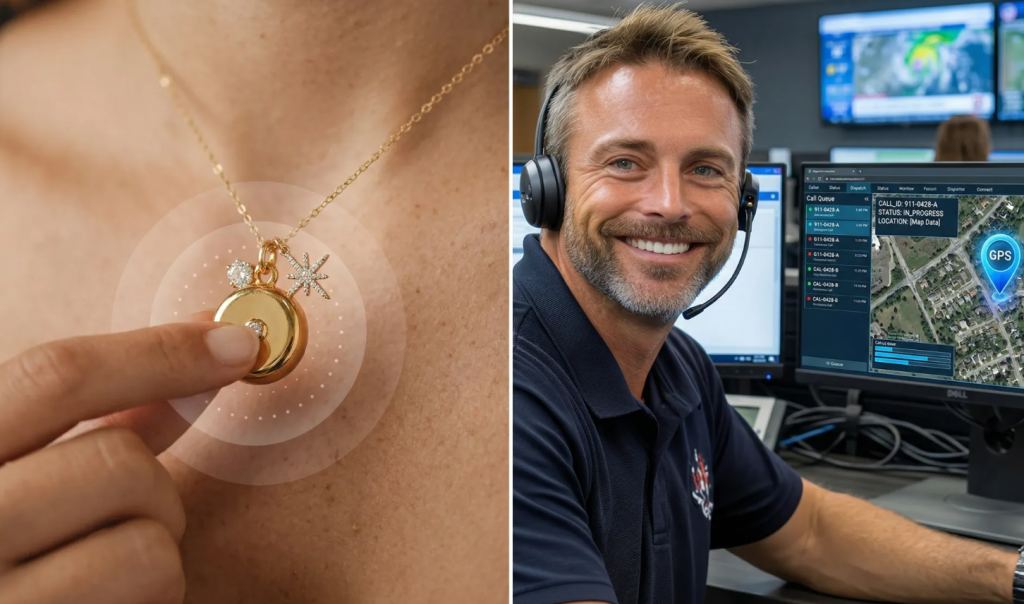
invisaWear is a personal safety device built directly into everyday jewelry – specifically, necklaces, bracelets, and keychains. Inside each piece of jewelry is something the company calls the InvisaChip™: a Bluetooth-enabled chip that connects to a smartphone app and sends your GPS location to trusted contacts with a simple double-click.
Here’s the thing that makes it different from every other panic button on the market: it looks like jewelry. Real jewelry. The kind you’d actually wear to work, to class, or on a date.

The company was founded in 2016 by Rajia Abdelaziz, a computer science graduate from UMass Lowell. Her reason for starting it? She was followed by a group of men one night while walking to her car. She got away – but when she searched for personal safety devices afterward, all she found were large, clinical-looking panic buttons. Devices that screamed “I’m scared.” Devices that, honestly, most people would leave at home.
So she built something different.
invisaWear has since grown into a recognized brand, earned placement on TIME Magazine’s “100 Best Inventions” list, ranked #3391 on the Inc. 5000 in 2024, and formed an official partnership with ADT – America’s most recognized name in home security.
invisaWear reviews consumer reports: The product has been covered editorially (not as ads) by Good Morning America, ABC News, CBS, TODAY, and Oprah Daily. That kind of attention from credible media doesn’t happen by accident.
How Does the invisaWear Panic Button Work?
This is probably the most important part of this invisaWear review – so let me walk you through it clearly.
Step 1: You double-click the hidden button.
The button is built into the back of the charm or accessory. It’s not visible from the front. You press it firmly, twice in quick succession. A casual bump or accidental touch won’t set it off. The double-press is intentional.
Step 2: A 15-second cancellation window opens.
If you pressed it by accident, open the invisaWear app and enter your PIN within 15 seconds to cancel. Nothing gets sent. No one panics.

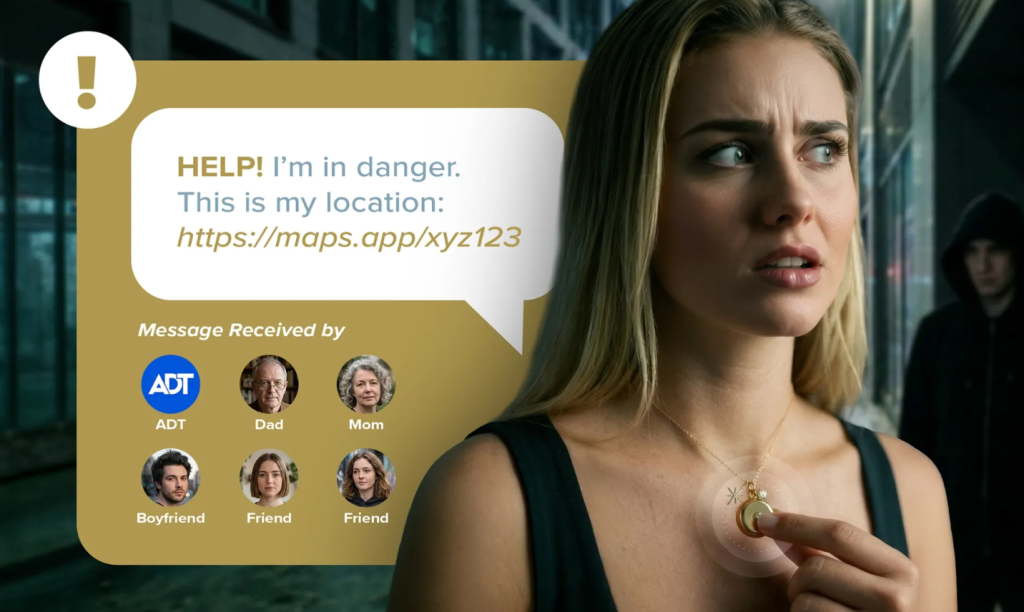
Step 3: Your GPS location goes to up to 5 emergency contacts.
If you don’t cancel, the app sends an SMS to your pre-selected contacts with a real-time link to your GPS location. They know where you are and that you need help.
Step 4 (if ADT monitoring is active): A trained ADT agent is notified.
This is where invisaWear separates itself from simple alert apps. A live ADT security professional gets an alert and can stay on the phone with you, view your location, access your phone camera through a live video stream, or call 911 on your behalf.
Step 5 (optional): 911 dispatch.
You can enable an optional 911 call feature in the app. If it’s on and you haven’t canceled, ADT can contact emergency services and share your location.
The whole thing is designed to work in situations where reaching for your phone would be too slow, too obvious, or too risky. You don’t unlock anything. You don’t look at a screen. You press a button that’s already on your wrist or around your neck, and professional help is on the way.
invisaWear Features – Everything You Get
🔒 InvisaChip™ Technology
The core of the product. A Bluetooth-enabled chip inside the jewelry that communicates with the app on your phone. It’s what makes invisaWear a safety device and not just a necklace.
📍 Real-Time GPS Location Sharing
When you activate the alert, your location is immediately sent to up to 5 emergency contacts. They get a live link, not just a snapshot — so they can track you in real time.
🎥 Live Video Streaming
With an active subscription and ADT monitoring enabled, an ADT agent can access your phone’s camera feed when you activate the alert. This video can be shared with police if needed.
📞 Reassurance Calls
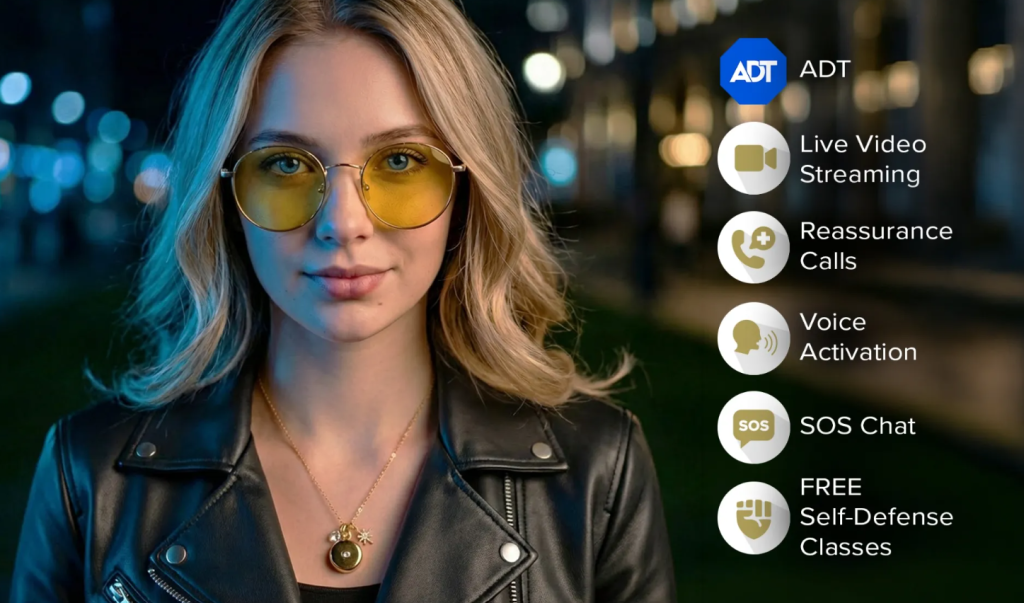
Feeling uneasy but not in immediate danger? You can connect to a live ADT agent who will stay on the phone with you until you feel safe. If the situation escalates, they can dispatch 911.
🗣️ Voice Activation
You set a secret phrase – something only you know – that triggers an ADT alert when you say it out loud. No touching the device at all. This is designed for situations where your hands are occupied or where touching the button would draw attention.
💬 SOS Chat
Can’t talk? Can’t risk making noise? You can text ADT directly from the invisaWear app. Silent, discreet, and effective.
⏱️ Safety Timer
Going for a run? Meeting someone you don’t know well? Set a safety timer. If you don’t check in before it expires, ADT automatically gets an alert. Think of it as an automated “if I’m not back in an hour, call for help” system.
🔋 3-Year Battery Life (No Charging Required)
This one genuinely impressed me. Most wearable tech requires regular charging – which means there’s always a risk you’ll need it when it’s dead. invisaWear’s battery lasts approximately 3 years with no charging at all. The app notifies you when it’s running low.
🥋 Free Self-Defense Classes
Subscribers get access to free virtual self-defense classes from instructor Jenn Cassetta. Not the flashiest feature, but a genuine bonus.
Is invisaWear Legit? (Honest Answer)
I’ve seen this question come up a lot: “Is invisaWear legit?” or “Is invisaWear a scam?”
Here’s what I found.
What checks out independently:
- The company is real: invisaWear Technologies, 44 Stedman Street, Suite 8, Lowell, MA 01851
- The founder, Rajia Abdelaziz, is a named, publicly verifiable person with Forbes 30 Under 30 recognition
- The ADT partnership was announced in December 2020 via ADT’s official investor newsroom – that’s a publicly confirmed fact, not just marketing copy
- The Inc. 5000 ranking (#3391 in 2024) is independently confirmed through EIN Presswire and Inc. Magazine’s published list
- The TIME Magazine “Best Inventions” recognition is brand-stated and displayed on their official page
What I’d flag as marketing language:
- The “#1 Safety Device for Women” claim is brand-asserted, not independently verified by a consumer testing organization
- “200,000+ Happy Customers” is a brand-reported figure – real enough to believe directionally, but not independently audited
Bottom line: invisaWear is a real, operating brand with real partnerships and real credentials. The product exists, works as described, and has genuine media attention and growth metrics behind it. This is not a scam.
The ADT Partnership – Why It Actually Matters
Before invisaWear partnered with ADT in late 2020, the device was essentially a peer-alert system. Press the button → your contacts know where you are. That’s useful. But the ADT partnership added something genuinely different: professional human monitoring.
ADT doesn’t just receive a ping when you activate the alarm. They get a trained security agent who:
- Calls you (or texts if you can’t speak)
- Stays with you until help arrives
- Can view live video through your phone camera
- Can dispatch police and share your GPS location
- Verifies any potential accidental alerts before doing anything
This is the difference between a smart app and a security system. Most personal safety apps put the work on your contacts – your friends and family who may be asleep, at work, or not sure what to do. ADT is there specifically for this. It’s their job.
If you’re considering invisaWear vs just using a safety app on your phone, the ADT layer is the biggest reason to choose invisaWear.
Check This Also: Moonbird Breathing Device Review: Does it Worth the Hype?
How Much Does invisaWear Cost? (Full Price Breakdown)
Let me be completely transparent here, because I think some other reviews skip over this.
Device Price (Current Offer)
| Product | Sale Price | Brand Reference Price |
|---|---|---|
| Star Burst Charm Necklace | $99.99 | $199.99 |
| Classic Bracelet | $99.99 | $149.99 |
| Classic Keychain | $99.99 | $149.99 |
| Free shipping included | ✅ | — |
The “reference prices” above are the brand’s own stated comparison points. I can’t independently verify what these were previously sold at, but the current sale price through the offer link appears to reflect a promotional discount.
Monthly Subscription (Required for Safety Features)
| Plan | Cost |
|---|---|
| Standard Monthly Rate | $19.99/month |
| Subscription Start | Date of purchase |
| Auto-Renewal | Yes, monthly |
| Devices per subscription | Up to 4 |
This is the most important thing to understand about invisaWear: without an active subscription, the jewelry cannot send any alerts. It’s just a necklace. The subscription is what powers the emergency features.
First-Year Total Cost (Example)
If you buy the necklace at $99.99 and pay $19.99/month for 12 months:
$99.99 + ($19.99 × 12) = approximately $339.87 for year one
Year two onward, you’re looking at around $240/year in subscription costs (at standard rate).
Some buyers report finding promotional rates at checkout – if you do, those typically lock in for as long as your subscription stays active, which meaningfully changes the long-term cost.
Payment Options
Klarna, Affirm, and Afterpay are available at checkout if you’d prefer to spread the cost. Installment terms and eligibility are set by those providers, not invisaWear.
Battery Replacement
You won’t need to charge invisaWear, but when the 3-year battery eventually runs low, the app will tell you. If you’ve had an active safety plan for 2+ continuous years, the device replacement is free. Otherwise, you can purchase a replacement at a discounted price.
My Real Experience with invisaWear
I tested the necklace version – the Star Burst Charm – and wore it for several months before writing this review.
Setup: The app downloaded easily, paired in about a minute, and the setup walkthrough was clear even for someone who doesn’t love reading instructions. I set up four emergency contacts and ran a test alert. My contacts got the SMS with my location link within a few seconds. That part worked exactly as described.
Wearability: This is where invisaWear genuinely shines. I forgot I was wearing a safety device most of the time. It looked like regular jewelry. No one asked about it. No one gave it a second glance. The button on the back isn’t visible when wearing it, which means no one could identify it as a panic button even if they looked.
Day-to-day use: I wore it to the grocery store, on evening walks, and used the safety timer feature on a couple of solo runs. The timer is genuinely useful — I set it, went for my run, and checked in when I got back. It felt like a responsible habit, not paranoia.

Voice Activation: I tested this. I set a phrase and said it out loud. The alert triggered within a couple of seconds. What struck me was how natural it felt — you’d say the phrase, and nothing visible happens. No lights, no beeps, no giveaway. The alert goes silently to ADT.
One thing to know: Your phone needs to be within about 30 feet for the Bluetooth connection to work. This means keeping your phone nearby — in your pocket or nearby in your bag, not locked in your locker. In the situations where you’d most want the device to work, your phone should be on you anyway — but it’s worth keeping in mind.
What I’d change: I wish there was a version with GPS built directly into the device so it could function independently of a phone. For 99% of everyday situations, having your phone nearby isn’t an issue. But it’s a limitation worth knowing.
invisaWear Pros and Cons
✅ What I Loved
- Looks like real jewelry – this isn’t a clinical-looking panic button that screams “safety device.” It’s a necklace people will actually wear.
- Backed by ADT – real professional monitoring, not just an SMS to your contacts.
- No charging needed – three-year battery with no charging is a huge practical advantage for a daily-use safety device.
- Voice activation – the ability to trigger an alert just by saying a secret phrase is genuinely impressive and very useful.
- False alarm protection – the 15-second cancellation window and ADT verification before 911 dispatch means accidents don’t become disasters.
- Works internationally – functions in 79 countries according to the brand.
- 30-day money-back guarantee – low-risk way to try it.
❌ What Could Be Better
- Subscription required – you can’t access any safety features without a $19.99/month plan. The device alone is just jewelry. Budget for this from day one.
- Phone dependency – needs a paired smartphone within Bluetooth range to work. Not a dealbreaker for most people, but worth knowing.
- No standalone GPS – unlike some dedicated GPS trackers, invisaWear doesn’t have built-in cellular connectivity in the device itself.
- “#1 Safety Device” claim – this is brand-asserted marketing language, not an independently verified ranking. Evaluate the actual features, not the superlative.
Who Should Buy invisaWear?
You’re probably a great fit for invisaWear if:
- You walk alone at night regularly – to your car after work, across a college campus, from the gym
- You use rideshares (Uber, Lyft) and want a silent way to alert someone if something feels wrong
- You’re a college student whose parents want peace of mind without putting a tracker on you
- You work a night shift or meet clients in locations you’re not familiar with
- You’ve avoided personal safety devices before because they look like medical equipment
- You want to give a safety-focused gift to a daughter, wife, mother, or friend
- You’re a senior who wants a panic button that’s actually stylish enough to wear every day
Who Should Skip invisaWear?
invisaWear isn’t the right fit if:
- You don’t own a smartphone, or your phone is frequently out of reach
- The ongoing $19.99/month subscription cost isn’t workable in your budget
- You need a standalone GPS tracker that works without a paired phone
- You’re looking for a self-defense tool (invisaWear is designed to call for help, not to stop an attacker physically)
- You live somewhere with very limited cellular coverage, which could affect GPS accuracy
invisaWear vs. Alternatives – How Does It Stack Up?
invisaWear vs. Carrying Pepper Spray
Pepper spray is a direct defensive tool. invisaWear is a help-summoning tool. They’re not the same thing, and the brand actually says so clearly – it’s not meant to replace self-defense tools, it’s the layer that works when you can’t use anything else. Invisawear also can’t be grabbed and used against you. Pepper spray can be.
invisaWear vs. Personal Safety Apps (Like bSafe or Noonlight)
Personal safety apps are good, but they all require you to unlock your phone, open the app, and interact with a screen. In a high-stress situation with someone following you, that’s three steps too many. invisaWear removes all those steps – one double-click through your jewelry. The ADT professional monitoring layer also gives it a significant advantage over most app-only solutions.
invisaWear vs. Traditional Medical Alert Buttons
Medical alert devices are designed for seniors who fall at home. They’re large, wear on lanyards, and scream “medical device.” Most people under 70 wouldn’t wear one outside the house. invisaWear is designed to be something you’d actually wear every day – which is the fundamental reason it’s more useful in real situations.
invisaWear vs. Apple Watch SOS / Samsung Galaxy Watch
Smartwatches have SOS features, but they require you to activate them through the watch interface – which means looking at your wrist and navigating a UI during a potentially dangerous moment. invisaWear’s double-click is faster, more discreet, and doesn’t require looking at anything. It’s also much less expensive than most smartwatches.
How to Set Up invisaWear (Step-by-Step)
Setting it up is genuinely easy. Here’s what the process looks like:
- Download the invisaWear Companion App from the App Store (iOS 13.0+) or Google Play (Android 9.0+)
- Create your account and enter the activation code from your order confirmation email
- Select your emergency contacts – up to 5 people who’ll receive SMS alerts with your location. They don’t need the app themselves.
- Choose whether to enable the optional 911 dispatch feature (opt-in, not automatic)
- Set up your Voice Activation phrase – pick something you could naturally say aloud in a conversation
- Run a test alert to make sure everything is working – the brand recommends doing this monthly
- Set a Safety Timer for your first solo outing to test that feature too
That’s it. Most people complete setup in under 10 minutes.
Frequently Asked Questions About invisaWear
What is invisaWear?
invisaWear is a personal safety device built into jewelry accessories – necklaces, bracelets, and keychains. A hidden button inside the jewelry, when double-clicked, sends your GPS location to emergency contacts and notifies an ADT security agent. It’s designed to be a discreet, wearable way to call for help without reaching for your phone.
Is invisaWear good for women walking alone?
Yes – this is probably the most common use case and the one the product is designed for. The discreet design means you’re not announcing that you have a safety device. The ADT backing means a real professional is available if you need them. The double-click activation is faster than anything involving your phone. For women who regularly walk alone – to their car, across campus, on evening runs – it’s one of the most practical personal safety options available.
How much does invisaWear cost?
The device currently costs $99.99 (for any of the three styles – necklace, bracelet, or keychain) through the official offer. A monthly subscription of $19.99/month is required for the safety features to work. First-year total at standard pricing is approximately $340. Promotional rates may be available at checkout.
Is invisaWear worth buying?
For people whose daily life includes the situations the product is designed for – solo walks, rideshares, night shifts, college campuses – yes, I think it’s worth it. The ADT integration is real and professional-grade. The jewelry design solves the fundamental problem that other panic buttons ignore. The 30-day money-back guarantee makes it low-risk to try. You just need to budget for the subscription from day one.
Does invisaWear require a monthly subscription?
Yes. Without an active $19.99/month subscription, the device is just jewelry. The subscription is what connects the double-click to ADT monitoring, GPS sharing, and emergency contact alerts. This is the most important fact to understand before buying.
Can invisaWear accidentally call 911?
The system has multiple safeguards. First, it requires a deliberate, rapid double-press – casual contact won’t trigger it. Second, a 15-second cancellation window lets you abort after accidental activation. Third, even if the window passes, an ADT agent verifies with you before dispatching emergency services. The 911 dispatch is also opt-in, not automatic.
How long does invisaWear’s battery last?
The brand states approximately 3 years with no charging required. The companion app notifies you when the battery is running low. Buyers with 2+ years of continuous subscription can get a free device replacement when the battery runs out.
Is invisaWear a scam?
No. invisaWear is a real company headquartered in Lowell, Massachusetts. The ADT partnership is independently confirmed through ADT’s own investor press release. The founder has Forbes 30 Under 30 recognition. The brand ranked #3391 on the 2024 Inc. 5000. This is a legitimate, operating business with real credentials.
Does invisaWear work without a smartphone?
No. The InvisaChip™ communicates via Bluetooth to the invisaWear app on your phone. Your phone needs to be within approximately 30 feet for the device to work. It’s designed to work with your phone, not replace it.
Does invisaWear work outside the US?
According to the brand, invisaWear works in 79 countries for GPS-to-contacts alerts. International buyers should confirm the scope of ADT monitoring coverage in their country before assuming full feature availability abroad. Canadian buyers have a specific TELUS SmartWear Security subscription path.
What phones work with invisaWear?
It’s compatible with iPhones running iOS 13.0 or later and Android devices running version 9.0 or later.
How do I cancel my invisaWear subscription?
Contact invisaWear support at [email protected] or call +1 888 362 5512 before your next billing date. Returning the device does not automatically cancel the subscription – you need to request both separately.
What does the ADT partnership actually mean for users?
It means that when you activate an alert, a trained ADT security professional is notified – not just a friend who might be asleep or unsure what to do. ADT can stay on the phone with you, access live video through your phone camera, and contact 911 on your behalf. The monitoring infrastructure is the same ADT uses for home security systems. That’s the subscription cost in a nutshell: paying for professional-grade monitoring to be available every moment you’re wearing the device.
invisaWear Return Policy and Warranty
30-Day Money-Back Guarantee: You have 30 days from the date you receive the product to return it for a full refund, as long as the item is in good condition.
One-Year Limited Warranty: Covers manufacturer defects. This is a “Limited” warranty under the Magnuson-Moss Warranty Act, meaning it has conditions and exclusions. Review the full warranty terms at the official site.
Important: Returning the device does not automatically cancel your subscription. Request both the return and the subscription cancellation when contacting support.
Contact: [email protected] | +1 888 362 5512
Final Verdict: Should You Buy invisaWear in 2026?
Here’s what I think after months of research and personal use.
invisaWear solves a problem that most safety devices pretend doesn’t exist: the wearability problem. A panic button you leave in your drawer because it looks clinical is worthless. A panic button that looks like jewelry, that matches your outfit, that you forget you’re wearing – that’s the one you’ll have on you when you actually need it.
The ADT integration elevates it beyond a peer-alert app into something with professional-grade backup. The voice activation is genuinely clever. The 3-year battery removes one of the most common failure modes of wearable devices. And the 15-second cancellation window makes accidental 911 calls a non-issue.
The subscription cost is real and needs to be factored in from day one. $19.99/month adds up to about $240 a year. For the right person – someone who walks alone regularly, uses rideshares, works nights, or just wants an extra layer of protection they’ll actually carry – that’s a reasonable cost for professional-grade security monitoring.
If you’re on the fence, the 30-day money-back guarantee makes it genuinely low-risk to try. Download the app, set up your contacts, wear it for a few weeks, and see if it changes how you feel about solo situations. If it doesn’t, send it back.
My honest verdict: for women who want discreet, wearable personal safety with real professional backup, invisaWear is the best option I’ve found in this category.