
Your smartphone feels sticky. Your laptop keyboard has crumbs between the keys. Your smartwatch band looks dingy. Sound familiar?
Electronic devices are daily companions we touch hundreds of times, yet most people don’t know how to clean them properly. In fact, studies show that smartphones can harbor more bacteria than toilet seats, making proper gadget hygiene more important than ever.
This comprehensive guide will teach you exactly how to clean and maintain your electronic devices safely, extend their lifespan, and keep them performing at their best. Whether you’re dealing with everyday dust or stubborn grime, you’ll learn professional-grade cleaning methods that protect your investment without voiding warranties.
Why Proper Gadget Cleaning Matters
Health and Hygiene Benefits
Regular device cleaning isn’t just about aesthetics. Your electronics accumulate dirt, oils, bacteria, and germs from constant handling. Proper cleaning helps:
- Reduce exposure to harmful bacteria and viruses
- Prevent skin irritation from dirty device surfaces
- Minimize the spread of germs between family members
- Create a healthier home and work environment
Device Performance and Longevity
Clean gadgets work better and last longer. Here’s why maintenance matters:
- Prevents overheating: Dust buildup blocks ventilation and causes devices to run hot
- Maintains functionality: Sticky buttons and clogged ports lead to malfunctions
- Preserves resale value: Well-maintained devices command higher prices
- Reduces repair costs: Regular cleaning prevents expensive damage
Financial Savings
Consider this comparison:
| Maintenance Approach | Average Device Lifespan | Estimated Savings |
|---|---|---|
| No regular cleaning | 2-3 years | $0 baseline |
| Monthly basic cleaning | 3-4 years | $200-400 |
| Weekly proper maintenance | 4-6 years | $400-800 |
Essential Cleaning Supplies for Electronics
What You Need
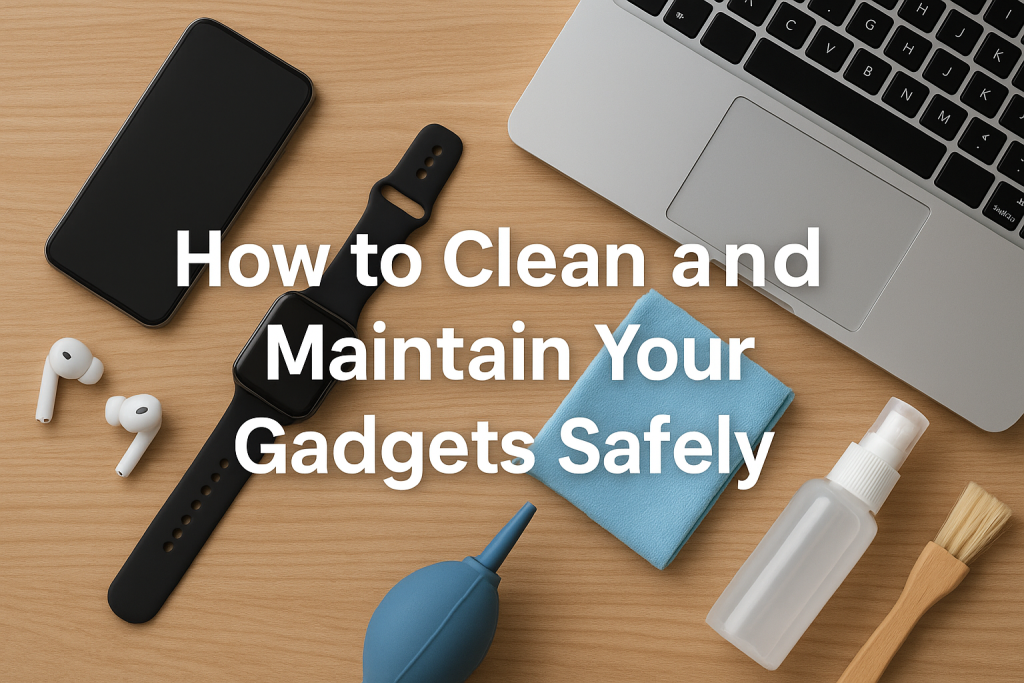
Building a proper gadget cleaning kit doesn’t require expensive products. Here are the essentials:
Basic Supplies:
- Microfiber cleaning cloths (at least 3-4)
- Distilled water
- Isopropyl alcohol (70% concentration)
- Soft-bristled brush or clean makeup brush
- Cotton swabs
- Compressed air canister
- Screen-safe cleaning solution
Optional but Helpful:
- UV sanitizer device
- Cable organizers
- Device stands for drying
- Anti-static brush
- Lint-free wipes
What to Avoid
These common household items can damage your electronics:
- Paper towels (too abrasive for screens)
- Window cleaners containing ammonia
- Harsh chemicals like bleach or acetone
- Excessive water or liquids
- Rough sponges or scrubbing pads
- Aerosol sprays directly on devices
How to Clean Your Smartphone Safely
Daily Quick Clean
Your phone deserves daily attention since it touches your face, hands, and various surfaces constantly.
Step-by-step process:
- Power off your device completely
- Remove any case or screen protector
- Dampen a microfiber cloth with 70% isopropyl alcohol solution
- Gently wipe the front and back surfaces
- Use a dry section of the cloth to remove moisture
- Clean the camera lenses with a dry microfiber cloth
- Use a cotton swab slightly dampened with alcohol for edges and buttons
Pro tip: Never spray liquid directly onto your phone. Always apply cleaning solution to the cloth first.
Deep Cleaning Your Phone
Perform this thorough cleaning weekly or whenever your device looks visibly dirty.
Complete cleaning routine:
- Screen care: Use circular motions with a clean microfiber cloth. For stubborn fingerprints, breathe lightly on the screen before wiping
- Port cleaning: Use a soft brush or wooden toothpick to gently remove lint from charging ports. Never use metal objects
- Speaker grilles: Brush gently with a soft-bristled brush, working debris away from openings
- Case cleaning: Wash removable cases with mild soap and water, then dry completely before reattaching
Special Considerations for Phone Maintenance
Modern smartphones have special coatings that require gentle care:
- Oleophobic coatings repel fingerprints but wear down with harsh cleaners
- Water-resistant doesn’t mean waterproof—avoid submerging devices
- Wireless charging pads need regular cleaning for optimal efficiency
- Screen protectors should be replaced when they show scratches
Laptop and Computer Cleaning Guide
Keyboard Cleaning Techniques
Keyboards trap more dirt than any other computer component. Here’s how to clean them properly:
Quick daily maintenance:
- Turn laptop upside down and gently shake to dislodge crumbs
- Use compressed air at an angle to blow debris from between keys
- Wipe key surfaces with slightly damp microfiber cloth
Deep keyboard cleaning:
- Take a photo of your keyboard layout for reference
- Use compressed air from multiple angles
- Dampen a cotton swab with isopropyl alcohol
- Clean around each key, replacing swabs frequently
- For stubborn grime, use a soft brush dipped in cleaning solution
- Allow keyboard to dry completely before use
Screen Cleaning Best Practices
Laptop screens require extra care due to their delicate coatings.
Proper screen cleaning method:
- Power off and unplug your laptop
- Use a dry microfiber cloth first to remove surface dust
- For smudges, lightly dampen cloth with distilled water
- Wipe gently in one direction rather than circular motions
- Never press hard on the screen
- Dry with a clean section of the cloth
Warning signs you’re cleaning wrong:
- Visible scratches appearing
- Screen coating looking damaged or streaky
- Colors appearing uneven
- Permanent spots or marks
Cleaning Laptop Vents and Fans
Proper ventilation prevents overheating and extends hardware life.
Vent cleaning procedure:
- Locate all air intake and exhaust vents
- Use compressed air in short bursts
- Hold fans in place while cleaning to prevent spinning
- Work in a well-ventilated area as dust will fly
- Consider professional cleaning every 12-18 months for internal components
Tablet and E-Reader Care
Touchscreen Maintenance
Tablets and e-readers need frequent cleaning due to constant touching.
Optimal cleaning approach:
- Clean screens at least twice weekly
- Use only microfiber cloths designed for electronics
- Apply minimal pressure to avoid damaging touch sensors
- Pay attention to screen edges where dirt accumulates
- Clean protective cases separately with appropriate methods
E-Reader Specific Tips
E-readers with e-ink displays require special care:
- Never use alcohol-based cleaners on e-ink screens
- Use only distilled water for cleaning
- Avoid pressing hard as e-ink displays are more fragile
- Clean screen borders where oils from fingers accumulate
- Store in protective cases when not in use
Cleaning Headphones and Earbuds
Earwax and Debris Removal
Earbuds accumulate earwax, oils, and debris that affect sound quality and hygiene.
Safe earbud cleaning:
- Remove silicone or foam tips if removable
- Wipe the main body with slightly damp cloth
- Use a dry cotton swab for speaker mesh areas
- Clean tips separately with mild soap and water
- Let everything dry completely before reassembling
- Replace tips every 3-6 months for best hygiene
Never do this:
- Submerge electronic components in water
- Use sharp objects to scrape speaker mesh
- Apply liquid directly to speaker openings
- Share earbuds without cleaning between users
Over-Ear Headphone Care
Larger headphones need different maintenance:
- Remove ear cushions if possible for separate cleaning
- Wipe headband and frame with damp microfiber cloth
- Use cotton swabs for crevices and adjustment points
- Clean ear cushions with mild soap solution
- Ensure complete drying before storage
- Consider replacing cushions annually for heavy users
Smartwatch and Fitness Tracker Maintenance
Band Cleaning Methods
Watch bands collect sweat, dirt, and bacteria from constant wear.
Material-specific cleaning:
Silicone and rubber bands:
- Wash with mild soap and warm water
- Use soft brush for textured surfaces
- Rinse thoroughly and air dry
- Clean at least weekly if worn during exercise
Leather bands:
- Wipe with barely damp cloth
- Use leather conditioner monthly
- Never submerge in water
- Allow to dry away from direct heat
Metal bands:
- Use slightly soapy water
- Dry immediately to prevent water spots
- Polish occasionally with appropriate metal cleaner
- Clean between links with soft brush
Watch Face and Sensor Care
The watch face and sensors need gentle but regular attention.
Proper maintenance routine:
- Power off watch before cleaning when possible
- Use dry microfiber cloth for display
- Clean heart rate sensors on the back regularly
- Remove watch for cleaning rather than cleaning while worn
- Check charging ports for debris
- Ensure sensors are clean for accurate readings
Gaming Console and Controller Care
Controller Cleaning
Gaming controllers get grimy from extended use. Here’s how to keep them fresh:
Basic controller maintenance:
- Power off and disconnect controllers
- Remove batteries if applicable
- Wipe all surfaces with alcohol-dampened cloth
- Use cotton swabs around buttons and joysticks
- Clean between buttons with soft brush
- Use toothpick for stubborn debris in crevices
- Clean joysticks by rotating while wiping
- Dry thoroughly before reconnecting
Frequency recommendations:
- Casual users: Monthly deep clean
- Daily gamers: Weekly thorough cleaning
- After each gaming session: Quick wipe down
- Shared controllers: Clean between users
Console Maintenance
Keep your gaming system running cool and quiet with proper care.
Console cleaning checklist:
- Dust exterior weekly with microfiber cloth
- Clean ventilation areas with compressed air monthly
- Keep console in well-ventilated area
- Remove dust buildup around ports
- Check for and remove any blocking objects near vents
- Schedule professional internal cleaning every 1-2 years
Camera and Lens Care
Lens Cleaning Fundamentals
Camera lenses require the gentlest touch and proper tools.
Professional lens cleaning steps:
- Use a lens blower to remove loose particles first
- Apply lens cleaning solution to a lens tissue, never directly to lens
- Wipe gently in circular motion from center outward
- Use fresh tissue for each pass
- Finish with a dry microfiber lens cloth
- Store camera with lens cap attached
Critical mistakes to avoid:
- Using your shirt or rough cloth
- Cleaning lens too frequently (only when necessary)
- Applying excessive pressure
- Using household glass cleaners
- Touching lens surface with fingers
Camera Body Maintenance
The camera body also needs regular attention for optimal performance.
Body cleaning routine:
- Brush away dust from body and controls
- Wipe exterior with slightly damp cloth
- Clean LCD screen like any other display
- Remove dirt from buttons and dials with cotton swabs
- Keep camera bag or storage area clean
- Check and clean battery contacts quarterly
Smart Home Device Maintenance
Voice Assistant Speakers
Smart speakers collect dust that affects sound quality and microphone performance.
Speaker cleaning guide:
- Unplug device before cleaning
- Use microfiber cloth for exterior surfaces
- Compressed air for speaker mesh areas
- Slightly damp cloth for stubborn spots
- Cotton swabs for buttons and ports
- Allow to dry before plugging back in
Smart Display Screens
Devices like smart displays need screen and speaker care combined.
Complete cleaning approach:
- Power off device
- Clean screen using tablet cleaning methods
- Wipe frame and base with damp cloth
- Clean speakers with soft brush
- Remove dust from ventilation areas
- Check charging contacts for corrosion
Cleaning Charging Cables and Accessories
Cable Maintenance
Cables fail from dirt buildup and improper handling. Extend their life with proper care.
Cable care routine:
- Wipe cables monthly with slightly damp cloth
- Clean connector ends with cotton swab and alcohol
- Check for fraying or damage during cleaning
- Organize cables to prevent tangling
- Store cables properly when not in use
- Replace damaged cables immediately for safety
Wireless Charger Care
Charging pads accumulate dust that reduces efficiency.
Charging pad maintenance:
- Unplug before cleaning
- Wipe surface with microfiber cloth
- Remove any debris or foreign objects
- Clean regularly for optimal charging speed
- Check alignment markers stay visible
- Ensure proper ventilation around charger
General Maintenance Best Practices
Creating a Cleaning Schedule
Consistency prevents major buildup and extends device life. Here’s a practical schedule:
Daily tasks (2-3 minutes):
- Wipe phone and smartwatch
- Quick keyboard dust-off
- Wipe frequently touched surfaces
Weekly tasks (15-20 minutes):
- Deep clean smartphone
- Thorough laptop keyboard cleaning
- Clean all screens
- Wipe controllers and accessories
Monthly tasks (30-45 minutes):
- Complete device inspection
- Deep clean all gadgets
- Compressed air cleaning for ports and vents
- Cable and accessory maintenance
- Replace worn cleaning supplies
Quarterly tasks (1-2 hours):
- Professional-level deep clean
- Check device performance
- Replace screen protectors
- Update and backup devices while cleaning
- Evaluate need for repairs or replacements
Storage and Protection Tips
Proper storage prevents damage and reduces cleaning needs.
Smart storage solutions:
- Use protective cases for portable devices
- Store devices in cool, dry locations
- Keep gadgets away from direct sunlight
- Use cable organizers to prevent tangling
- Maintain clean storage areas
- Consider humidity control in storage spaces
- Use dust covers for rarely used equipment
Environmental Considerations
Where you use your devices affects how often they need cleaning.
High-risk environments:
- Kitchens (grease and moisture)
- Bathrooms (humidity and bacteria)
- Workshops (dust and particles)
- Outdoor areas (dirt and pollen)
- High-traffic areas (increased contact)
Protective measures:
- Increase cleaning frequency in these areas
- Use protective cases or covers
- Keep devices elevated off dusty surfaces
- Create clean charging stations
- Establish device-free zones where appropriate
Check These Gadgets Review Also:
Rush Charge Universe Review
Statik TireHero Review
Muama Ryoko Pro Reviews
Groovz Audio Earbuds Review
Photo Stick Omni Review
Statik State Power Bank Review
TornadoPro Handheld Leaf Blower Review
Moonbird Breathing Device Review
Card Armor UK Reviews
Common Cleaning Mistakes to Avoid
Damaging Cleaning Practices
Even well-intentioned cleaning can cause harm. Watch out for these common errors:
Mistakes that cause damage:
- Using too much liquid: Excess moisture seeps into openings and causes internal damage
- Applying strong pressure: Screens and keys can crack or malfunction under pressure
- Wrong cleaning products: Household cleaners contain harmful chemicals for electronics
- Cleaning powered devices: Always power off before cleaning to prevent shorts
- Ignoring manufacturer guidelines: Device-specific instructions exist for good reasons
- Rushing the process: Hasty cleaning misses problems and causes accidents
Product-Specific Warnings
Different devices have unique vulnerabilities:
| Device Type | What to Avoid | Why It Matters |
|---|---|---|
| OLED Screens | Alcohol-based cleaners | Damages screen coating |
| Mechanical Keyboards | Submerging in liquid | Ruins switches permanently |
| Leather accessories | Harsh soaps | Dries out and cracks leather |
| Wireless charging devices | Metal objects during cleaning | Can scratch charging surface |
| Water-resistant phones | Hot water | Weakens seals over time |
Professional Cleaning vs DIY
When to Seek Professional Help
Some situations require expert intervention:
Professional cleaning is recommended for:
- Internal laptop or computer cleaning
- Water damage recovery attempts
- Persistent performance issues after cleaning
- Devices under warranty (to avoid voiding coverage)
- Expensive or irreplaceable equipment
- Situations where you feel uncomfortable
Average professional cleaning costs:
- Laptop internal cleaning: $50-100
- Desktop computer cleaning: $75-150
- Gaming console deep clean: $60-120
- Camera sensor cleaning: $40-80
DIY Maintenance Benefits
Regular DIY cleaning offers significant advantages:
- Immediate action when problems arise
- Lower long-term maintenance costs
- Better understanding of your devices
- Ability to address issues before they worsen
- Convenient and time-efficient
- Develops good technology care habits
Troubleshooting After Cleaning
Device Not Working After Cleaning
If your device malfunctions after cleaning, follow these steps:
Immediate actions:
- Power off device immediately
- Check for visible moisture and allow extended drying time (24-48 hours)
- Remove batteries if possible
- Place device in dry, warm environment
- Do not attempt to charge or power on until completely dry
- Consider silica gel packets to absorb moisture
Prevention for future cleaning:
- Use less liquid
- Apply cleaning solutions to cloth, not device
- Allow longer drying times
- Follow manufacturer recommendations more closely
Performance Issues Post-Cleaning
Sometimes cleaning reveals underlying issues:
If device performs poorly after cleaning:
- Restart device to clear temporary glitches
- Check all connections are secure
- Verify no debris remains in ports
- Ensure device is completely dry
- Update software if needed
- Monitor performance over several days
- Seek professional diagnosis if problems persist
Warranty and Insurance Considerations
Cleaning Without Voiding Warranty
Protect your warranty while maintaining your devices:
Safe warranty practices:
- Read manufacturer cleaning guidelines before starting
- Use only recommended cleaning products
- Avoid opening sealed components
- Document your cleaning routine with photos
- Keep receipts for cleaning supplies
- Never attempt unauthorized repairs
- Contact manufacturer support with questions
Warranty red flags to avoid:
- Liquid damage indicators triggered by excessive moisture
- Physical damage from aggressive cleaning
- Removed or damaged warranty seals
- Evidence of unauthorized disassembly
Insurance Coverage for Damage
Understand how device protection plans handle cleaning-related damage:
- Most plans don’t cover damage from improper maintenance
- Accidental damage plans may cover cleaning mishaps
- Document proper cleaning procedures for claims
- Report issues immediately rather than waiting
- Review policy terms regarding maintenance requirements
- Consider how claims affect future premiums
Seasonal Gadget Care
Summer Maintenance Tips
Hot weather creates unique challenges for electronics:
Summer care essentials:
- Increase cleaning frequency due to sweat and oils
- Monitor for overheating issues
- Keep devices out of direct sunlight
- Clean ventilation areas more often
- Protect devices from sand at beaches
- Address humidity-related condensation
- Store gadgets in climate-controlled environments
Winter Device Care
Cold weather affects device performance and cleanliness:
Winter maintenance focus:
- Allow devices to reach room temperature before use
- Address static electricity buildup
- Clean more frequently due to indoor heating dust
- Protect from moisture when moving between temperatures
- Check battery performance in cold conditions
- Prevent screen damage from extreme cold
- Monitor for condensation issues
Eco-Friendly Cleaning Alternatives
Sustainable Cleaning Solutions
Reduce environmental impact while maintaining your devices:
Green cleaning options:
- Reusable microfiber cloths instead of disposables
- Homemade cleaning solution (distilled water and white vinegar 50/50 for non-screen surfaces)
- Bamboo cotton swabs
- Natural fiber brushes
- Refillable spray bottles
- Biodegradable screen wipes for travel
- Recycled paper packaging for products
Benefits of eco-friendly cleaning:
- Reduces chemical exposure
- Lower environmental footprint
- Often more cost-effective long-term
- Safer for sensitive skin
- Effective for most cleaning needs
Recycling Old Cleaning Supplies
Dispose of gadget cleaning supplies responsibly:
- Recycle empty cleaning solution bottles
- Compost natural fiber cloths and swabs
- Properly dispose of electronic waste from old devices
- Donate functioning cleaning tools
- Repurpose old microfiber cloths for non-electronic cleaning
- Choose products with minimal packaging
Conclusion
Proper gadget cleaning and maintenance isn’t just about keeping your devices looking good—it’s about protecting your investment, maintaining performance, and ensuring your electronics last as long as possible. By following the techniques outlined in this guide, you can safely clean everything from smartphones to gaming consoles without causing damage or voiding warranties.
Remember these key takeaways:
- Always power off devices before cleaning
- Use appropriate cleaning solutions and tools for each device type
- Establish a regular cleaning schedule rather than waiting for visible grime
- Never use excessive moisture or harsh chemicals
- When in doubt, consult manufacturer guidelines or seek professional help
Start implementing these cleaning practices today, and you’ll notice immediate improvements in device performance, hygiene, and longevity. Your gadgets work hard for you every day—give them the care they deserve.
Ready to transform your device maintenance routine? Begin with your most-used gadget this week, establish a simple cleaning schedule, and watch how these small consistent efforts protect your technology investment for years to come.
FAQs About Clean and Maintain Your Gadgets
Can I use hand sanitizer to clean my phone screen?
While hand sanitizer contains alcohol, it’s not recommended for phone screens. Hand sanitizers contain additional ingredients like moisturizers, fragrances, and thickening agents that can leave residue, damage screen coatings, or cause streaking. Instead, use 70% isopropyl alcohol solution applied to a microfiber cloth, or purchase screen-specific cleaning wipes. This ensures you’re using the right concentration without additives that might harm your device’s oleophobic coating.
How often should I replace my microfiber cleaning cloths?
Replace microfiber cloths every 3-6 months with regular use, or sooner if they become excessively dirty, develop odors, or lose their softness. You can extend their lifespan by washing them properly every few weeks—use warm water with mild detergent, avoid fabric softener (which reduces effectiveness), and air dry or tumble dry on low heat. Keep at least 3-4 cloths in rotation so you always have clean ones available. Signs it’s time for replacement include persistent lint, scratches on screens after use, or reduced absorption.
Is it safe to clean my laptop keyboard with a damp cloth while it’s on?
No, never clean any electronic device while it’s powered on. Moisture can cause electrical shorts, damage internal components, or lead to key malfunctions. Always shut down your laptop completely, unplug it from power, and if possible, remove the battery before cleaning. After applying any dampness, allow the keyboard to dry for at least 15-30 minutes before powering back on. This simple precaution prevents the majority of cleaning-related device damage and potential data loss.
What’s the best way to remove sticky residue from device cases without damaging them?
The removal method depends on your case material. For plastic or silicone cases, remove them from the device first, then use isopropyl alcohol on a cloth to dissolve the adhesive, rubbing gently until residue lifts. For stubborn spots, let the alcohol sit for 30 seconds before wiping. Leather cases require a different approach—use a barely damp cloth with mild soap, testing in an inconspicuous area first. Never use harsh solvents like acetone or nail polish remover as these can dissolve or discolor cases. For rubber cases, a paste of baking soda and water works well for sticky spots.
Can cleaning my gadgets too frequently cause damage?
Yes, excessive cleaning can actually harm your devices over time. Over-cleaning wears down protective coatings on screens, degrades materials, and increases the risk of moisture damage from repeated exposure to cleaning solutions. Follow a balanced schedule: daily quick wipes for high-touch devices like phones, weekly deep cleans for keyboards and screens, and monthly maintenance for everything else. Only clean more frequently if devices are visibly dirty or used in high-contamination environments. Quality over quantity matters—one proper weekly cleaning is better than seven hasty, overly wet daily wipes.