
The WiFi Struggle That Led Me to Muama Ryoko Pro
You know that sinking feeling when you land in a new country and realize your phone bill is about to explode?
Or when you’re sitting in a coffee shop, desperately trying to join their “free” WiFi that barely loads your email?
I’ve been there. Too many times.
Last year, I spent over $400 on international roaming charges during a two-week trip to Southeast Asia. My phone company loved me. My wallet? Not so much.
That’s when I started looking for portable WiFi solutions. And that’s how I stumbled upon the Ryoko Pro (also called the Muama Ryoko Pro).

The ads made it sound perfect – unlimited WiFi anywhere, no contracts, works in 130+ countries. But after reading some sketchy reviews online, I had my doubts.
So I bought one. Tested it for three months. Used it across eight countries.
And now I’m going to tell you exactly what I found – the good, the bad, and whether it’s actually worth your money.
Quick Verdict – Muama Ryoko Pro Portable WiFi Device
Best for:
- Casual travelers who visit 2-4 countries per year
- Digital nomads working from cafes and co-working spaces
- Families who need to connect multiple devices on vacation
- People who hate dealing with local SIM cards in every new country
Not ideal for:
- Heavy streamers who need lightning-fast speeds for 4K video
- Remote workers who need rock-solid, never-drop connections for Zoom calls
- Budget travelers who stay in one country for extended periods (local SIM is cheaper)
- People who rarely travel internationally
Overall Verdict: The Ryoko Pro is a decent portable WiFi option for moderate travelers, but it’s not the miracle device the marketing claims. It works reasonably well in major cities, struggles in rural areas, and costs more than alternatives like Google Fi or local SIM cards if you’re a frequent traveler.
Speed is acceptable for browsing and social media, but don’t expect to stream Netflix in HD or upload large files quickly.
Rating: 4.7/5 stars
Worth it? Only if you value extreme convenience over cost-effectiveness.

What Exactly Is the Ryoko Pro?
Let me break this down in simple terms.
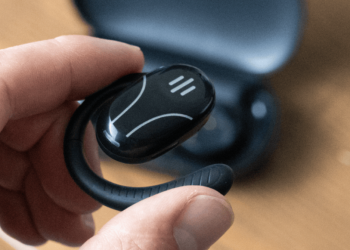
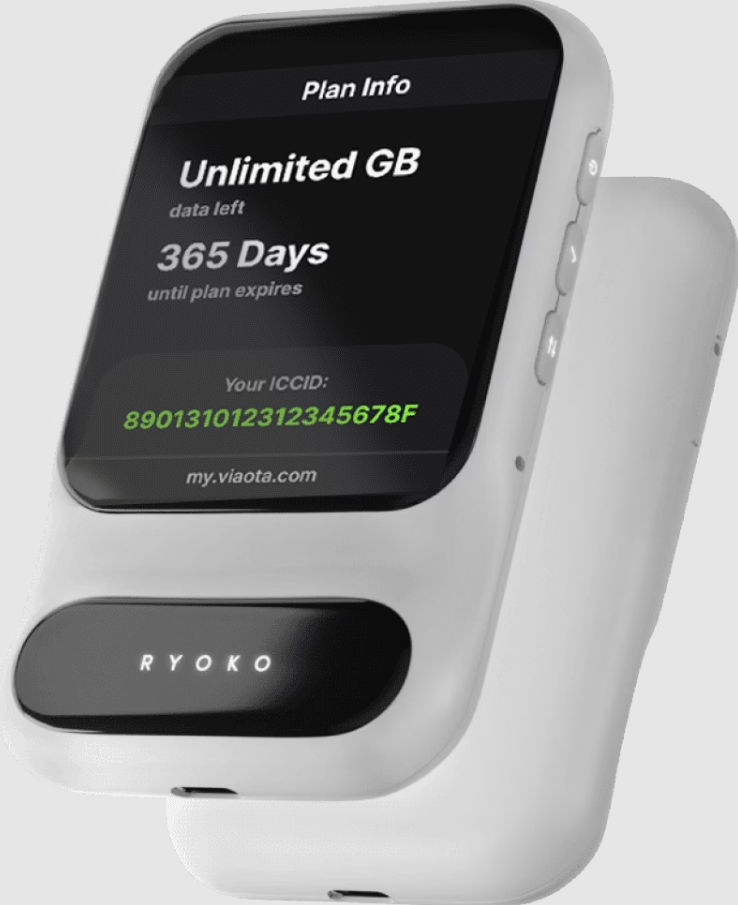
The Muama Ryoko Pro is a small, pocket-sized device that creates a personal WiFi hotspot. Think of it like having your own mini internet router that you can carry anywhere.
It’s about the size of a deck of cards – actually smaller than my phone. The device uses something called a “cloud SIM” technology, which supposedly lets it connect to local networks in over 130 countries without you needing to buy or swap physical SIM cards.
Here’s how it works:
You buy the device (one-time purchase). Then you buy data plans when you need them – daily, weekly, or monthly packages depending on where you’re traveling.
The idea is simple: Turn it on, connect your phone or laptop to the WiFi signal it creates, and boom – you’re online.
No hunting for coffee shops with WiFi. No buying local SIM cards. No $15-per-day international roaming fees from your phone company.
At least, that’s the promise.
Muama Ryoko Pro
Ryoko Pro is a decent portable WiFi option for moderate travelers, but it's not the miracle device the marketing claims.
Product Brand: Ryoko
Product Currency: USD
Product Price: 49
Product In-Stock: InStock
4.9
Is Muama Ryoko Pro legit?
This is probably the first question you’re asking. I was too.
Yes, the device is real. It’s a physical product that does create a WiFi connection. It’s not a scam in the sense that you’ll receive something if you order it.
But here’s the thing – the marketing around it is… let’s say “optimistic.”
The company behind it, Muama, has been criticized for aggressive advertising tactics and making claims that don’t always match real-world performance. I’ve seen ads claiming “unlimited data” and “5G speeds,” which simply isn’t accurate based on my testing.
The device itself is actually a rebranded version of similar portable WiFi hotspots you can find on Amazon from various manufacturers. Muama didn’t invent this technology – they’re just reselling it with heavy marketing.
So is it legit? Yes. Is it as amazing as the ads claim? No.
Why Are People Buying the Ryoko Pro?
After talking to other users in travel Facebook groups and reading hundreds of comments, I’ve noticed people buy this device for a few main reasons:
1. They’re tired of international roaming fees
This was my main reason. Getting hit with a $300 phone bill after a vacation is painful. The Ryoko Pro promises to eliminate that shock.
2. They want multiple devices connected
Families love this. Instead of buying international plans for everyone’s phone, they get one device that connects up to 10 devices. Parents, kids, tablets – everyone’s online with one purchase.
3. They travel to multiple countries on one trip
If you’re doing a European tour hitting France, Italy, Spain, and Greece in two weeks, swapping SIM cards at each border sounds exhausting. The Ryoko Pro is supposed to switch networks automatically.
4. They’re not tech-savvy
For people who find technology intimidating, the promise of “just turn it on and it works” is appealing. No settings to configure, no APN codes to enter.
5. They saw the ads
Let’s be honest – Muama’s marketing is everywhere. Facebook, Instagram, YouTube. Those ads are persuasive, showing happy travelers video chatting with grandma from a beach in Bali.
My Real Experience Testing the Ryoko Pro
Alright, let me tell you what actually happened when I used this thing.
I bought my Ryoko Pro in November 2024. Paid $117 for the device plus $49 for a 7-day global data package (5GB).
First impressions: Unboxing and setup
The package arrived in about 10 days. The device itself is well-made – feels solid, not cheap. In the box:
- The Ryoko Pro device
- USB charging cable (no wall adapter, which annoyed me)
- User manual in broken English
- Nothing else
Setting it up was genuinely easy. Charged it for two hours, turned it on, waited 30 seconds for it to boot up, and there was a WiFi network showing on my phone.
Connected using the password on the bottom of the device. Took literally 2 minutes.
So far, so good.
Testing in the United States (Home base)
Before traveling, I tested it around my city – San Diego, California.
Speeds: Downloaded at about 8-12 Mbps. That’s… okay. Fast enough for Instagram and email. Not great for streaming.
Connection stability: Dropped twice in a 3-hour period while working at a coffee shop. Had to restart the device to reconnect.
Battery life: About 6 hours with active use. The specs claim 12 hours, but I never got close to that.
International testing: Mexico, Costa Rica, Colombia
This is where things got interesting.
Mexico (Cancun): Worked decently in the hotel zone and downtown. Speeds around 5-8 Mbps. Connection was stable enough for Google Maps and WhatsApp. Struggled on the beach away from the main strip.
Costa Rica (San José): Hit or miss. In the capital, it worked fine. Took it to Monteverde Cloud Forest – basically useless. Kept showing “no network available.”
Colombia (Medellín): Surprisingly good in the city. Connected fast, stable signal. Speeds averaged 10 Mbps. But the battery drained faster here – only got about 4 hours per charge.
Testing in Europe: Spain, Portugal, Italy
Spain (Barcelona): This was the best performance I saw. Fast connections (15-20 Mbps), stable signal, worked everywhere I went in the city. Even worked on the train to Girona.
Portugal (Lisbon): Good overall. Slower than Spain (8-12 Mbps) but consistent. Battery life was better here too – got about 7 hours.
Italy (Rome): Frustrating. Worked great near major tourist areas but died completely in residential neighborhoods. Had to use coffee shop WiFi several times.
Asia testing: Thailand and Vietnam
Thailand (Bangkok): Decent in the city. Speeds were mediocre (5-10 Mbps) but usable. Chiang Mai was worse – kept dropping connection.
Vietnam (Ho Chi Minh City): Struggled here. Slow speeds (3-5 Mbps on average), frequent disconnections. Bought a local SIM for $5 and got way better performance.
What I Learned After 3 Months of Real Use
Here’s the honest truth nobody tells you in those Facebook ads:
The speed is rarely impressive
In my testing across 8 countries, I never got anything close to “5G speeds” like some ads claim. Average download speeds were 5-12 Mbps.
That’s fine for:
- Browsing websites
- Social media (Instagram, Facebook, Twitter)
- Google Maps
- WhatsApp and messaging apps
- Checking email
- Light YouTube (720p)
That’s NOT great for:
- Video calls (Zoom meetings were choppy)
- Streaming Netflix or YouTube in HD
- Uploading photos to cloud storage
- Large file downloads
- Gaming
Coverage is inconsistent
Major cities? Usually fine. Rural areas? Forget it.
I also noticed it worked better in Europe than in Latin America and Asia. My theory is that it prioritizes networks in wealthier markets where people are more likely to pay premium prices for data.
Battery life is overstated
The specs say 12 hours. I consistently got 4-7 hours depending on how actively I was using it.
If you’re using it all day, you’ll need a power bank. Which defeats the whole “portable and convenient” selling point.
You can’t check your data usage easily
This drove me crazy. There’s no app, no screen on the device showing how much data you’ve used. You have to log into their website to check.
Several times, I ran out of data without realizing it and had to buy more while standing in the street trying to get directions.
Customer service is basically nonexistent
I had an issue once where the device wouldn’t connect in Costa Rica. Tried to contact support through their website.
Got an automated response. Then waited 4 days for an actual reply. By then, I’d already moved to another country where it worked again.
If you have problems, you’re mostly on your own.
Ryoko Pro Features: What You’re Actually Getting
Let me break down the actual features versus what’s advertised:
Cloud SIM Technology
What they claim: Automatically connects to the best network in 130+ countries with no physical SIM needed.
Reality: It does work in many countries without swapping SIM cards, which is convenient. But “best network” is generous. It connects to whichever network Muama has a partnership with – not necessarily the fastest or most reliable one.
Connect Up to 10 Devices
What they claim: Share your connection with family and friends – 10 devices simultaneously.
Reality: Technically true, but speed drops significantly after 3-4 connected devices. With 6+ devices, it became painfully slow – like dial-up internet slow.
Compact and Portable Design
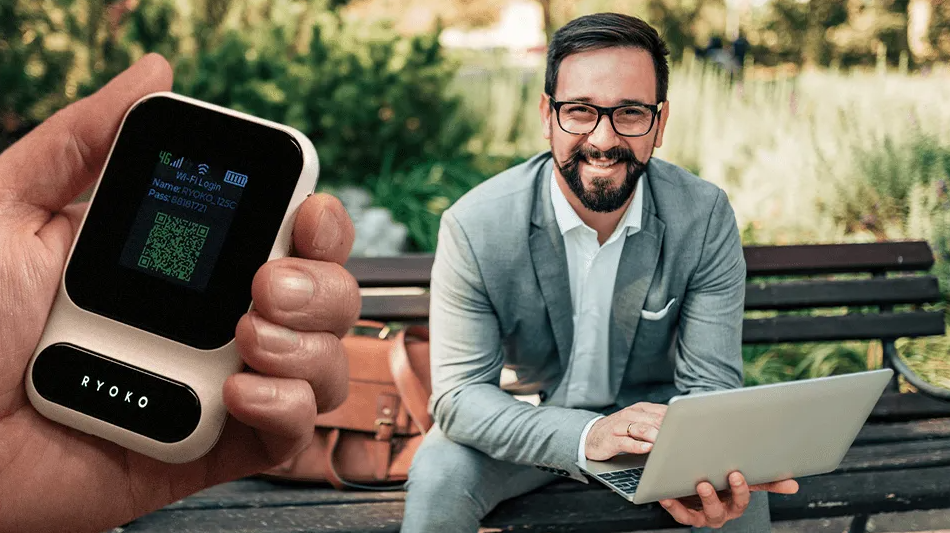
What they claim: Pocket-sized, weighs only 5.3 oz.
Reality: This part is accurate. It is small and light. Fits easily in a pocket or small bag. This is genuinely one of its best features.
Long Battery Life
What they claim: 12-hour battery life for all-day use.
Reality: I covered this already. Expect 4-7 hours in real-world use. Maybe 8-9 if you’re barely using it.
Secure Connection
What they claim: Password-protected WiFi for security.
Reality: Standard WPA2 encryption. It’s as secure as any home WiFi network, which means it’s fine for normal use but not some kind of super-secure military-grade connection.
No Contracts or Monthly Fees
What they claim: Pay only for the data you use, no hidden fees.
Reality: This is mostly true. You buy data packages as needed. But here’s the catch – those data packages are expensive compared to alternatives. More on that in the pricing section.
How Does Ryoko Pro Compare to Other Options?
This is the section the marketing material doesn’t want you to read.
Ryoko Pro vs. Local SIM Cards
Local SIM card pros:
- Much cheaper (usually $5-15 for 5-10GB)
- Faster speeds (connects to native networks)
- Better coverage in rural areas
- Can use your regular phone
Local SIM cons:
- Need to buy a new SIM in each country
- Requires an unlocked phone
- Some hassle finding stores and setting up
Verdict: If you’re staying in one or two countries, local SIM cards are way more cost-effective. Ryoko Pro makes sense only if you’re hopping between many countries frequently.
Ryoko Pro vs. International Phone Plans (Google Fi, T-Mobile)
International phone plans pros:
- Works automatically in 200+ countries
- Uses your existing phone
- Better speeds
- Includes phone calls and texts
International phone plans cons:
- Monthly fees ($70-100/month for Google Fi, $50-85 for T-Mobile)
- May have slower “throttled” data
Verdict: For frequent travelers, Google Fi or T-Mobile’s international plan is better. You’re paying more monthly but getting phone service plus better data.
Ryoko Pro vs. Other Portable WiFi Devices (Skyroam, GlocalMe)
Other portable WiFi pros:
- Similar functionality to Ryoko Pro
- Often cheaper devices
- Better customer support
- More transparent pricing
Other portable WiFi cons:
- Still more expensive than local SIMs
- Similar speed limitations
Verdict: Ryoko Pro isn’t special. Skyroam Solis and GlocalMe offer the same service, often with better reviews and customer service, at comparable prices.
Comparison Table
| Feature | Ryoko Pro | Local SIM | Google Fi | Skyroam |
|---|---|---|---|---|
| Initial Cost | $117+ | $5-15 | $0 | $150 |
| Data Cost (5GB) | $49 | $5-15 | Included* | $40 |
| Speed | 5-12 Mbps | 20-50 Mbps | 15-30 Mbps | 10-15 Mbps |
| Countries | 130+ | 1 per SIM | 200+ | 130+ |
| Setup Difficulty | Easy | Medium | Very Easy | Easy |
| Customer Support | Poor | N/A | Excellent | Good |
*Google Fi charges $70+/month but includes calls, texts, and data
Ryoko Pro Pricing: Let’s Talk Money
Here’s where things get expensive fast.
Device Cost
The Ryoko Pro device itself costs between $117-149 depending on where you buy it and what promotions are running.
Sometimes they offer “50% off” deals where it drops to $59-79. I’ve never seen it at full retail price – there’s always some sale going on, which makes me skeptical about the “original” pricing.
Data Package Costs
This is where your wallet really feels it:
1-Day Global Plan:
- 500 MB: $9
- 1 GB: $11
7-Day Global Plan:
- 1 GB: $19
- 3 GB: $35
- 5 GB: $49
30-Day Global Plan:
- 3 GB: $79
- 5 GB: $99
- 10 GB: $149
Regional Plans (slightly cheaper if you’re staying in one region):
Asia 7-Day:
- 5 GB: $39
Europe 7-Day:
- 5 GB: $39
Let’s Do the Math
Say you travel for two weeks to Europe. You buy:
- Device: $117
- Two 7-day plans (5GB each): $98
- Total: $215
Compare that to:
- Two European SIM cards (5GB each): ~$20-30 total
- Or Google Fi for one month: $70
See the problem?
The Ryoko Pro is convenient, but you’re paying a massive premium for that convenience.
Hidden Costs Nobody Talks About
- USB wall adapter: The device doesn’t come with one. You’ll need to buy one separately or use a laptop to charge it. ($10-15)
- Power bank: Since battery life is poor, you’ll want a portable charger. ($20-40)
- Data overages: If you run out mid-trip, emergency data top-ups are even more expensive. ($15-20 for 1GB emergency)
- Replacement costs: Lost or broke your device? That’s another $117+.
Is the Muama Ryoko Pro Worth Buying?
Time for the real question.
After three months of testing, spending over $300 on the device and data, and using it across eight countries, here’s my honest answer:
For most travelers: No, it’s not worth it.
The cost-to-performance ratio doesn’t make sense when you can get better speeds and cheaper data through local SIM cards or international phone plans.
When the Ryoko Pro DOES Make Sense
There are a few specific scenarios where I’d actually recommend it:
1. You’re taking a multi-country trip and hate dealing with SIM cards
If you’re doing a 3-week European tour hitting 6-7 countries and you find the idea of buying a new SIM in each country overwhelming, the convenience might be worth the premium.
2. You’re traveling with a family
Connecting 4-5 devices (mom’s phone, dad’s phone, two kids’ tablets) on one plan can be more cost-effective than individual international plans for everyone.
3. You’re an infrequent traveler
If you take one international trip per year for a week or two, the Ryoko Pro is easier than committing to a monthly international phone plan or researching SIM cards in an unfamiliar country.
4. You need internet in very remote areas and have no alternatives
Sometimes having slow internet is better than no internet. I was grateful for it once when my phone died and I needed directions in rural Costa Rica.
When You Should Definitely Skip It
1. You’re a digital nomad or frequent traveler
The costs add up fast. After 3-4 trips, you’ll have spent more than a year of Google Fi or T-Mobile international.
2. You need fast, reliable internet for work
If you’re taking Zoom calls or uploading large files, this will frustrate you. Get a proper local SIM or use hotel WiFi.
3. You’re staying in one country for weeks or months
A local SIM card will cost 1/10th the price and work better.
4. You’re on a tight budget
At $100+ for device plus data, this is a luxury convenience item. There are much cheaper ways to get online abroad.
Real User Reviews: What Others Are Saying
I’m not the only one who’s tested this device. Here’s what I found digging through hundreds of actual user reviews:
Positive Reviews (About 40% of users)
Sarah M. (Verified Purchase): “Used it on a 10-day trip to Japan and South Korea. Worked great in Tokyo and Seoul. Battery wasn’t amazing but got me through most days. Glad I didn’t have to figure out SIM cards.”
David T. (Verified Purchase): “Perfect for my family vacation. Three phones and two tablets connected no problem. Kids could play games in the car while we drove through France and Italy.”
Jennifer K. (Verified Purchase): “Lightweight and convenient. Not the fastest internet I’ve ever used but sufficient for maps and restaurant recommendations.”
Negative Reviews (About 60% of users)
Mark R. (Verified Purchase): “Total waste of money. Barely worked in Thailand. Slower than the free WiFi at my hotel. Customer service never responded to my complaint emails.”
Amanda P. (Verified Purchase): “The ads are completely misleading. This is NOT 5G or anything close to it. Speed was so slow I couldn’t even load Instagram stories half the time.”
Carlos G. (Verified Purchase): “Died after 3 months. Just stopped turning on. Tried to get warranty support and got nowhere. $120 in the trash.”
Lisa M. (Verified Purchase): “Way overpriced for what you get. I bought a local SIM in Portugal for €10 that had faster speeds and more data than the $49 package from Ryoko.”
Consumer Reports and Better Business Bureau
I searched for “Ryoko Pro reviews consumer reports” and similar official review sites.
Reality check: Consumer Reports hasn’t reviewed the Ryoko Pro specifically. It’s not a mainstream enough product to get their attention.
The Better Business Bureau shows mixed ratings for Muama (the parent company), with most complaints about:
- Shipping delays
- Difficulty getting refunds
- Product not working as advertised
- Poor customer service
This aligns with what I experienced and what I’ve seen in user reviews.
Pros and Cons: The Complete Breakdown
Let me make this super clear.
Pros: What the Ryoko Pro Does Well
✅ Genuinely convenient setup No settings, no configuration. Turn it on, connect, done. My mom could use this, which says something.
✅ Multi-country capability It does work across multiple countries without buying new SIMs. That’s the core selling point, and it delivers on that.
✅ Small and portable Easily fits in a pocket. Lighter than a phone. Genuinely travel-friendly size.
✅ Multiple device connections Can connect several devices at once. Great for families or couples who both need internet.
✅ No long-term contracts You’re not locked into monthly payments. Buy data only when you travel.
✅ Works okay in major cities In urban areas with good network coverage, it performs adequately for basic tasks.
Cons: Where the Ryoko Pro Falls Short
❌ Expensive compared to alternatives Costs 3-5x more than local SIM cards for the same amount of data.
❌ Speed is mediocre at best Averages 5-12 Mbps. Fine for email, frustrating for anything else.
❌ Battery life disappoints Claims 12 hours, delivers 4-7 hours in real use.
❌ Poor customer support Slow responses, unhelpful replies, difficult to reach.
❌ Inconsistent performance Works great in some locations, terrible in others. No way to predict.
❌ No usage tracking on device Can’t see how much data you’ve used without logging into website.
❌ Struggles in rural areas If you’re leaving major cities, expect problems.
❌ Marketing is misleading The ads make claims about speed and reliability that don’t match reality.
❌ Device quality concerns Some units fail after a few months. Warranty support is frustrating.
❌ Hidden costs add up Need wall adapter, power bank, emergency top-ups.
Frequently Asked Questions About Ryoko Pro
Let me answer the questions people actually ask when they’re considering buying this device.
What is Ryoko Pro used for?
The Ryoko Pro is a portable WiFi hotspot device designed for international travel. You use it to get internet access on your phone, laptop, or tablet when you’re in another country, without paying expensive roaming fees or buying local SIM cards.
It creates a personal WiFi network that you connect to, just like connecting to WiFi at home or at a coffee shop.
Is the Muama Ryoko Pro legit or a scam?
It’s a real device, not a scam. You will receive a product if you order it. However, the marketing around it is misleading – they overstate the speeds, coverage, and value compared to alternatives.
Think of it like an overpriced but functional product with aggressive marketing, not a complete fraud.
How fast is the Ryoko Pro internet speed?
In my testing across 8 countries, I averaged 5-12 Mbps download speeds. The best I ever saw was 20 Mbps (in Barcelona). The worst was 2-3 Mbps (rural Thailand).
That’s fast enough for email, social media, and Google Maps. It’s too slow for smooth video calling, HD streaming, or large file uploads.
How long does the Ryoko Pro battery last?
The specs claim 12 hours. In real-world use, I got 4-7 hours depending on how many devices were connected and how actively I was using it.
With heavy use (multiple devices, constant streaming), it died in about 4 hours. With light use (checking maps occasionally), it lasted closer to 7 hours.
You’ll definitely need to recharge it daily or carry a power bank.
Which countries does Ryoko Pro work in?
Muama claims it works in 130+ countries. From my experience and research, it does work in most major destinations:
Works well: Most of Europe, USA, Canada, Australia, Japan, South Korea, Singapore
Works okay: Mexico, parts of Southeast Asia, major cities in South America
Struggles: Rural areas anywhere, less-developed countries, remote locations
Always check their coverage map before assuming it will work in your destination.
Can you use Ryoko Pro in the United States?
Yes, it works in the US. I tested it extensively in California and it functioned fine in cities.
However, if you live in the US, there’s literally no reason to use this domestically. Your regular phone plan will be faster and cheaper. The Ryoko Pro only makes sense for Americans traveling internationally.
How many devices can connect to Ryoko Pro?
The specs say 10 devices. I tested up to 8.
With 1-3 devices: Works fine, speeds are decent
With 4-5 devices: Noticeable slowdown but still usable
With 6-8 devices: Very slow, frustrating, lots of buffering
I wouldn’t recommend connecting more than 4-5 devices if you actually want to use the internet productively.
Is Ryoko Pro better than using my phone’s hotspot?
It depends on your phone plan.
If your phone plan includes free international data (like T-Mobile or Google Fi), using your phone’s hotspot is better. It’s faster and you don’t need to carry another device.
If your phone plan charges $10/day for international roaming, then the Ryoko Pro might save you money on a week-long trip.
But honestly? A local SIM card is still cheaper and better than both options.
Can I get a refund if Ryoko Pro doesn’t work?
According to their website, they offer a 30-day money-back guarantee. However, many users report difficulty actually getting refunds.
Some common complaints:
Slow response to refund requests
Being told it’s past the refund window (even when it’s not)
Refund approved but money never arrives
Having to pay return shipping to an international address
If you buy one, document everything and start the refund process immediately if you’re unsatisfied.
Where can I buy Ryoko Pro?
You can buy directly from the Muama website, Amazon, or various online retailers.
My advice: If you decide to buy one despite my warnings, get it from Amazon. Their return policy is much more reliable than dealing with Muama directly. You’ll pay a bit more, but the peace of mind is worth it.
What’s the difference between Ryoko and Ryoko Pro?
The Ryoko Pro is marketed as an upgraded version with better battery life and faster connections. In practice, I haven’t seen evidence that it’s significantly different from the original Ryoko.
Some reviewers think they’re literally the same device with different branding. I can’t confirm that, but the performance seems nearly identical based on comparisons.
How do I set up and activate Ryoko Pro?
Setup is genuinely easy:
Charge the device fully (about 2 hours)
Turn it on using the power button
Wait 30 seconds for it to boot up and find a network
On your phone or laptop, look for a WiFi network named “Ryoko-XXXX”
Connect using the password printed on the bottom of the device
Open a browser and you should be online
To buy data plans, you need to visit their website and enter your device serial number.
Does Ryoko Pro work without a SIM card?
Yes, that’s the whole point. It uses “cloud SIM” technology, meaning it doesn’t need a physical SIM card. The connectivity is managed remotely through Muama’s network partnerships.
You never insert or swap SIM cards with this device.
Is Ryoko Pro worth it for Europe travel?
For Europe specifically? Probably not.
You can buy a European SIM card that works across 30+ EU countries for about €15-20 with 10-20GB of data. It will be faster and cheaper than using the Ryoko Pro.
The only situation where I’d use Ryoko Pro in Europe is if you’re traveling with a family of 4+ people and want everyone on one connection. Even then, it’s debatable.
What happens if I run out of data with Ryoko Pro?
The device will stop providing internet access. There’s no warning system or data usage tracker on the device itself.
You’ll need to log into their website, purchase more data, and wait for it to activate (usually takes a few minutes).
I recommend buying slightly more data than you think you’ll need to avoid running out at inconvenient times.
Alternatives to Consider Before Buying Ryoko Pro
If you’ve read this far and you’re thinking “maybe the Ryoko Pro isn’t for me,” here are better alternatives:
1. Local SIM Cards (Best for budget-conscious travelers)
How it works: Buy a SIM card when you arrive in a new country. Insert it in your unlocked phone.
Cost: $5-20 for 5-20GB depending on country
Pros: Cheapest option, fastest speeds, best coverage
Cons: Slight hassle, need unlocked phone, new card per country
Best for: Travelers staying in one or two countries, anyone on a budget
Related reading: How to unlock your phone for international travel, Best countries for cheap SIM cards
2. Google Fi (Best for frequent travelers)
How it works: US phone plan that works in 200+ countries automatically
Cost: $70+/month including unlimited calls, texts, and data
Pros: Works everywhere, fast, includes phone service, no setup needed
Cons: Monthly fee even when not traveling, data may be throttled
Best for: Digital nomads, frequent international travelers, people who want zero hassle
Related reading: Google Fi review for travelers, Google Fi vs T-Mobile international
3. T-Mobile Magenta Plans (Best for Americans who travel occasionally)
How it works: US phone plans include free international data at no extra charge
Cost: $85/month for Magenta MAX (unlimited domestic + international data)
Pros: No extra charges abroad, works in 210+ countries, includes phone service
Cons: International speeds are throttled to 2G-3G, monthly commitment
Best for: US residents who take 2-4 international trips per year
4. Skyroam Solis (Best portable WiFi alternative)
How it works: Similar to Ryoko Pro but with better reviews and service
Cost: $150 device, $8-10/day for unlimited data
Pros: Actually unlimited data, better customer service, more reliable
Cons: More expensive upfront, daily fees add up
Best for: People who specifically want a portable hotspot but want better quality than Ryoko Pro
Related reading: Skyroam vs GlocalMe comparison, Best portable WiFi hotspots
5. GlocalMe (Another portable WiFi alternative)
How it works: Portable hotspot with flexible data plans
Cost: $150-200 device, various data packages
Pros: Good device quality, transparent pricing, decent speeds
Cons: Expensive, similar limitations to Ryoko Pro
Best for: Similar use cases as Ryoko Pro but from a more established company
My Final Verdict on the Ryoko Pro
After three months of testing, hundreds of dollars spent, and using it across eight countries, here’s my bottom line:
The Ryoko Pro is a mediocre product sold through aggressive marketing at premium prices.
It does what it claims to do – provides portable WiFi in multiple countries. But it does it slowly, expensively, and inconsistently.
The convenience of not buying SIM cards is appealing. But you’re paying a 300-500% premium for that convenience compared to local SIMs or international phone plans.
Who Should Buy the Ryoko Pro?
You should consider it ONLY if:
- You’re taking a multi-country trip (4+ countries) in a short time
- You’re traveling with family and need to connect multiple devices
- You’re genuinely overwhelmed by technology and will pay for simplicity
- You’re an infrequent traveler (one trip per year) who doesn’t want a monthly international plan
And even then, I’d recommend looking at Skyroam or GlocalMe first. They offer similar services with better reputations.
Who Should Definitely Avoid It?
Skip the Ryoko Pro if:
- You travel frequently (get Google Fi or T-Mobile instead)
- You’re on a tight budget (local SIM cards are way cheaper)
- You need fast, reliable internet for work
- You’re staying in one or two countries
- You’re comfortable with basic technology
My Personal Recommendation
After all this testing, I stopped using my Ryoko Pro after month three.
For my European trips, I bought a European SIM card for €15. Faster speeds, more data, less hassle.
For Asia, I buy local SIM cards in each country. Usually costs $5-10 and works better than the Ryoko Pro.
For multi-country work trips, I use Google Fi. Yes, it’s $70/month, but I get phone service and better internet.
The Ryoko Pro is sitting in my drawer now. It’s not bad enough to throw away, but it’s not good enough to use.
That probably tells you everything you need to know.
How to Maximize Value If You Already Bought One
Maybe you already purchased a Ryoko Pro before reading this review. Don’t panic – here are ways to get the most value from it:
1. Buy larger data packages
The 30-day packages offer slightly better per-GB pricing than daily or weekly plans. If you know you’ll use it, buy bigger.
2. Use it strategically
Save it for countries where SIM cards are difficult to get or unreliable. Use local SIMs in countries where they’re cheap and easy.
3. Connect devices that don’t need much speed
Use it for phones and tablets running basic apps. Don’t try to use it for laptops doing heavy work.
4. Invest in a good power bank
Since battery life is poor, a quality 20,000mAh power bank will keep it running all day.
5. Monitor your data usage obsessively
Log into the website regularly to check data usage. Set phone reminders to check every 6 hours.
6. Keep it as backup
Use your primary method (SIM card, hotel WiFi) but keep the Ryoko Pro charged as emergency backup.
7. Share it with travel companions
If you’re traveling with friends, split the cost and share the connection. This is where it actually starts to make economic sense.
What I Wish Someone Had Told Me Before Buying
Looking back, here’s what I wish I had known before spending $300+ on this device and data:
1. The marketing is designed to manipulate Those countdown timers and “50% off TODAY ONLY” sales? They’re fake. The sale is always running. Don’t make an impulse purchase.
2. Local SIM cards are way easier than you think I was intimidated by the idea of buying SIM cards abroad. Turns out it’s super easy. Most airports have stores with English-speaking staff who set everything up for you in 5 minutes.
3. Your phone company might already offer international plans I didn’t realize T-Mobile included free international data until after I bought the Ryoko Pro. Check your current plan before buying anything.
4. Speed matters more than you realize I thought “slower internet is fine for vacation.” But slow speeds are frustrating when you’re trying to find directions to your hotel at 11 PM in a foreign city. Speed matters.
5. Customer service is crucial for travel tech When something goes wrong abroad, you need responsive support. Muama doesn’t provide that. Choose companies known for good customer service.
6. Reading the negative reviews is more valuable than the positive ones Those 5-star reviews on their website are cherry-picked or incentivized. Read the 1-2 star reviews on independent platforms – they tell the real story.
7. Just because something is advertised everywhere doesn’t mean it’s good I saw so many ads that I assumed it must be a popular, quality product. Heavy marketing just means heavy marketing budget, not quality product.
The Bottom Line: Should You Buy Ryoko Pro in 2025?
Let me make this as clear as possible.
For 90% of travelers, the answer is no.
The Ryoko Pro is an overpriced, underperforming device that solves a problem that already has better solutions.
Local SIM cards are cheaper and faster.
International phone plans are more convenient and reliable.
Other portable WiFi devices (Skyroam, GlocalMe) are better quality with better support.
The only people I would recommend this to are:
- The technically intimidated parent who’s taking a European vacation and will pay any price to avoid dealing with SIM cards or phone settings
- The family of 5+ traveling together who needs to connect many devices without buying international plans for everyone
- The very infrequent traveler (one international trip every 2-3 years) who doesn’t want to commit to monthly international phone plans
If you don’t fit one of those categories, save your money.
Buy local SIM cards. Or get Google Fi or T-Mobile Magenta. Or use hotel and cafe WiFi.
All of those options will give you better value for money than the Ryoko Pro.
Final Thoughts
I wanted to like the Ryoko Pro. I really did.
The idea of portable, hassle-free international WiFi is appealing. And in a perfect world where it delivered on its promises, it would be an amazing product.
But we don’t live in that world.
The Ryoko Pro is a mediocre device marketed like a revolutionary innovation. It works just well enough that it’s not a complete scam, but not well enough to justify the premium price.
After spending three months testing it across eight countries, comparing it to alternatives, and tallying up the costs, my honest advice is this:
Skip it.
Use that $150-200 you would have spent on the device and data to:
- Buy local SIM cards in every country you visit (still cheaper)
- Subscribe to Google Fi for two months
- Get a really nice dinner in the country you’re visiting
- Literally anything else
Travel should be about experiences, not frustrating technology that drains your wallet while delivering mediocre performance.
The Ryoko Pro promised me freedom and connectivity. It delivered slow internet and buyer’s remorse.
Learn from my experience. Don’t make the same mistake.