
Imagine controlling your lights, thermostat, and security system from your smartphone-all without spending thousands of dollars. The dream of living in a smart home is more accessible than ever, but many people believe it requires a massive investment.
Here’s the truth: you don’t need to drain your savings account to enjoy the convenience and efficiency of home automation. With strategic planning and smart shopping, you can set up a functional smart home system for under $500.
In this comprehensive guide, I’ll walk you through everything you need to know about creating an affordable smart home setup. From choosing the right ecosystem to finding budget-friendly devices, you’ll discover practical strategies that have helped thousands of homeowners embrace smart technology without financial stress.
Whether you’re a tech enthusiast on a tight budget or a homeowner looking to dip your toes into home automation, this guide will show you exactly how to get started.
Understanding Smart Home Basics
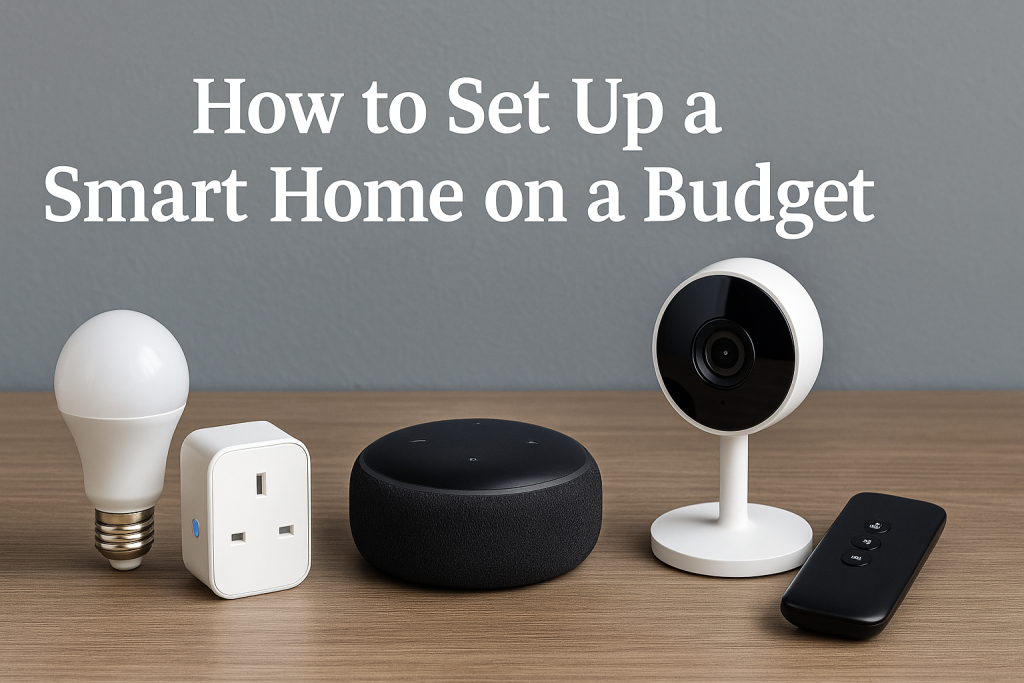
Before investing in any smart devices, it’s essential to understand what makes a home “smart” and how these systems work together.
What Is a Smart Home?
A smart home uses internet-connected devices to enable remote monitoring and management of appliances and systems. These devices communicate with each other and with you through a central hub or your smartphone, creating an automated living environment that responds to your needs.
Smart home technology encompasses:
- Lighting control systems that adjust brightness and color
- Thermostats that learn your temperature preferences
- Security cameras and doorbell systems for home monitoring
- Smart speakers that serve as voice-controlled assistants
- Automated locks for keyless entry
- Smart plugs that control traditional appliances
How Smart Home Ecosystems Work
Smart home devices operate within ecosystems—platforms that allow different devices to communicate and work together seamlessly. The three major ecosystems dominating the market are:
Amazon Alexa: The most affordable and widely compatible ecosystem, supporting thousands of third-party devices. Alexa excels at voice control and offers budget-friendly entry points through Echo devices.
Google Home: Known for superior voice recognition and search capabilities, Google Home integrates naturally with Android devices and Google services. It offers strong compatibility with budget brands.
Apple HomeKit: While typically more expensive, HomeKit provides robust security and privacy features. It works exclusively with iOS devices and maintains strict device certification standards.
Benefits of Starting Small
You don’t need to automate your entire home on day one. Starting with a few key devices allows you to:
- Test the technology before committing to a full system
- Spread costs over time instead of one large purchase
- Learn which features matter most to your lifestyle
- Avoid compatibility issues by building strategically
- Upgrade gradually as prices drop and technology improves
Planning Your Budget-Friendly Smart Home
Strategic planning is the foundation of creating an affordable smart home that meets your needs without wasting money on unnecessary gadgets.
Setting a Realistic Budget
Determine how much you can comfortably spend without straining your finances. A functional starter smart home can be built in three budget tiers:
Basic Tier ($200-$300):
- One smart speaker or display
- Two to three smart bulbs
- One smart plug
- Basic security (video doorbell or camera)
Intermediate Tier ($300-$500):
- Smart hub or display
- Complete room lighting setup
- Smart thermostat
- Multiple smart plugs
- Enhanced security system
Advanced Tier ($500-$800):
- Multiple room automation
- Comprehensive security coverage
- Climate control system
- Entertainment integration
- Automated window treatments
Prioritizing Essential Devices
Not all smart devices provide equal value. Focus on devices that solve real problems in your daily life rather than collecting gadgets for novelty.
Start by identifying pain points in your current home:
Do you forget to turn off lights when leaving home? Smart bulbs or switches solve this problem affordably. Concerned about home security while traveling? A smart camera system should be your first priority. Want to reduce energy bills? A smart thermostat offers the best return on investment.
Creating a Phased Implementation Plan
| Phase | Timeline | Focus Area | Estimated Cost |
|---|---|---|---|
| Phase 1 | Month 1 | Voice assistant + lighting | $100-$150 |
| Phase 2 | Month 2-3 | Security basics | $80-$150 |
| Phase 3 | Month 4-5 | Climate control | $100-$150 |
| Phase 4 | Month 6+ | Expansion and automation | Variable |
This phased approach prevents overspending while allowing you to build a comprehensive system over time.
Choosing the Right Smart Home Ecosystem
Your choice of ecosystem will impact device compatibility, functionality, and long-term costs. Making the right decision upfront saves money and frustration.
Comparing Major Platforms
Amazon Alexa Ecosystem:
Alexa dominates the budget-friendly smart home market with the widest device compatibility and lowest entry costs. Echo Dot devices frequently sell for under $30 during sales, providing an affordable gateway to home automation.
Advantages include extensive third-party support, frequent sales and discounts, simple setup process, and strong voice control capabilities. The platform works well with budget brands like Wyze, Kasa, and Govee.
Google Home Ecosystem:
Google’s platform shines in natural language processing and integration with Google services. It offers excellent compatibility with Android devices and provides superior search and information retrieval.
This ecosystem suits users who value accurate voice recognition, rely heavily on Google services, prefer Android devices, and want strong smart display options.
Apple HomeKit Ecosystem:
HomeKit prioritizes security and privacy but typically requires higher-priced certified devices. It integrates seamlessly with iPhones, iPads, and other Apple products.
Consider HomeKit if you’re heavily invested in Apple’s ecosystem, prioritize data privacy and security, don’t mind paying premium prices, and value streamlined iOS integration.
Budget-Friendly Ecosystem Recommendations
For most budget-conscious users, Amazon Alexa offers the best combination of affordability and functionality. You can start with an Echo Dot and expand with compatible devices from various manufacturers without breaking the bank.
Google Home serves as an excellent alternative if you’re an Android user or heavily use Google services. The platform’s superior voice recognition justifies the slightly higher entry cost.
Only choose HomeKit if you’re committed to Apple’s ecosystem and willing to invest in certified devices. While more expensive, it provides unmatched privacy and security features.
Avoiding Ecosystem Lock-In
Protect your investment by choosing devices that support multiple ecosystems whenever possible. Many modern smart devices work with Alexa, Google Home, and HomeKit simultaneously, giving you flexibility to switch platforms without replacing hardware.
Look for products labeled “Works with Alexa, Google Assistant, and Apple HomeKit” to maximize compatibility and future-proof your setup.
Essential Budget Smart Home Devices
Building a smart home on a budget requires identifying which devices deliver the most value for your investment. Here are the essential categories to consider.
Smart Speakers and Displays
Your smart speaker serves as the control center for voice commands and automation routines.
Budget Options:
Amazon Echo Dot (5th Gen) offers impressive sound quality and full Alexa functionality for around $50 (often on sale for $20-$30). It’s the perfect starter device that can expand into a multi-room audio system.
Google Nest Mini provides excellent voice recognition in a compact package for approximately $50 (frequent sales bring it to $20-$25). It integrates seamlessly with Google services and Chromecast devices.
Smart Display Options:
Echo Show 5 combines a screen with Alexa functionality for $90 (sale prices around $45). The display enhances recipes, video calls, and security camera viewing.
Google Nest Hub provides a larger screen with superior visual integration for $100 (sales around $50). It excels at displaying photos, YouTube videos, and smart home controls.
Smart Lighting Solutions
Lighting automation offers the most noticeable smart home transformation with excellent energy savings potential.
Smart Bulbs vs. Smart Switches:
Smart bulbs replace existing bulbs and require no electrical work. They’re ideal for renters and those wanting color-changing capabilities. Expect to pay $10-$15 per bulb for budget options from brands like Wyze or Sengled.
Smart switches replace traditional wall switches and control all bulbs on that circuit. They’re better for permanent installations and rooms with multiple bulbs. Budget-friendly switches from Kasa or Treatlife cost $15-$25.
Recommended Budget Brands:
Wyze Bulbs deliver excellent value at $8-$12 per bulb with 16 million color options and easy setup. They work with Alexa and Google Home without requiring a hub.
Sengled Smart Bulbs offer reliable performance for $10-$15 per bulb, with optional hub-based systems for advanced features. They’re energy-efficient and long-lasting.
Kasa Smart Switches provide solid performance at $15-$20 per switch with easy installation and no hub requirements. They’re perfect for controlling multiple bulbs from one location.
Smart Plugs and Outlets
Smart plugs transform ordinary appliances into connected devices for minimal cost.
Best Value Options:
Kasa Mini Smart Plugs are compact and affordable at $10-$15 each (multi-packs offer better value). They monitor energy usage and work reliably with all major ecosystems.
Wyze Smart Plugs provide excellent functionality for just $10-$12 with outdoor-rated versions available. They’re among the smallest options, fitting easily into tight spaces.
Practical Applications:
Use smart plugs to control coffee makers for morning automation, manage holiday lights on schedules, monitor energy consumption of major appliances, create the appearance of occupancy while traveling, and control fans and space heaters safely.
Smart Thermostats
A smart thermostat typically pays for itself through energy savings within one to two years.
Budget-Friendly Models:
Wyze Thermostat offers professional-grade features for just $60-$70, including remote control, scheduling, and energy monitoring. It works with most HVAC systems and provides simple DIY installation.
Google Nest Thermostat (base model) provides learning capabilities and elegant design for $130 (often on sale for $90-$100). It learns your preferences and creates automatic schedules.
Amazon Smart Thermostat, made by Resideo, delivers reliable performance for $60-$80 with straightforward Alexa integration and easy setup.
Energy Savings Potential:
According to energy studies, smart thermostats can reduce heating and cooling costs by 10-23%. For an average household spending $1,000 annually on climate control, that’s $100-$230 in yearly savings.
Security Cameras and Doorbells
Home security is a top priority for most smart home users, and budget options have improved dramatically.
Indoor Camera Options:
Wyze Cam v3 provides exceptional value at $30-$35 with continuous recording, two-way audio, and night vision. Optional subscription services add advanced features without mandatory fees.
Blink Mini offers basic monitoring for just $35-$40 with easy Alexa integration and free cloud storage. It’s ideal for checking in on pets or monitoring indoor spaces.
Video Doorbell Solutions:
Wyze Video Doorbell delivers impressive features for $45-$50, including HD video, motion detection, and two-way audio. It requires existing doorbell wiring but offers optional battery-powered versions.
Ring Video Doorbell (Wired) provides reliable performance for $65 with the Ring ecosystem’s proven track record. It offers excellent motion detection and community safety features.
Cloud Storage Considerations:
Many budget cameras offer free limited cloud storage (typically 12-14 days of event recordings). Paid subscriptions unlock continuous recording, longer retention, and advanced AI features but aren’t mandatory for basic functionality.
Money-Saving Shopping Strategies
Smart shopping can reduce your smart home costs by 40-60% without sacrificing quality or functionality.
Best Times to Buy Smart Home Devices
Prime Day and Black Friday Sales:
Amazon Prime Day (typically July) and Black Friday (November) offer the deepest discounts on smart home technology. Echo devices often drop to 50-75% off, while other brands like Philips Hue, Ring, and Nest see significant price reductions.
Plan your purchases around these events and create wish lists in advance. Price tracking tools like CamelCamelCamel help identify genuine deals versus artificial markdowns.
Seasonal Sales Patterns:
January (New Year sales), May (Memorial Day), September (back-to-school), and December (holiday season) consistently feature strong smart home deals. Manufacturers also discount older models when launching new versions.
Where to Find the Best Deals
Online Retailers:
Amazon consistently offers competitive pricing, especially on their own Echo devices and Ring products. Their return policy provides peace of mind when trying new technology.
Walmart and Best Buy match online prices and offer same-day pickup, allowing you to start using devices immediately. Their price-matching policies help you secure the best deals.
Manufacturer Refurbished Programs:
Amazon Renewed offers certified refurbished Echo devices at 30-50% off with warranties. These devices function like new but save significant money.
Google Store’s refurbished section provides similar savings on Nest products with full warranty coverage. Quality control ensures reliable performance.
Wyze’s certified refurbished program sells returns and minor cosmetic defect units at steep discounts. Functionality remains perfect with warranty protection.
Bundle and Multi-Pack Deals
Purchasing devices in bundles or multi-packs reduces per-unit costs substantially:
Smart bulb 4-packs cost $35-$45 versus $50-$60 for individual purchases, saving $15-$20. Smart plug 2-packs typically offer 20-30% savings compared to buying separately. Ecosystem starter bundles (speaker + bulbs + plugs) provide the best entry-level value with savings of $30-$50.
Promotional Offers and Rebates
Utility Company Rebates:
Many electric utilities offer rebates on smart thermostats as part of energy efficiency programs. Rebates typically range from $25-$100, significantly reducing thermostat costs. Check your utility company’s website for available programs.
Credit Card Rewards and Cash Back:
Use credit cards offering elevated rewards on electronics purchases (typically 3-5% back). Cash-back portals like Rakuten, TopCashback, and Honey often provide additional 2-10% back on retailer purchases.
When to Choose Generic Brands
Generic and lesser-known brands often match name-brand functionality at 40-60% lower prices. Consider generic brands for smart plugs, bulbs without color features, indoor cameras for basic monitoring, and simple switches without advanced features.
Stick with established brands for security devices requiring reliable performance, thermostats interfacing with HVAC systems, outdoor cameras exposed to weather, and devices requiring precise voice control.
DIY Installation and Setup
Professional installation can add $100-$300 to your smart home costs. Learning basic DIY skills eliminates these expenses while giving you control over your system.
Step-by-Step Device Installation
Installing Smart Bulbs:
Smart bulb installation is the simplest smart home upgrade requiring no electrical knowledge. Turn off the light switch, wait for the bulb to cool if replacing an existing bulb, remove the old bulb by twisting counterclockwise, screw in the smart bulb by twisting clockwise until snug (don’t overtighten), turn on the switch, and download the manufacturer’s app to complete setup.
Most smart bulbs enter pairing mode automatically on first power-up. Follow the in-app instructions to connect to your Wi-Fi network and voice assistant.
Setting Up Smart Plugs:
Smart plug installation takes just minutes. Plug the smart device into an electrical outlet, open the manufacturer’s app and create an account, follow prompts to connect the plug to your Wi-Fi network, name the plug based on its location or connected appliance, integrate with your voice assistant through the respective app, and test functionality using voice commands or the app.
Installing Smart Switches (Basic):
While more complex than bulbs or plugs, basic smart switch installation is manageable for DIY enthusiasts:
Turn off power at the circuit breaker (use a voltage tester to confirm power is off). Remove the existing switch cover plate. Unscrew the old switch from the electrical box. Take a photo of the wire connections before disconnecting. Connect wires to the smart switch following manufacturer instructions (typically: black wire to black/brass terminal, white wire to white/silver terminal, green/copper wire to green ground screw). Secure the switch in the electrical box. Attach the cover plate. Restore power at the breaker. Complete app-based setup.
If you encounter more than simple single-pole configurations (three-way switches, no neutral wire), consider hiring an electrician. Safety always comes first.
Smart Thermostat Installation:
Most smart thermostats include detailed installation guides. Turn off power to your HVAC system at the breaker. Remove your old thermostat cover and take photos of wire connections. Label wires using provided stickers (typically R, W, Y, G, C). Disconnect and remove the old thermostat base. Install the new smart thermostat base using the existing holes. Connect wires to corresponding terminals on the new thermostat. Attach the smart thermostat to the base. Restore power to your HVAC system. Complete setup through the thermostat screen and companion app.
If your system lacks a common wire (C-wire), some smart thermostats include adapters or can function without one. Check compatibility before purchasing.
Connecting Devices to Your Network
Wi-Fi Requirements:
Smart home devices require stable Wi-Fi coverage throughout your home. Most devices operate on 2.4GHz networks, which provide better range but slower speeds than 5GHz networks.
For optimal performance, ensure your router broadcasts a 2.4GHz network (most modern routers broadcast both simultaneously). Place your router centrally in your home to maximize coverage. Consider adding a Wi-Fi extender or mesh system if you experience dead zones (budget options available for $30-$50).
Naming Conventions for Easy Control:
Consistent naming makes voice control more intuitive. Use simple, unique names without special characters: “Living Room Lamp,” “Bedroom Light,” “Kitchen Coffee Maker.” Avoid similar-sounding names that might confuse voice assistants. Include location first, then device type for natural voice commands (“Turn on bedroom light” works better than “Turn on lamp bedroom”).
Troubleshooting Common Issues
Device Won’t Connect to Wi-Fi:
Verify the device is in pairing mode (usually indicated by blinking lights). Confirm you’re connecting to a 2.4GHz network, not 5GHz. Move the device closer to your router during initial setup. Check that your Wi-Fi password is entered correctly. Restart your router and the smart device. Update your router firmware if problems persist.
Voice Commands Not Working:
Ensure the device name matches exactly in your voice assistant app. Retrain your voice assistant by using the same commands multiple times. Check that the device is online in its native app. Verify the device is enabled in your voice assistant settings. Power cycle the voice assistant device and the smart device.
Devices Going Offline Randomly:
Weak Wi-Fi signal is the most common cause. Use a Wi-Fi analyzer app to check signal strength where devices are located. Consider upgrading to a mesh Wi-Fi system for comprehensive coverage (budget options from TP-Link and Tenda available for $60-$100). Reduce interference by moving devices away from microwaves and baby monitors.
Creating Automation Routines
Automation routines transform individual smart devices into a cohesive system that anticipates your needs and operates intelligently.
Understanding Automation Basics
Automation routines use “if this, then that” logic to create automatic responses to specific triggers. When a condition is met (trigger), one or more actions occur automatically.
Common Trigger Types:
Time-based triggers activate at scheduled times: “Every weekday at 7:00 AM.” Location-based triggers respond to your phone’s GPS: “When I leave home.” Device state triggers react to device status: “When motion is detected.” Voice command triggers respond to specific phrases: “When I say ‘good night.'” Weather-based triggers act on weather conditions: “When temperature drops below 65°F.”
Essential Routines for Daily Life
Morning Routine:
Create a morning routine that gently wakes you with gradually brightening lights. Set lights to turn on at 30% brightness 15 minutes before your alarm, increase to 100% when your alarm sounds, start your coffee maker automatically, announce the weather forecast and calendar events, and adjust the thermostat to your preferred daytime temperature.
This routine transforms waking up from a jarring alarm to a natural, comfortable experience.
Leaving Home Routine:
Automate security and energy saving when you leave. Turn off all lights throughout the house, adjust the thermostat to eco mode, confirm doors are locked, arm security cameras, turn off unnecessary appliances via smart plugs, and send a notification confirming all actions completed.
You can trigger this manually by saying “I’m leaving” or automatically using location-based triggers.
Arriving Home Routine:
Welcome yourself home with automated comfort. Unlock the front door when your phone is nearby, turn on entry and living room lights, adjust thermostat to comfortable temperature, disarm security system, and play favorite music or news briefing.
Bedtime Routine:
End your day with automated wind-down. Dim lights to 20% throughout the house, lock all smart locks, arm security cameras, adjust thermostat for sleeping temperature, turn off entertainment devices, and activate white noise machines or sleep sounds.
One voice command like “Good night” triggers this entire sequence.
Advanced Automation Ideas
Vacation Mode:
Create the appearance of occupancy while traveling. Randomly turn lights on and off throughout the house on varying schedules, simulate TV viewing by controlling entertainment devices, adjust thermostats to energy-saving modes, receive instant notifications from security cameras, and automate social media posts to avoid advertising your absence.
Energy Optimization:
Reduce utility bills through intelligent automation. Turn off devices when energy rates peak (if on time-of-use pricing), coordinate smart plugs with renewable energy generation (solar panels), automatically switch to eco modes when rooms are unoccupied, and track energy consumption patterns to identify savings opportunities.
Pet Care Automation:
Use smart home technology for pet comfort. Schedule automatic pet feeder operations, monitor pet activity with cameras, maintain comfortable temperatures throughout the day, create routines that turn on interactive toys, and receive alerts if unusual activity is detected.
Maximizing Compatibility and Integration
A truly smart home requires devices that communicate effectively. Maximizing compatibility ensures seamless operation and protects your investment.
Cross-Platform Device Support
Universal Compatibility:
When shopping for new devices, prioritize products supporting multiple ecosystems. Look for compatibility labels stating “Works with Amazon Alexa,” “Works with Google Assistant,” and “Works with Apple HomeKit.”
Universal compatibility provides flexibility to switch platforms without replacing hardware and allows household members to use their preferred voice assistant. It also ensures continued functionality if one platform discontinues support.
Matter Protocol:
Matter is a new universal standard launched in late 2022 that enables smart home devices from different manufacturers to work together seamlessly. Devices with Matter support work across Alexa, Google Home, Apple HomeKit, and Samsung SmartThings without requiring brand-specific hubs.
When possible, choose Matter-certified devices to future-proof your investment. The Matter logo on packaging indicates universal compatibility and simplified setup.
Using IFTTT for Advanced Integration
IFTTT (If This Then That) is a free automation service connecting apps, services, and devices that don’t natively integrate.
Practical IFTTT Applications:
Connect your smart home to weather services to automate actions based on forecasts. Integrate social media to share status updates when specific events occur. Link productivity apps to trigger smart home actions when tasks are completed. Connect financial services to flash lights when specific transactions occur. Integrate notification services to announce important events.
IFTTT’s free tier provides sufficient functionality for most users. Premium plans ($2.50-$5/month) unlock unlimited automation possibilities.
Smart Home Hub Options
When You Need a Hub:
Some smart home devices require dedicated hubs for communication. Hubs are necessary when using Zigbee or Z-Wave devices that don’t connect directly to Wi-Fi, consolidating control of multiple brands and protocols, extending wireless range beyond standard Wi-Fi, and reducing network congestion from many connected devices.
Budget Hub Recommendations:
Amazon Echo (4th Gen or newer) includes built-in Zigbee hub functionality for $100 (often $50-$60 on sale). This provides voice control and smart home hub capabilities in one device.
TP-Link Kasa Smart Hub isn’t always necessary as Kasa devices connect directly to Wi-Fi, but can provide extended range for outdoor devices.
Samsung SmartThings Hub offers comprehensive multi-protocol support for $90-$100, though it’s becoming less necessary as Matter adoption grows.
Security and Privacy Considerations
Protecting your smart home from security vulnerabilities is essential for maintaining privacy and preventing unauthorized access.
Securing Your Smart Home Network
Strong Wi-Fi Security:
Use WPA3 encryption if your router supports it, or WPA2 as a minimum. Avoid outdated WEP encryption, which is easily compromised. Create a strong Wi-Fi password with at least 16 characters combining uppercase, lowercase, numbers, and symbols. Change the default router admin password immediately after installation.
Separate Guest Network:
Create a separate guest network for visitors and IoT devices. This isolates smart home devices from computers and phones containing sensitive personal information. If one device is compromised, the attacker gains no access to your primary network.
Configure your router with a 2.4GHz guest network specifically for smart home devices and keep personal devices on the main network.
Regular Firmware Updates:
Manufacturers release firmware updates to patch security vulnerabilities. Enable automatic updates whenever possible. Check manufacturer apps monthly for pending updates on devices without auto-update features. Consider replacing devices from manufacturers that stop providing security updates.
Privacy Best Practices
Understanding Data Collection:
Smart home devices collect various types of data including voice recordings, video footage, usage patterns, and device interaction logs. Review privacy policies before purchasing to understand what data is collected, how it’s stored, where it’s processed, and who has access.
Minimizing Privacy Risks:
Disable microphones on voice assistants when not actively using them. Position security cameras away from private areas like bedrooms and bathrooms. Review and delete voice recordings and video footage regularly through manufacturer apps. Opt out of data sharing programs that provide your information to third parties. Use two-factor authentication on all smart home accounts.
Camera-Specific Considerations:
Indoor cameras should never point at areas where privacy is expected. Create privacy zones within camera settings to blur sensitive areas. Use scheduling to automatically disable cameras when you’re home. Require biometric or password authentication before viewing camera feeds.
Account Security Measures
Strong Password Practices:
Create unique passwords for each smart home service and manufacturer account. Never reuse passwords across multiple services. Use a password manager like Bitwarden (free), LastPass, or 1Password to securely store credentials.
Two-Factor Authentication:
Enable two-factor authentication (2FA) on every account that supports it. This requires a second verification method (typically a code sent to your phone) beyond just your password. Even if passwords are compromised, 2FA prevents unauthorized access.
Some Suggested Gadgets Review
Peeps Eyeglass Cleaner Review
SafeSleeve Air-Tube Headphones Review
Talky AI Buds Review
invisaWear Review
Statik Snap-N-Charge Review
Zithion-X Rechargeable Batteries Review
Aerless Review
Hear Direct Wireless TV Headset Review
MosqiShock Review
Energy Efficiency and Cost Savings
Smart home technology delivers tangible financial benefits through reduced energy consumption and optimized utility usage.
Calculating Potential Savings
Smart Thermostat ROI:
Smart thermostats represent the highest ROI smart home investment. The EPA estimates smart thermostats save the average household $180 annually on heating and cooling costs.
With quality budget thermostats available for $60-$80, payback period is approximately 4-5 months. Over a typical 10-year thermostat lifespan, total savings reach $1,800 against an $80 initial investment.
Smart Lighting Efficiency:
LED smart bulbs consume 75-80% less energy than incandescent bulbs and last 15-25 times longer. A 60-watt equivalent LED smart bulb uses just 9 watts while providing the same brightness.
For a household replacing 20 bulbs with smart LEDs (costing $200-$250), annual electricity savings average $150-$200 based on 3 hours daily usage. Automation further increases savings by ensuring lights aren’t left on unnecessarily.
Smart Plug Energy Monitoring:
Many smart plugs track energy consumption, helping identify power-hungry appliances. They also eliminate phantom power drain by completely cutting power to devices in standby mode.
The average household loses $100-$200 annually to phantom power consumption. Smart plugs managing entertainment centers, computer equipment, and kitchen appliances can recover most of these costs.
Energy-Saving Automation Strategies
Occupancy-Based Automation:
Create routines that turn off lights and adjust thermostats when rooms are unoccupied. Use motion sensors ($15-$25 budget options available) to detect occupancy. Set lights to automatically turn off 5-10 minutes after motion stops.
This automation alone can reduce lighting energy consumption by 30-40% compared to manual control.
Scheduled Temperature Adjustments:
Program thermostats with setback schedules that reduce heating/cooling when you’re asleep or away. Energy Star recommendations suggest:
Winter: 68°F while awake, 56-60°F while asleep or away (saves ~10% on heating). Summer: 78°F while home, 85°F while away (saves ~10% on cooling).
Weather-Responsive Automation:
Connect thermostats to weather forecasts through IFTTT or native integrations. Automatically adjust temperatures based on forecasted conditions, pre-cool homes before heat waves arrive, reduce heating on unseasonably warm days, and optimize settings for maximum efficiency.
Tracking and Analyzing Usage
Monitoring Tools:
Most smart home ecosystems provide energy monitoring dashboards. Amazon Alexa’s Energy Dashboard tracks compatible device usage. Google Home’s Energy insights show consumption patterns. Many smart plugs include dedicated energy monitoring in their apps.
Review these reports monthly to identify opportunities for additional savings.
Setting Energy Budgets:
Some platforms allow setting energy usage goals and receive notifications when exceeded. Create monthly energy budgets based on past consumption, reduce targets by 5-10% each quarter, celebrate milestones to maintain motivation, and reinvest savings into additional smart home devices.
Expanding Your Smart Home Over Time
Starting small and expanding strategically allows you to build a comprehensive smart home system without overwhelming your budget.
Priority Expansion Roadmap
Year One Priorities:
Focus on foundations during your first year. Complete voice assistant setup in primary rooms (living room, bedroom, kitchen). Automate lighting in frequently used spaces. Secure basic home security (doorbell or primary entrance camera). Install smart thermostat. Add smart plugs for high-use appliances.
This foundation costs $300-$500 and provides immediate convenience and savings benefits.
Year Two Expansion:
Build on your foundation with enhanced features. Extend lighting automation to all rooms. Add window and door sensors for comprehensive security. Install additional cameras for complete coverage. Create multi-room audio with additional smart speakers. Add smart locks for keyless entry convenience.
Budget $200-$400 for year two expansion depending on home size.
Year Three and Beyond:
Pursue advanced features once basics are covered. Install motorized window shades for complete ambiance control. Add smart irrigation for lawn care automation. Integrate entertainment systems with universal remotes. Explore specialty devices like smart mirrors or smart appliances. Experiment with innovative new technology as it becomes affordable.
Identifying What to Add Next
Usage Pattern Analysis:
Review your smart home usage data to identify gaps. Which rooms do you enter most frequently that lack automation? What manual tasks do you wish were automated? Which security vulnerabilities need addressing? What additional comfort improvements would benefit daily life?
Pain Point Solutions:
Let frustrations guide expansion decisions. Constantly adjusting blinds? Consider motorized shades. Forgetting to water plants? Add smart plant sensors. Package theft concerns? Install delivery box sensors. Pet care while traveling? Invest in automated feeders and cameras.
Seasonal Additions and Upgrades
Holiday Lighting Automation:
Smart plugs on timers eliminate manual holiday light management. Create schedules for automatic on/off times, synchronize displays across multiple locations, use voice commands to control holiday displays, and save energy with automated shutdowns.
Total investment: $30-$60 for smart outdoor plugs.
Summer Cooling Optimization:
Smart fans ($50-$80) coordinate with thermostats for efficient cooling. Create routines that activate fans when thermostats reach set temperatures, schedule fan operation during cooler evening hours, and integrate with window sensors to optimize natural cooling.
Winter Heating Enhancements:
Smart space heaters with automatic shutoffs improve safety and efficiency. Schedule preheating of specific rooms before use, monitor energy consumption to optimize usage, and automatically disable when rooms reach target temperatures.
Troubleshooting and Maintenance
Regular maintenance and effective troubleshooting keep your smart home operating reliably without expensive service calls.
Common Issues and Solutions
Devices Dropping Offline:
Intermittent connectivity is the most common smart home complaint. Diagnose the issue by checking if the problem affects one device or multiple devices. If it’s isolated to one device, the issue is likely device-specific. If multiple devices disconnect, the problem is network-related.
Solutions include moving devices closer to the router or adding Wi-Fi extenders, updating router firmware, reducing Wi-Fi interference by changing channels, restarting the router weekly using a smart plug timer, and replacing aging routers (over 3-5 years old).
Sluggish Response Times:
Delayed responses to commands frustrate users. Common causes include overloaded Wi-Fi networks with too many connected devices, outdated device firmware, insufficient router processing power, and network congestion from streaming or downloads.
Improvements come from upgrading to a dual-band or tri-band router, prioritizing smart home devices using Quality of Service (QoS) settings, scheduling bandwidth-intensive activities during low-usage periods, and reducing total connected device count.
Voice Command Recognition Problems:
Voice assistants occasionally misunderstand commands. Enhance recognition by speaking clearly at moderate pace, using the exact device names configured in your app, avoiding similar-sounding device names, retraining voice recognition through repeated commands, and positioning voice assistants away from noise sources.
If problems persist, check that your voice assistant is set to the correct language and dialect in settings.
Automation Routines Not Triggering:
Failed routines disrupt your smart home experience. Verify that all devices in the routine are online and responsive, check routine trigger conditions are correctly configured, ensure location-based triggers have proper app permissions, confirm time-based triggers account for time zones, and review routine action sequences for logical errors.
Test routines manually using voice commands before relying on automatic triggers.
Regular Maintenance Tasks
Monthly Checks:
Dedicate 15 minutes monthly to smart home maintenance. Update device firmware through manufacturer apps, test security cameras and review footage quality, verify smart locks operate smoothly, clean camera lenses and sensor surfaces, check battery levels in wireless devices, and review automation routines for optimization opportunities.
Quarterly Reviews:
Every three months, conduct deeper maintenance. Analyze energy usage reports and identify savings opportunities, review security camera storage and delete old footage, audit connected devices and remove unused ones, update passwords on accounts you haven’t recently changed, test emergency scenarios like power outages, and backup automation routines and device configurations.
Annual Deep Maintenance:
Once yearly, perform comprehensive system review. Evaluate overall smart home performance and plan upgrades, research new devices that could enhance functionality, review subscription services and cancel unused ones, clean or replace air filters in smart thermostats, inspect wiring on hard-wired devices like thermostats and switches, and document your entire smart home setup for insurance purposes.
When to Seek Professional Help
While DIY installation saves money, some situations require professional expertise:
Electrical work beyond basic switch replacement involves risks requiring licensed electricians. HVAC system issues beyond thermostat replacement need professional HVAC technicians. Network problems persist despite troubleshooting efforts may need IT professionals. Smart home integration with security systems requires certified security installers. Persistent device malfunctions after all troubleshooting may indicate defective units needing warranty service.
Don’t risk safety or property damage attempting repairs beyond your skill level. Professional service costs less than repairing mistakes.
Smart Home Myths Debunked
Misconceptions about smart home technology prevent many people from enjoying its benefits. Let’s address common myths with factual information.
Myth 1: Smart Homes Are Only for Tech Experts
Reality: Modern smart home devices prioritize user-friendly design with guided setup processes that anyone can follow. Most installations require no technical knowledge beyond following on-screen instructions.
Manufacturers invest heavily in simplifying user experience. Voice control eliminates the need to understand complex programming or technical concepts. If you can use a smartphone, you can operate a smart home.
Mobile apps provide intuitive interfaces with visual guides, step-by-step tutorials, and customer support chat. Setup processes typically take 5-10 minutes per device with clear instructions.
Myth 2: Smart Homes Are Expensive Luxuries
Reality: As this guide demonstrates, functional smart homes start under $200 and provide measurable cost savings. Budget devices offer 80-90% of expensive flagship functionality at fraction of the price.
Smart thermostats alone save $150-$200 annually, paying for themselves within months. Energy-efficient lighting reduces electricity bills by $100-$150 yearly. These savings compound over time while providing convenience benefits.
The “expensive luxury” perception comes from media coverage of high-end installations costing $10,000-$50,000. These extreme examples don’t represent typical smart home costs or requirements.
Myth 3: Smart Devices Are Security Risks
Reality: While poorly secured smart homes present vulnerabilities, proper security measures make smart homes as safe or safer than traditional homes. Many security concerns apply equally to all internet-connected devices including computers and smartphones.
Modern smart home devices include encryption, automatic security updates, and multi-factor authentication. Following basic security practices (strong passwords, firmware updates, network security) effectively mitigates risks.
Smart home security features like cameras, motion sensors, and automated lighting actually enhance home security compared to traditional homes. Remote monitoring provides awareness impossible with conventional setups.
Myth 4: Smart Homes Don’t Actually Save Energy
Reality: Numerous independent studies confirm smart home technology reduces energy consumption. EPA data shows smart thermostats save average households 10-23% on heating and cooling costs. Department of Energy research demonstrates smart lighting reduces lighting energy use by 30-40%.
The key is using automation features rather than treating smart devices like manual ones with remote control. Scheduling, occupancy detection, and weather-responsive automation deliver measurable savings verified by utility bill analysis.
Myth 5: All Smart Devices Require Subscriptions
Reality: Most budget smart home devices function fully without subscriptions. Basic features like remote control, automation, and voice commands work without monthly fees.
Subscriptions typically provide optional premium features like extended cloud storage, advanced AI detection, or professional monitoring services. These enhance functionality but aren’t mandatory for core operations.
When devices require subscriptions for basic functionality, consumer reviews highlight this clearly. Research before purchasing ensures you understand total ownership costs.
Myth 6: Smart Homes Stop Working When Internet Goes Down
Reality: Many smart home functions continue operating during internet outages. Local network (Wi-Fi) capabilities remain functional even without internet connectivity.
You can still control devices manually using apps on your phone connected to local Wi-Fi. Many devices retain schedules and automation routines that execute locally. Physical switches and controls continue working as backup options.
Only features requiring internet access (remote control from outside your home, voice assistants’ cloud processing, weather-based automation) become unavailable during outages.
Real-World Smart Home Success Stories
Learning from others’ experiences helps you avoid mistakes and identify successful strategies.
Budget Smart Home Case Study 1: Small Apartment
Profile: Sarah, 28, renting a 650 sq ft one-bedroom apartment in Chicago. Budget: $350 total investment.
Devices Installed:
One Echo Dot 5th Gen for living room voice control ($25 on sale). Four Wyze smart bulbs for living room and bedroom lighting ($35). Two Kasa smart plugs for coffee maker and bedroom lamp ($20). One Wyze Cam v3 for entry monitoring ($30). One Wyze Video Doorbell for front door security ($45). One Wyze Thermostat for climate control ($70).
Total Investment: $225 (leaving $125 for future expansion)
Results After 6 Months:
Monthly electricity bill decreased by $18 (from $85 to $67 average) through lighting and thermostat automation. Enhanced security provided peace of mind while traveling for work. Morning routine automation improved consistency and reduced morning stress. Voice control eliminated searching for light switches in unfamiliar apartment layout.
Annual ROI: Saving $216 annually on electricity against $225 investment equals payback in 13 months, with continued savings afterward.
Key Lesson: Renters can create effective smart homes without permanent modifications. All devices remained removable when moving.
Budget Smart Home Case Study 2: Family Home
Profile: Michael and Jennifer, family with two children in 2,400 sq ft suburban home. Budget: $600 over 6 months.
Phase 1 (Month 1-2): $200
Echo Show 8 for kitchen command center ($90). Six Sengled smart bulbs for main living areas ($60). Three Kasa smart switches for multi-bulb control ($50).
Phase 2 (Month 3-4): $200
Google Nest Thermostat for climate management ($100). Ring Video Doorbell for front door monitoring ($65). Two Wyze Cam v3 for backyard and garage ($60).
Phase 3 (Month 5-6): $200
Four additional smart bulbs for bedrooms ($40). Smart plug 4-pack for various appliances ($35). Smart lock for keyless entry ($85). Motion sensors for automated lighting ($40).
Results After One Year:
Heating and cooling costs reduced by $25 monthly ($300 annually). Kids’ forgetfulness about lights eliminated through automation. Package theft prevented with doorbell camera deterrent. Keyless entry eliminated lost key incidents. Enhanced security while on family vacation. Family energy awareness increased through monitoring.
Annual Savings: $420 between energy savings and prevented losses.
Key Lesson: Phased implementation spread costs manageable while building comprehensive system. Family involvement in automation creation increased engagement.
Budget Smart Home Case Study 3: Senior Homeowner
Profile: Robert, 67, living independently in 1,800 sq ft ranch home. Budget: $400 focused on safety and convenience.
Device Selection:
Echo Show 10 with rotating screen for easy viewing ($200 on sale). Smart doorbell with large button for visitors ($65). Motion-activated pathway lighting for safety ($80). Smart thermostat with large display ($70). Voice-controlled smart plugs for lamps throughout home ($40).
Results After 4 Months:
Reduced fall risk through automated pathway lighting at night. Medication reminders through Alexa routines improved health management. Video calling with grandchildren increased social connection. Voice control eliminated need to reach switches or bend down. Temperature management without adjusting thermostat manually.
Quality of Life Impact: Family reported improved peace of mind. Robert maintained independence longer with safety enhancements. Daily living tasks became less physically demanding.
Key Lesson: Smart homes provide significant aging-in-place benefits beyond convenience and energy savings.
Frequently Asked Questions (FAQs)
What is the minimum budget needed to start a smart home?
You can begin your smart home journey with just $50-$100. A basic starter setup includes one smart speaker (Echo Dot or Google Nest Mini for $20-$30 on sale) and 2-3 smart bulbs or smart plugs ($20-$30 total). This minimal investment provides voice control and basic automation capabilities for one room.
From this foundation, expand gradually as budget allows. Many people spread their smart home investment over 6-12 months, adding devices monthly rather than purchasing everything upfront. This approach makes smart home technology accessible regardless of income level while allowing you to learn the system before expanding.
The most important factor isn’t spending large amounts immediately, but choosing compatible devices that work within your selected ecosystem so future additions integrate seamlessly.
Can I mix devices from different brands in my smart home?
Yes, absolutely. Mixing brands is not only possible but often recommended for budget-conscious smart home builders. Most modern smart devices support multiple ecosystems simultaneously, allowing devices from various manufacturers to work together seamlessly.
The key is ensuring all devices support your chosen voice assistant platform (Alexa, Google Home, or HomeKit). For example, you can use Wyze bulbs, Kasa plugs, Ring cameras, and a Google Nest thermostat together if they all support Google Home integration.
When shopping, look for “Works with Alexa,” “Works with Google Assistant,” or “Works with Apple HomeKit” labels on packaging. Products supporting the new Matter protocol offer the highest compatibility across all platforms.
Avoid devices that require proprietary hubs from different manufacturers, as managing multiple hubs becomes complicated. Prioritize devices connecting directly to Wi-Fi or working with your primary smart speaker’s built-in hub functionality.
Do smart home devices work during power outages?
Smart home devices have limited functionality during power outages, but the impact varies by device type. Battery-powered devices like wireless cameras, video doorbells, and sensors continue operating until batteries deplete. Voice assistants, smart displays, and plugged-in devices stop working without power.
However, many smart home devices retain their programming and settings during outages. When power returns, they resume normal operation automatically without reconfiguration. Scheduled automation routines and learned behaviors remain intact.
To maintain smart home functionality during outages, consider these solutions: Uninterruptible Power Supplies (UPS) can keep routers, hubs, and critical devices running for 30-60 minutes during brief outages ($40-$80 for basic units). Battery backup systems provide extended power for essential devices. Backup generators maintain whole-home power including smart devices. Some devices offer cellular connectivity as internet backup.
For essential functions like security, ensure cameras have battery backup and consider cellular connectivity options that don’t rely on your home internet connection.
How much can I really save on energy bills with smart home devices?
Real energy savings depend on your current usage patterns and which devices you implement, but documented savings are substantial. Smart thermostats provide the largest impact, typically saving 10-23% on heating and cooling costs according to EPA studies. For households spending $1,200 annually on climate control, that translates to $120-$276 in yearly savings.
Smart lighting automation reduces lighting energy consumption by 30-40% by eliminating lights left on unnecessarily and switching to efficient LED technology. Average household lighting costs of $200 annually can decrease by $60-$80 with smart bulbs and automation.
Smart plugs eliminating phantom power drain save an additional $50-$100 annually by completely cutting power to devices in standby mode. Energy monitoring features help identify power-hungry appliances requiring replacement or reduced usage.
Combined, a well-automated smart home system typically saves $200-$400 annually for average households. Larger homes with higher baseline energy costs see proportionally greater savings. Savings continue year after year, while initial investment is one-time.
The key to maximizing savings is utilizing automation features rather than simply remote-controlling devices manually. Schedules, occupancy detection, and weather-responsive adjustments deliver consistent savings without requiring constant attention.
Are smart home devices difficult to set up without technical knowledge?
Modern smart home devices are designed for easy setup by anyone comfortable using a smartphone. Most installations follow a simple pattern: plug in or install the device, download the manufacturer’s app, follow step-by-step in-app instructions, connect to your Wi-Fi network, and link to your voice assistant.
Setup typically takes 5-15 minutes per device with clear visual guides and troubleshooting help. Manufacturers invest heavily in user-friendly design because complex setup processes receive negative reviews and reduce sales.
Voice control makes operation intuitive even for technology newcomers. Speaking commands like “turn on living room light” requires no technical understanding. Mobile apps provide visual interfaces similar to other phone apps you already use.
Some devices require basic installation skills: Smart bulbs need only screwing into existing sockets (no electrical knowledge required). Smart plugs simply plug into outlets (no installation needed). Smart switches may require basic electrical work (connecting wires following color-coded instructions). Smart thermostats need wire connections but include detailed installation guides.
If you can follow recipe instructions or assemble furniture from instructions, you can install smart home devices. For the rare complex installations, YouTube tutorials and manufacturer support lines provide additional guidance. Only extensive electrical work beyond basic switches requires professional help.
Conclusion: Your Smart Home Journey Starts Today
Creating a smart home on a budget isn’t just possible—it’s practical, achievable, and financially rewarding. You’ve now learned everything needed to transform your living space into an intelligent, automated environment without overwhelming your finances.
The key insights to remember:
Start small with essential devices that solve real problems in your daily life rather than collecting gadgets for novelty. Choose a compatible ecosystem (Alexa, Google Home, or HomeKit) and build within it to ensure seamless integration. Shop strategically during sales events, consider refurbished devices, and prioritize multi-packs for better per-unit pricing. Implement DIY installation for simple devices to eliminate professional installation costs. Create meaningful automation routines that deliver convenience and energy savings automatically. Expand gradually over time, spreading costs while building a comprehensive system.
Your initial $200-$500 investment will pay dividends through reduced energy bills, enhanced security, improved convenience, and increased home value. Most smart home systems pay for themselves within 1-2 years through energy savings alone, while providing daily quality-of-life improvements.
The smart home landscape continues evolving with better devices, lower prices, and improved compatibility. Starting today positions you to benefit from these advances while enjoying immediate improvements to your living environment.
Ready to Begin?
Take action this week by choosing your ecosystem based on your existing devices and preferences, identifying the top three pain points in your daily routine that smart devices could solve, setting a realistic initial budget ($200-$300 is perfect for starting), and watching for sales on your chosen platform’s smart speaker or display.
Remember that every smart home expert started exactly where you are now—with questions, concerns, and a modest budget. The difference between dreaming about a smart home and living in one is simply taking that first step.
Your intelligent, automated, budget-friendly home awaits. The technology is ready, the prices are right, and the benefits are proven. Start small, expand wisely, and enjoy the journey of creating a home that works for you.