
Imagine checking your messages, watching movies on a virtual big screen, or getting turn-by-turn directions without ever looking down at your phone. Smart glasses are transforming how we interact with technology, blending digital information seamlessly into our physical world.
But here’s the challenge: With brands like Nreal (now Xreal), Ray-Ban Meta, and Rokid all claiming to offer the best augmented reality experience, how do you know which smart glasses actually deliver on their promises?
Whether you’re a tech enthusiast exploring wearable displays, a professional seeking hands-free productivity tools, or simply curious about AR eyewear, this comprehensive comparison will help you make an informed decision. We’ve tested these devices extensively to bring you real-world insights, honest assessments, and practical recommendations.
By the end of this guide, you’ll understand exactly which smart glasses match your lifestyle, budget, and expectations.
What Are Smart Glasses and Why Do They Matter?
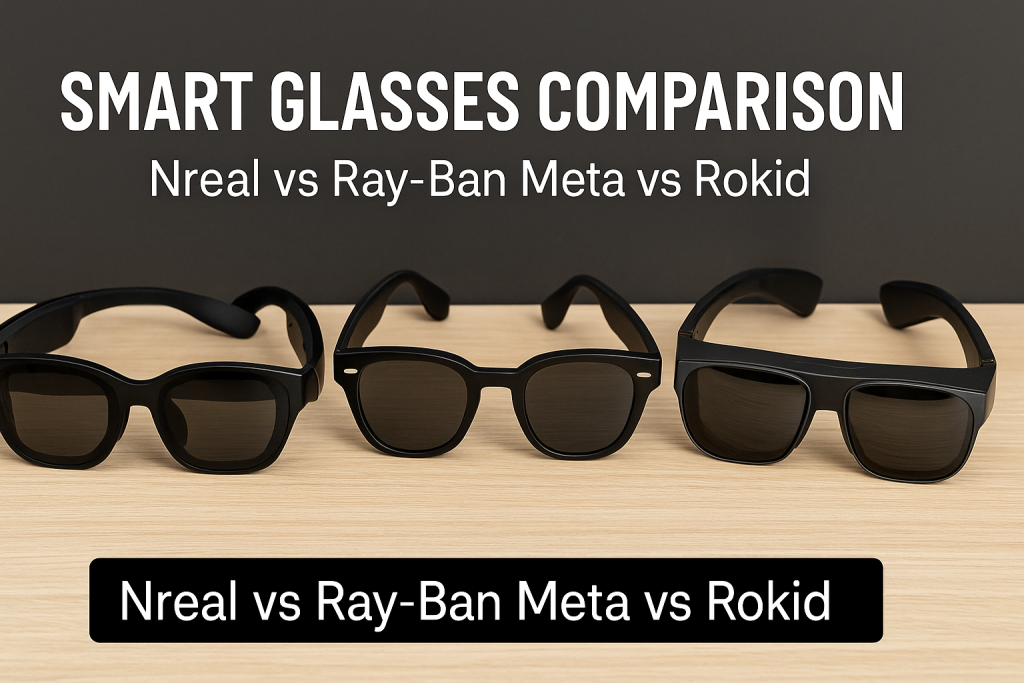
Smart glasses are wearable devices that display digital content directly in your field of vision. Unlike traditional eyewear, these augmented reality glasses integrate technology to enhance your daily experiences.
Key Benefits of Smart Glasses
Modern AR eyewear offers several practical advantages:
- Hands-free convenience: Access information without holding a device
- Immersive entertainment: Watch content on virtual screens that appear much larger than phone displays
- Enhanced productivity: View documents, messages, and notifications while multitasking
- Privacy on the go: Enjoy personal content without others seeing your screen
- Navigation assistance: Get directions overlaid on your real-world view
The smart glasses market has evolved significantly, with consumer-focused options now available at various price points. Understanding the differences between leading brands helps you invest wisely in this emerging technology.
Nreal (Xreal) Smart Glasses: Detailed Overview
Brand Evolution and Product Lineup
Nreal rebranded to Xreal in 2023, focusing on accessible AR display technology. The company specializes in lightweight glasses that connect to smartphones, computers, and gaming devices.
Current Models:
- Xreal Air 2 Pro
- Xreal Air 2
- Xreal Air (original)
Display Technology and Visual Experience
Xreal glasses utilize micro-OLED displays that create the impression of viewing a large screen from several feet away.
Display Specifications:
| Feature | Xreal Air 2 Pro | Xreal Air 2 | Xreal Air |
|---|---|---|---|
| Resolution | 1920×1080 per eye | 1920×1080 per eye | 1920×1080 per eye |
| Refresh Rate | 120Hz | 120Hz | 120Hz |
| Brightness | Up to 500 nits | Up to 500 nits | Up to 400 nits |
| Field of View | 46° diagonal | 46° diagonal | 46° diagonal |
The visual quality delivers crisp text and vibrant colors, making these glasses suitable for watching movies, gaming, and productivity tasks.
Electrochromic Dimming Technology
The Xreal Air 2 Pro introduces adjustable dimming, allowing you to control how much external light enters. This feature addresses a common complaint with AR glasses: excessive brightness in outdoor environments.
Dimming Levels:
- 0% (completely transparent)
- 35% (slight dimming)
- 100% (almost complete opacity)
This technology provides flexibility, letting you use the glasses comfortably in various lighting conditions without swapping lenses or attachments.
Design, Comfort, and Build Quality
Xreal prioritizes lightweight construction, with most models weighing around 72-79 grams. The glasses feature:
- Adjustable nose pads for better fit
- Replaceable temple tips
- Modern frame design resembling standard sunglasses
- USB-C connectivity (no battery in the glasses themselves)
The tethered design means you’ll always need a connected device, which some users find limiting but others appreciate for the reduced weight.
Compatibility and Connectivity
Xreal glasses work with devices supporting DisplayPort over USB-C or through HDMI adapters.
Compatible Devices:
- Android smartphones (Samsung, Google Pixel, OnePlus)
- iPhones (with Xreal Beam adapter)
- Windows laptops and MacBooks
- Nintendo Switch
- PlayStation 5
- Xbox Series X/S (with adapter)
- Steam Deck
The Xreal Beam is an optional accessory providing wireless casting, spatial audio, and additional compatibility for devices without native support.
Pricing and Value Proposition
Current Pricing (2025):
- Xreal Air: $379
- Xreal Air 2: $399
- Xreal Air 2 Pro: $449
- Xreal Beam: $119
These prices position Xreal as the mid-range option, offering strong display quality at a relatively accessible cost for AR technology.
Ray-Ban Meta Smart Glasses: Comprehensive Analysis
The Meta-Luxottica Partnership
Ray-Ban Meta glasses represent a collaboration between Meta (formerly Facebook) and EssilorLuxottica, combining iconic eyewear design with integrated technology.
Unlike Xreal and Rokid, these are not display glasses. Instead, they focus on audio, camera functionality, and AI integration.
What Ray-Ban Meta Glasses Actually Do
These smart glasses prioritize different features:
- High-quality speakers built into the temples
- Dual 12MP cameras for photos and 1080p video
- Open-ear audio with surprisingly good sound quality
- Meta AI integration for voice commands
- Live streaming to social media platforms
- Hands-free calling and messaging
Think of them as stylish sunglasses or prescription frames with embedded technology, rather than a heads-up display.
Design Options and Style Versatility
Ray-Ban Meta glasses come in classic Ray-Ban styles:
Available Frames:
- Wayfarer (classic square shape)
- Headliner (rounded design)
- Skyler (cat-eye style)
Customization Options:
- Multiple frame colors
- Various lens tints
- Prescription lens compatibility
- Transition lenses available
- Polarized options
The glasses look nearly identical to standard Ray-Bans, making them socially acceptable in situations where obvious tech devices might seem intrusive.
Audio Performance and Call Quality
Ray-Ban Meta glasses feature directional speakers that project sound toward your ears without typical headphone discomfort.
Audio Highlights:
- Extended bass response (improved over previous generation)
- Reduced sound leakage compared to earlier models
- Five-microphone array for clear calls
- Decent volume even in moderately noisy environments
While not matching dedicated headphones, the audio quality impressively balances convenience with performance for casual listening and calls.
Camera Capabilities and Content Creation
The integrated cameras enable quick content capture without reaching for your phone.
Camera Specifications:
- 12MP ultra-wide photos
- 1080p video recording at 30fps
- Up to 60-second video clips
- LED indicator shows when recording (privacy feature)
- Voice-activated capture: “Hey Meta, take a photo”
Content automatically syncs to the Meta View app on your smartphone for editing and sharing.
Practical Use Cases:
- Capturing first-person perspective moments
- Documenting activities while keeping hands free
- Quick reference photos during shopping or work
- Recording videos during outdoor activities
Meta AI Integration and Voice Commands
The glasses include Meta’s AI assistant, activated by saying “Hey Meta” or pressing a button.
AI Capabilities:
- Answer questions
- Provide information about what you’re looking at
- Set reminders and timers
- Control music playback
- Compose and send messages
- Make phone calls
The AI integration works reasonably well for basic tasks, though it requires an internet connection via your paired smartphone.
Battery Life and Charging
Ray-Ban Meta glasses charge via a compact case that provides additional power.
Battery Performance:
- 4 hours of continuous use (moderate activity)
- Up to 8 hours of standby
- Charging case provides 8 additional charges
- USB-C charging
- Full recharge in approximately 75 minutes
For most users, the battery comfortably lasts throughout daily wear with intermittent use.
Privacy Features and LED Indicators
Privacy concerns around camera-equipped glasses led Meta to include visible indicators:
- White LED illuminates whenever recording
- Cannot be disabled (hardware-level implementation)
- Audible shutter sound for photos
- Clear visual signal to others nearby
These features help address social concerns about covert recording, though they don’t eliminate all privacy considerations.
Pricing and Target Audience
Current Pricing (2025):
- Standard frames: $299
- Polarized lenses: $329
- Transition lenses: $379
- Prescription lenses: Additional $170-$220
Ray-Ban Meta glasses target users who prioritize:
- Fashionable, discreet wearable technology
- Hands-free audio and calling
- Quick content capture
- Social media integration
- AI assistance without holding devices
They’re not competing directly with display-focused glasses like Xreal or Rokid.
Rokid Smart Glasses: In-Depth Examination
Brand Background and Technology Focus
Rokid, a Chinese AR company, emphasizes portable virtual displays with spatial computing features. Their glasses aim for a balance between entertainment and productivity.
Current Product Range:
- Rokid Max
- Rokid Air
- Rokid Station (companion device)
Display Quality and Visual Immersion
Rokid glasses feature micro-OLED screens designed to simulate large virtual displays.
Rokid Max Specifications:
| Feature | Specification |
|---|---|
| Resolution | 1920×1080 per eye |
| Refresh Rate | 120Hz |
| Brightness | Up to 600 nits |
| Field of View | 50° diagonal |
| Virtual Screen Size | Equivalent to 215″ at 6 meters |
The slightly wider field of view compared to Xreal provides marginally more immersive experiences, particularly noticeable when gaming or watching movies.
6DoF Spatial Tracking Capabilities
The Rokid Max includes 6-degrees-of-freedom tracking, detecting:
- Position changes (moving left/right, forward/backward, up/down)
- Orientation changes (tilting, rotating)
This enables:
- Virtual screens that stay anchored in space
- More natural interaction with AR content
- Head-controlled cursor movement
- Basic spatial computing experiences
The tracking works reasonably well in controlled environments but can drift or lose accuracy in challenging lighting conditions.
Design Philosophy and Wearability
Rokid glasses adopt a futuristic aesthetic rather than trying to mimic traditional eyewear.
Design Characteristics:
- Weight: Approximately 75-83 grams (depending on model)
- Tethered USB-C connection
- Adjustable nose pads
- Interchangeable light shields (included accessories)
- Slightly bulkier than Xreal but still portable
The design clearly identifies them as tech devices, which may influence social acceptability in certain contexts.
Rokid Station: The Companion Device
The Rokid Station is a portable Android-based hub that enhances functionality.
Station Features:
- Standalone Android 12 system
- Wireless connectivity (no cable to phone)
- Built-in speakers and battery
- Access to Android apps
- Game streaming support
- Mouse and keyboard connectivity
This accessory transforms Rokid glasses into a more independent system, though it adds bulk and cost.
Software Ecosystem and App Support
Rokid provides dedicated apps for different use cases:
Rokid AR Launcher:
- Virtual workspace with multiple floating windows
- Web browsing
- Video player
- File management
- Settings control
Third-Party Compatibility:
- Cloud gaming services (GeForce Now, Xbox Cloud Gaming)
- Streaming apps (when connected to compatible devices)
- Productivity software (via screen mirroring)
The software experience is functional but less polished than competitors, with occasional bugs and interface quirks.
Device Compatibility Matrix
Rokid glasses connect to various devices:
Directly Compatible:
- Android smartphones (USB-C with DisplayPort Alt Mode)
- Windows laptops
- MacBooks (M1/M2 with USB-C)
- Nintendo Switch
- PlayStation 5
- Steam Deck
Requires Adapters:
- iPhones (Lightning to HDMI, then HDMI to USB-C)
- Xbox Series X/S
- Older devices without USB-C
The connection requirements can be confusing, and not all Android phones support the necessary protocols.
Pricing Strategy
Current Pricing (2025):
- Rokid Air: $349
- Rokid Max: $439
- Rokid Station: $199
Rokid positions itself competitively, offering features like 6DoF tracking and wider field of view at prices comparable to Xreal.
Head-to-Head Comparison: Key Differences
Display Technology Showdown
When comparing visual experiences, several factors matter:
Resolution and Clarity: All three display-equipped options (Xreal, Rokid) offer 1080p per eye, providing sharp, detailed images suitable for text reading and media consumption.
Brightness Levels:
- Rokid Max: 600 nits (brightest)
- Xreal Air 2/Pro: 500 nits
- Xreal Air: 400 nits
Higher brightness improves visibility in well-lit environments, making Rokid slightly better for outdoor use, though all struggle in direct sunlight.
Field of View:
- Rokid Max: 50° diagonal (most immersive)
- Xreal models: 46° diagonal
- Ray-Ban Meta: N/A (no display)
The 4-degree difference is noticeable when directly comparing but doesn’t dramatically impact everyday use.
Comfort and Portability Assessment
Weight and design significantly affect long-term wearability.
Weight Comparison:
- Ray-Ban Meta: 48-52 grams (lightest, feels like regular glasses)
- Xreal Air 2: 72 grams
- Xreal Air 2 Pro: 75 grams
- Rokid Max: 83 grams
For extended wear, lighter options reduce fatigue. Ray-Ban Meta wins for all-day comfort, while display glasses require breaks after 1-2 hours for most users.
Portability Factors:
- All models include carrying cases
- Tethered display glasses require connected devices
- Ray-Ban Meta functions independently with paired phone
- Rokid Station adds bulk but enables wireless use
Audio Experience Comparison
Audio capabilities vary dramatically across brands.
Ray-Ban Meta:
- Built-in open-ear speakers
- Five-microphone array
- Best for calls and casual listening
- No headphones needed
Xreal:
- No built-in audio
- Requires Bluetooth headphones or wired earbuds
- Some models compatible with Xreal’s audio adapter
- Freedom to use preferred audio solution
Rokid:
- No built-in audio in glasses
- Rokid Station includes speakers
- Bluetooth audio support
- Requires separate audio solution when connected directly
For users prioritizing integrated audio, Ray-Ban Meta clearly leads.
Battery Life Reality Check
Battery performance affects practical usability.
Ray-Ban Meta:
- 4 hours typical use (with moderate recording)
- Charging case extends to 32+ hours total
- Convenient for all-day wear
Xreal:
- No battery (powered by connected device)
- Unlimited use if device has power
- No charging needed for glasses themselves
Rokid:
- No battery (powered by connected device)
- Rokid Station adds 3-5 hours untethered use
- Battery life depends on host device otherwise
Display glasses’ lack of built-in batteries is actually advantageous, avoiding one more device to charge.
Price-to-Performance Analysis
Value depends on intended use:
Best Budget Entry:
- Xreal Air ($379): Good display quality, wide compatibility, lowest price for AR display
Mid-Range Sweet Spot:
- Xreal Air 2 ($399): Updated design, improved brightness, solid all-around choice
- Rokid Air ($349): Competitive alternative with similar features
Premium Features:
- Xreal Air 2 Pro ($449): Electrochromic dimming adds versatility
- Rokid Max ($439): Wider FOV, 6DoF tracking, brightest display
Different Category:
- Ray-Ban Meta ($299-$379): Best value if you want audio, cameras, and AI without display
Use Case Suitability Matrix
Different glasses excel in specific scenarios:
Best for Entertainment (Movies, Gaming):
- Rokid Max (wider FOV, bright display)
- Xreal Air 2 Pro (dimming for various environments)
- Xreal Air 2 (strong balanced option)
Best for Productivity (Reading, Work):
- Xreal Air 2 Pro (dimming helps with eye strain)
- Rokid Max (spatial windows with 6DoF)
- Xreal Air 2 (clear text rendering)
Best for Social Situations:
- Ray-Ban Meta (looks like regular glasses)
- Xreal Air 2 (sleek design)
- Rokid Max (obviously tech-focused)
Best for Travel:
- Xreal Air 2 (lightweight, compact case)
- Ray-Ban Meta (all-in-one, no cables)
- Rokid Max (requires more accessories)
Best for Content Creation:
- Ray-Ban Meta (integrated cameras, social features)
- Others (require separate recording equipment)
Real-World Testing: Practical Performance
Movie Watching Experience
We tested all glasses for extended video viewing to assess comfort, visual quality, and practical usability.
Xreal Air 2 Pro Results:
- Watched a 2.5-hour movie comfortably
- Dimming feature reduced eye strain significantly
- Image remained sharp throughout
- Minor light leakage at nose bridge
- Required external audio solution
Rokid Max Results:
- Wider FOV created more immersive experience
- Slightly heavier weight became noticeable after 90 minutes
- Brightness advantage in well-lit room
- 6DoF tracking occasionally lost calibration
- Better for shorter viewing sessions
Ray-Ban Meta Results:
- Not applicable for visual content display
- Audio-only experience for podcasts and audiobooks worked excellently
Verdict: For movie watching, Xreal Air 2 Pro edges ahead due to comfort during extended sessions, with Rokid Max a close second for maximum immersion.
Gaming Performance Test
Gaming demands low latency, high refresh rates, and comfortable positioning.
Connected to Nintendo Switch: All display glasses supported 1080p gaming at 60Hz. The private screen advantage made gaming in shared spaces much more enjoyable.
- Xreal: Responsive, comfortable for 1-hour sessions
- Rokid: Slightly wider view beneficial for racing games
- Both occasionally caused mild neck strain from fixed viewing position
Connected to PC (Steam Deck): 120Hz support enhanced smooth gameplay in supported titles.
- Rokid Max’s 6DoF allowed head-controlled aiming in compatible games
- Xreal’s lighter weight better for extended play
- Both delivered satisfying portable gaming experiences
Ray-Ban Meta: Not designed for visual gaming but works well for audio-based games or providing game audio.
Work Productivity Scenarios
We used display glasses for typical work tasks: document editing, web browsing, email management.
Advantages Observed:
- Private screen valuable in open offices or public spaces
- Equivalent to having a large monitor anywhere
- Reduced neck strain compared to looking down at laptop
- Lightweight keyboards and mice work well with virtual displays
Limitations Encountered:
- Text rendering occasionally showed chromatic aberration at edges
- Prolonged use (3+ hours) caused eye fatigue
- Difficult to see physical keyboard without removing glasses
- Social awkwardness in meetings (colleagues can’t see your screen)
Best Performing: Xreal Air 2 Pro with dimming adjusted for office lighting provided the most comfortable productivity experience.
Outdoor and Travel Usage
Smart glasses promise entertainment and functionality on the go.
Airplane Use: Display glasses excelled during flights, providing private entertainment without disturbing neighbors. Brightness levels adequate in cabin lighting.
Ray-Ban Meta worked perfectly for listening to content, making calls, and taking photos during trips without fumbling for phone.
Outdoor Visibility: All display glasses struggled in bright sunlight, even at maximum brightness. Usable in shade or overcast conditions but not direct sun.
Rokid Max’s 600 nits performed slightly better outdoors, but limitations remained.
Xreal Air 2 Pro’s dimming paradoxically helped by blocking ambient light, creating a darker viewing environment.
Social Acceptability Observations
Wearing tech on your face affects social interactions differently based on design.
Ray-Ban Meta: Most socially acceptable—many people didn’t realize they were smart glasses. Recording LED indicator prompted occasional questions but generally well-received.
Xreal Air 2: Sleek design drew curiosity rather than concern. People recognized them as tech devices but found them interesting rather than off-putting.
Rokid Max: Clearly identified as technology. Sparked more conversations and questions. Less suitable for professional environments where subtlety matters.
Connectivity and Compatibility Deep Dive
Understanding DisplayPort Alt Mode
Display glasses require specific technical standards to function properly.
What Is DisplayPort Alt Mode? A protocol allowing USB-C ports to transmit video signals, enabling glasses to receive display output from compatible devices.
Compatibility Checking: Not all USB-C ports support this feature. Check device specifications or test with confirmed compatible devices before purchasing.
Common Compatible Devices:
- Samsung Galaxy S21 and newer
- Google Pixel 6 and newer
- OnePlus 8 and newer
- Most modern Windows laptops with USB-C
- MacBooks (M1/M2/M3)
- Gaming consoles via appropriate adapters
Common Incompatible Devices:
- Many budget Android phones
- iPhones (require adapters)
- Older laptops with USB-C charging-only ports
Adapter Solutions and Workarounds
For devices without native support, adapters bridge the gap.
For iPhones: Lightning to HDMI adapter + HDMI to USB-C adapter (or Xreal Beam for wireless)
For Xbox Series X/S: HDMI to USB-C adapter with power delivery support
For Roku/Fire TV: Some models work with USB-C adapters; results vary
Considerations:
- Adapters add cables and bulk
- Some introduce latency or reduce quality
- Not all adapters work reliably
- Official brand adapters usually provide better compatibility
Wireless Connectivity Options
Tethered cables limit mobility and convenience.
Xreal Beam: Proprietary wireless adapter enabling:
- Bluetooth casting from any device
- 3DoF head tracking for screen stabilization
- Built-in battery for portable use
- Air casting from iPhones
Rokid Station: Android-based hub providing:
- Wireless operation after initial pairing
- Independent Android system
- Cloud gaming without phone
- Mouse and keyboard support
Ray-Ban Meta: Connects to smartphones via Bluetooth:
- Seamless pairing with iOS and Android
- Automatic reconnection
- Stable connection range (approximately 30 feet)
Casting and Screen Mirroring
Different methods enable content from various sources.
Miracast: Supported by Rokid with Station, enables wireless screen mirroring from Windows and Android devices.
AirPlay: Not directly supported; requires workarounds or adapters for iOS content.
HDMI Casting: Traditional wired method works with all display glasses via appropriate adapters.
Software and Ecosystem Comparison
Xreal Nebula and Interface
Xreal provides dedicated apps enhancing basic display functionality.
Nebula for Mac/Windows:
- Multiple virtual displays (up to three screens)
- Adjustable screen positioning
- Smooth head tracking (requires Beam)
- Window management tools
Nebula for Android:
- AR space for floating apps
- Gaming mode with reduced latency
- Video player with theater mode
- Settings customization
The interface is intuitive but occasionally buggy, particularly with third-party apps.
Ray-Ban Meta App Ecosystem
Meta emphasizes social integration and AI features.
Meta View App:
- Photo and video gallery
- Editing tools
- Direct sharing to social platforms
- Live streaming setup
- Privacy controls
Meta AI Integration: Responds to voice commands for:
- Information lookup
- Reminders and alarms
- Music control
- Smart home commands (if connected)
- Visual intelligence (identifying objects, translating text)
The AI requires internet connectivity and sends data to Meta’s servers, raising privacy considerations.
Rokid AR Ecosystem
Rokid focuses on spatial computing and productivity.
Rokid AR Launcher:
- Virtual workspace environment
- Floating windows for multiple apps
- Web browser
- Media player
- File management
App Store Access: Via Rokid Station, access to:
- Google Play Store apps (limited compatibility)
- Cloud gaming services
- Productivity applications
- Custom AR experiences
The ecosystem feels less mature than competitors, with fewer optimized apps and occasional stability issues.
Firmware Updates and Support
Ongoing software support extends product lifespan and improves functionality.
Update Frequency:
- Xreal: Regular updates every 2-3 months
- Meta: Frequent updates (monthly or more)
- Rokid: Less consistent, typically quarterly
Recent Improvements:
- Xreal added improved color calibration and reduced latency
- Meta enhanced AI capabilities and added new voice commands
- Rokid improved tracking accuracy and app compatibility
Privacy and Security Considerations
Camera-Equipped Glasses Concerns
Ray-Ban Meta’s integrated cameras raise legitimate privacy questions.
Privacy Safeguards:
- Hardware-level LED indicator when recording (cannot be disabled)
- Audible shutter sound for photos
- Clear labeling identifying them as smart glasses
- Meta’s data usage policies apply
User Responsibilities:
- Inform people when recording
- Respect private spaces
- Follow local recording laws
- Understand consent requirements
Data Collection: Meta collects usage data, including:
- Voice commands sent to servers
- Photos and videos (until deleted)
- Location data (when location services enabled)
- Usage patterns
Review Meta’s privacy policy and adjust settings to match your comfort level.
Display Glasses Data Collection
Xreal and Rokid collect limited data compared to camera-equipped glasses.
Xreal Data Practices:
- Basic usage analytics (optional)
- Crash reports for debugging
- No camera or microphone recording
- Limited personal data collection
Rokid Data Practices:
- Usage analytics via Rokid Station
- Android system data (when using Station)
- Third-party app data follows respective policies
Display-only glasses present fewer privacy risks, as they don’t capture your environment.
Secure Connectivity Best Practices
Protect your data when using smart glasses:
- Use trusted networks (avoid public Wi-Fi for sensitive tasks)
- Keep firmware updated
- Review connected app permissions
- Log out of accounts when sharing glasses
- Use strong passwords for associated accounts
- Enable two-factor authentication on companion apps
Maintenance and Durability
Cleaning and Care Guidelines
Proper maintenance extends lifespan and maintains performance.
Lens Cleaning:
- Use microfiber cloths (included with most models)
- Apply lens cleaner designed for coated optics
- Avoid paper towels or rough materials
- Clean gently to prevent scratches
- Remove dust before wiping to avoid grinding particles
Frame Care:
- Wipe frames with slightly damp cloth
- Avoid harsh chemicals or solvents
- Clean nose pads regularly
- Inspect hinges and connections periodically
Cable Management: For tethered models:
- Avoid sharp bends at connection points
- Store cables loosely coiled
- Inspect for fraying or damage
- Replace damaged cables promptly
Storage Recommendations
Proper storage prevents damage when not in use.
Best Practices:
- Always use provided protective case
- Store in cool, dry environment
- Avoid extreme temperatures (car dashboards, direct sunlight)
- Keep away from moisture
- Disconnect cables when storing
Travel Tips:
- Use hard-shell cases for checked luggage
- Carry in personal item for air travel
- Protect from crushing in crowded bags
- Bring necessary adapters and chargers
Warranty Coverage and Support
Understanding warranty terms helps with potential issues.
Standard Warranties:
- Xreal: One-year limited warranty covering manufacturing defects
- Ray-Ban Meta: Two-year limited warranty (varies by region)
- Rokid: One-year limited warranty
What’s Typically Covered:
- Manufacturing defects
- Hardware failures under normal use
- Display or audio issues
What’s Not Covered:
- Accidental damage (drops, water damage)
- Normal wear and tear
- Scratched lenses from improper cleaning
- Lost or stolen devices
- Damage from unauthorized modifications
Extended Protection: Some retailers offer extended warranty or damage protection plans worth considering given the cost of these devices.
Common Issues and Troubleshooting
Display Problems and Solutions
Users occasionally report visual issues with display glasses.
Issue: Blurry or Unfocused Image
Potential solutions:
- Adjust nose pads for proper positioning
- Ensure glasses sit straight on face
- Clean lenses thoroughly
- Check if prescription insert needed
- Verify device output resolution
Issue: Color Banding or Artifacts
Troubleshooting steps:
- Update firmware to latest version
- Try different video source
- Adjust brightness settings
- Check cable connections
- Test with another compatible device
Issue: Screen Drift or Misalignment
For models with tracking:
- Recalibrate in settings menu
- Ensure adequate lighting
- Remove reflective surfaces nearby
- Restart glasses and host device
Connectivity Troubleshooting
Connection issues frustrate users but often have simple fixes.
Issue: Glasses Not Detected by Device
Solutions to try:
- Verify device supports DisplayPort Alt Mode
- Try different USB-C port
- Clean connection points
- Update device drivers
- Restart both devices
- Test with known-compatible device
Issue: Intermittent Connection Drops
Troubleshooting approaches:
- Replace or test different cable
- Check for software conflicts
- Disable battery optimization for associated apps
- Update device firmware
- Reduce electromagnetic interference nearby
Issue: Audio Sync Problems (Ray-Ban Meta)
Fix attempts:
- Disconnect and re-pair Bluetooth connection
- Forget device and pair again
- Update Meta View app
- Reset glasses (check manual for procedure)
- Check phone audio settings
Battery and Charging Issues
Ray-Ban Meta users sometimes encounter charging problems.
Issue: Glasses Won’t Charge
Checklist:
- Ensure proper placement in case
- Clean charging contacts on glasses and case
- Try different power source for case
- Check case battery level
- Inspect for debris blocking connection
Issue: Rapid Battery Drain
Potential causes and solutions:
- Reduce brightness if possible
- Limit video recording frequency
- Disable features when not needed
- Check for firmware updates
- Contact support if issue persists
Prescription Lens Options and Customization
Adding Prescription Lenses
Many users require vision correction, impacting smart glasses usability.
Xreal Prescription Solutions:
- Official prescription lens inserts available
- Magnetic attachment system
- Compatible with most prescriptions
- Additional cost: approximately $80-$120
- Order through partnered optical services
Ray-Ban Meta Prescription:
- Full prescription lens replacement
- Order directly through Ray-Ban
- Wide range of prescriptions supported
- Transition and polarized options available
- Additional cost: $170-$220
Rokid Prescription Options:
- Prescription lens inserts available
- Third-party solutions also work
- Clip-in design
- Cost: approximately $70-$100
Important Considerations:
- Very high prescriptions may affect field of view
- Progressive lenses can be problematic with display alignment
- Ordering process takes 1-2 weeks typically
- Always verify compatibility before ordering
Lens Tinting and Protection
Beyond prescription, lens options affect comfort and usability.
Available Tint Options:
Ray-Ban Meta:
- Clear (indoor use)
- Gradient tints
- Full tints (various colors)
- Polarized (reduces glare)
- Transitions (adapt to lighting)
Display Glasses:
- Generally use fixed tint or clear lenses
- Xreal Air 2 Pro electrochromic dimming replaces need for tints
- Aftermarket magnetic clip-on sunglasses available
Blue Light Filtering: Some optical services offer blue light filtering coatings for prescription inserts, potentially reducing eye strain during extended use.
Future of Smart Glasses Technology
Emerging Trends in AR Eyewear
The smart glasses market continues evolving rapidly.
Technological Advancements Expected:
Higher Resolution Displays: Next-generation micro-LED and micro-OLED displays promise 4K per eye resolution, dramatically improving clarity for text and detailed content.
Wider Field of View: Companies are working toward 60-80 degree FOV, creating more immersive experiences approaching natural vision.
True Augmented Reality: Current glasses mostly overlay displays. True AR with object recognition, spatial mapping, and interactive virtual elements is developing.
Improved Battery Technology: Solid-state batteries and more efficient components may enable all-day use without tethering.
- Enhanced AI Integration
- Real-time translation
- Object and facial recognition
- Context-aware assistance
- Predictive information display
Potential Applications Expanding
Smart glasses applications extend beyond current entertainment and productivity focus.
Healthcare:
- Surgical assistance with overlaid information
- Remote medical consultations
- Patient monitoring displays
- Accessibility aids for vision impaired
Education:
- Interactive learning experiences
- Virtual field trips
- Language learning with real-time translation
- Technical training with step-by-step guidance
Industrial:
- Warehouse operations with inventory information
- Manufacturing assembly guidance
- Remote expert assistance
- Hands-free documentation
Navigation:
- Turn-by-turn directions overlaid on view
- Points of interest identification
- Real-time transit information
- Indoor navigation in large spaces
Market Growth Projections
Industry analysts predict significant smart glasses market expansion.
According to market research, the AR glasses segment is expected to grow substantially through 2030, driven by:
- Improving technology at lower costs
- Increased consumer awareness
- Expanding use cases beyond early adopters
- Integration with 5G and cloud services
- Major tech companies’ continued investment
Prices are projected to decrease as production scales, making smart glasses accessible to mainstream consumers within the next few years.
Buying Guide: Which Smart Glasses Should You Choose?
Decision Framework
Choosing the right smart glasses depends on your specific needs and priorities.
Ask Yourself These Questions:
- What’s your primary use case?
- Entertainment (movies, gaming)
- Productivity (work, reading)
- Social connectivity (calls, photos)
- General tech exploration
- What’s your budget?
- Under $300: Consider Ray-Ban Meta
- $300-$400: Xreal Air or Rokid Air
- $400-$500: Xreal Air 2 Pro or Rokid Max
- Do you need prescription lenses?
- Ray-Ban Meta offers seamless prescription integration
- Display glasses require additional inserts
- How important is portability?
- Ray-Ban Meta most portable and self-contained
- Xreal lightweight but requires connected device
- Rokid similar to Xreal; Station adds bulk
- Do you want integrated cameras?
- Only Ray-Ban Meta offers this feature
- Consider privacy implications
Recommendations by User Profile
Best for Tech Enthusiasts: Winner: Xreal Air 2 Pro
Reasons:
- Cutting-edge display technology
- Electrochromic dimming innovation
- Wide device compatibility
- Active development community
- Balanced price-to-features ratio
Best for Casual Users: Winner: Ray-Ban Meta
Reasons:
- Easiest to use
- Socially acceptable design
- Practical everyday features
- Doesn’t require technical setup
- Excellent for calls and content capture
Best for Gamers: Winner: Rokid Max
Reasons:
- Widest field of view
- 120Hz refresh rate
- 6DoF tracking for compatible games
- Brightest display
- Good for extended sessions
Best for Productivity: Winner: Xreal Air 2 Pro
Reasons:
- Comfortable for extended wear
- Adjustable dimming reduces eye strain
- Sharp text rendering
- Multiple virtual displays possible
- Compatible with work devices
Best for Content Creators: Winner: Ray-Ban Meta
Reasons:
- Integrated cameras
- Easy social media sharing
- First-person perspective capture
- Live streaming capability
- Stylish design for on-camera use
Best Budget Option: Winner: Xreal Air (original)
Reasons:
- Lower entry price ($379)
- Still delivers solid performance
- Proven reliability
- Wide compatibility
- Sufficient for most use cases
Best Premium Experience: Winner: Xreal Air 2 Pro with Beam
Reasons:
- Top display technology
- Wireless capability with Beam
- Electrochromic dimming
- Best overall versatility
- Future-proof features
Where to Buy Smart Glasses
Purchasing from reputable sources ensures authenticity and proper support.
Official Brand Websites:
- Xreal official site (www.xreal.com)
- Ray-Ban official site (www.ray-ban.com)
- Rokid official site (www.rokid.com)
Authorized Retailers:
- Amazon (verify seller authenticity)
- Best Buy (in-store try-on sometimes available)
- B&H Photo Video (good for tech purchases)
- Specific regional electronics retailers
Benefits of Official Sources:
- Genuine products guaranteed
- Full warranty coverage
- Latest firmware versions
- Proper customer support access
- Return policies honored
Considerations:
- Compare prices across sources
- Check for bundle deals or promotions
- Verify warranty terms before purchasing
- Read recent customer reviews
- Consider import duties for international orders
Conclusion: Making Your Smart Glasses Decision
Smart glasses represent an exciting frontier in personal technology, offering glimpses of how we’ll interact with digital content in the future. Whether you’re drawn to Xreal’s display technology, Ray-Ban Meta’s social features, or Rokid’s spatial computing capabilities, there’s an option suited to your needs.
Key Takeaways:
Xreal glasses deliver excellent display quality, wide compatibility, and reasonable pricing, making them ideal for users wanting private screens for entertainment and productivity. The Air 2 Pro’s electrochromic dimming adds valuable versatility.
Ray-Ban Meta takes a completely different approach, prioritizing fashion, audio, cameras, and AI integration over displays. They’re perfect for users wanting smart features without the obvious tech appearance.
Rokid pushes boundaries with wider field of view and 6DoF tracking, appealing to users who want the most immersive experience and don’t mind the more technical design.
Final Recommendation:
For most users exploring smart glasses for the first time, the Xreal Air 2 offers the best balance of performance, price, and practicality. It provides a solid introduction to AR display technology without premium costs.
If social features matter more than displays, Ray-Ban Meta delivers the most polished, user-friendly experience with its cameras, audio, and AI integration.
For enthusiasts wanting cutting-edge features, the Xreal Air 2 Pro with its dimming technology represents the current pinnacle of consumer display glasses.
Smart glasses technology continues evolving rapidly. Today’s devices offer genuine utility and enjoyment, but they’re just the beginning. As prices decrease and capabilities improve, these devices will become increasingly mainstream.
Ready to take the next step? Consider your primary use case, try glasses if possible before buying, and invest in the option that matches your lifestyle. The future of computing isn’t just on your desk or in your pocket—it’s right before your eyes.
Frequently Asked Questions (FAQs) About Smart Glasses
Q1: Can I use smart glasses if I already wear prescription glasses?
Yes, you have several options. Ray-Ban Meta glasses can be ordered with prescription lenses built in, functioning as your regular glasses with smart features added. Xreal and Rokid offer prescription lens inserts that attach magnetically to the display glasses, allowing you to see both the virtual screen and the real world clearly. Many users find these solutions comfortable and effective, though very strong prescriptions may slightly affect field of view. Always consult with an eye care professional about your specific prescription needs.
Q2: Do smart glasses work with iPhones, or are they only for Android users?
Smart glasses compatibility with iPhones varies by brand. Ray-Ban Meta works seamlessly with iPhones via Bluetooth, offering full functionality including photos, videos, and AI features. Xreal and Rokid glasses can connect to iPhones but require adapters since iPhones don’t support DisplayPort over USB-C directly. The Xreal Beam accessory provides wireless casting from iPhones, creating a better experience. Generally, Android users with newer flagship phones enjoy the smoothest plug-and-play experience with display glasses, while iPhone users need additional accessories.
Q3: How long can I comfortably wear smart glasses before my eyes get tired?
Eye fatigue varies significantly by individual and usage intensity. Most users report comfortable viewing sessions of 1-2 hours with display glasses like Xreal or Rokid before needing breaks. The fixed focal distance and close proximity to your eyes can cause strain during extended use. Ray-Ban Meta glasses, which don’t have displays, can be worn all day like regular glasses without additional eye strain. To reduce fatigue with display glasses, take regular 10-15 minute breaks, adjust brightness appropriately, use dimming features when available, and ensure proper fit and positioning.
Q4: Are smart glasses worth buying in 2026, or should I wait for better technology?
This depends on your expectations and needs. Current smart glasses offer genuine utility for specific use cases like private entertainment, portable displays, and hands-free content capture. If these benefits align with your lifestyle and you understand the current limitations, today’s glasses deliver worthwhile value. However, if you’re expecting full AR with holograms and all-day battery life, the technology isn’t quite there yet. Prices continue dropping and capabilities improving, so waiting means access to better devices later. Consider starting with a mid-range option if you’re curious but not fully committed to the technology.
Q5: Can other people see what I’m viewing on display-type smart glasses like Xreal or Rokid?
No, display glasses use micro-OLED screens positioned very close to your eyes, creating virtual images only you can see. People around you cannot see your content, making these glasses excellent for privacy. Others will notice you’re wearing tech glasses and may see light emanating from the displays, but the actual content remains completely private. This differs from projecting on a TV or laptop where everyone nearby can view your screen. This privacy feature makes display glasses particularly valuable for travel, open offices, or shared spaces where you want personal entertainment without disturbing others.