
Imagine watching your favorite movie on a 100-inch screen while camping under the stars, or transforming your tiny apartment into a home theater without drilling holes or mounting bulky equipment. Portable projectors have revolutionized how we consume media, offering cinema-quality entertainment anywhere you go.
But with dozens of brands flooding the market, choosing the right portable projector feels overwhelming. Should you invest in Anker’s Nebula series, trust the legacy brand Kodak, or opt for the innovative XGIMI models?
In this comprehensive review, we’ll compare three leading portable projector brands across performance, features, pricing, and real-world usability. By the end, you’ll know exactly which mini projector delivers the best value for your specific needs, whether you’re a movie enthusiast, business professional, or outdoor adventurer.
What Are Portable Projectors and Why Do You Need One?
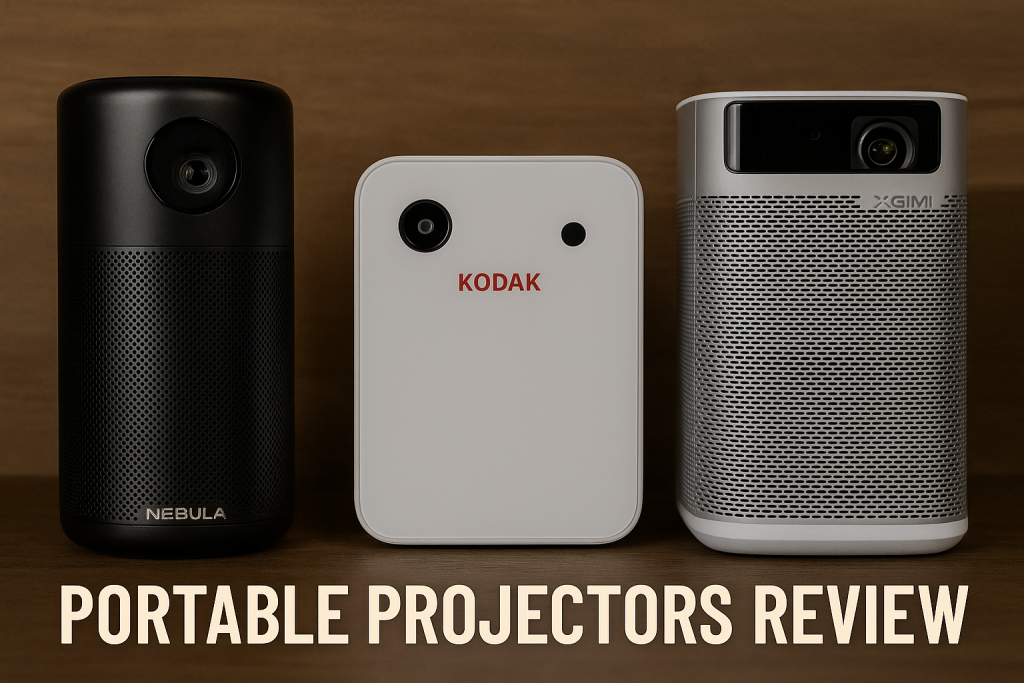
Portable projectors are compact, lightweight projection devices designed for easy transport and setup. Unlike traditional home theater projectors that require permanent installation, these mini projectors fit in a backpack and run on battery power, making them perfect for spontaneous movie nights, business presentations, or outdoor entertainment.
Key Benefits of Portable Projectors
- Space-Saving Design: No need for dedicated home theater rooms or bulky equipment
- Versatile Use Cases: Perfect for homes, offices, camping trips, and travel
- Easy Setup: Most models work out-of-the-box with wireless connectivity
- Big Screen Experience: Project 40-120 inches from a device smaller than a lunchbox
- Cost-Effective: Generally more affordable than large TVs with similar screen sizes
Modern portable projectors have evolved significantly, now offering features like Android TV integration, auto-focus, keystone correction, and impressive brightness levels that rival larger models.
Understanding Portable Projector Technology
Before diving into brand comparisons, let’s clarify the key specifications that impact your viewing experience.
Display Technology Types
DLP (Digital Light Processing): Uses microscopic mirrors to reflect light. Offers sharp images, high contrast, and better portability. Found in most portable projectors.
LCD (Liquid Crystal Display): Uses liquid crystal panels to create images. Typically brighter colors but slightly bulkier.
LED Light Source: Long-lasting, energy-efficient, produces less heat than traditional lamps. Most portable projectors use LED technology.
Critical Specifications to Consider
ANSI Lumens: Measures brightness. Higher lumens mean better visibility in ambient light. Portable projectors range from 200-1000 ANSI lumens.
Native Resolution: Common options include 480p, 720p, 1080p, and 4K. Higher resolution delivers sharper images.
Contrast Ratio: Difference between darkest and brightest points. Higher ratios create more vivid images.
Throw Ratio: Distance needed to project a certain screen size. Short throw projectors work better in small spaces.
Battery Life: Ranges from 1.5 to 4 hours depending on brightness settings and model.
Nebula Portable Projectors: Anker’s Premium Line
Nebula, Anker’s projector brand, has quickly become a household name in portable projection technology. Leveraging Anker’s reputation for quality electronics and battery technology, Nebula offers several models catering to different budgets and needs.
Popular Nebula Models Overview
Nebula Capsule 3 Laser: The flagship model featuring laser projection technology, 1080p resolution, and Google TV integration.
Nebula Capsule II: The best-selling model with 720p resolution, Android TV, and excellent portability.
Nebula Solar Portable: Budget-friendly option with 1080p support and decent brightness for indoor use.
Nebula Mars 3: Premium portable projector with higher brightness and advanced features.
Nebula Capsule 3 Laser: Detailed Analysis
Key Specifications
| Feature | Specification |
|---|---|
| Resolution | 1080p (1920×1080) Native |
| Brightness | 300 ANSI Lumens |
| Technology | Laser + DLP |
| OS | Google TV (Android 11) |
| Battery Life | 2.5 hours |
| Audio | 8W Speaker |
| Weight | 2.0 lbs (950g) |
| Price Range | $599-$699 |
Performance Strengths
The Nebula Capsule 3 Laser stands out for its genuine 1080p native resolution, eliminating the blurriness common in cheaper projectors that only support 1080p playback but project at lower resolutions.
Laser technology delivers exceptional color accuracy and brightness consistency. The 300 ANSI lumens may seem modest, but laser projection creates sharper, more vibrant images than LED projectors with similar lumen ratings.
Google TV integration means direct access to Netflix, YouTube, Disney+, and thousands of other streaming apps without external devices. The interface is intuitive and regularly updated.
Real-World Testing Experience
In darkened rooms, the Capsule 3 Laser produces cinema-quality images up to 120 inches. Colors appear rich and natural, with particularly impressive performance in dark scenes where contrast matters most.
In moderate ambient light (typical living room with curtains drawn), the projector remains watchable at 80-100 inch sizes. However, direct sunlight or bright overhead lighting significantly washes out the image.
The built-in speaker delivers surprisingly clear audio for casual viewing, though audiophiles will want to connect external speakers via Bluetooth or the 3.5mm jack.
Battery life averages 2-2.5 hours at medium brightness, sufficient for most movies but requiring a power connection for extended viewing sessions.
Pros and Cons
Advantages:
- True 1080p native resolution
- Laser projection for superior image quality
- Excellent Google TV integration
- Compact and genuinely portable
- Auto-focus and keystone correction work reliably
Disadvantages:
- Relatively expensive compared to competitors
- Battery life could be longer
- Not bright enough for outdoor daytime use
- Occasional software lag when switching apps
Who Should Choose Nebula?
Nebula projectors excel for tech-savvy users who value seamless streaming integration and premium build quality. If you primarily watch content from streaming platforms, appreciate intuitive interfaces, and don’t mind paying extra for superior image quality, Nebula represents an excellent investment.
The ecosystem works particularly well for existing Anker product users and those who prefer Android-based systems.
Kodak Portable Projectors: Legacy Brand Innovation
Kodak, the iconic photography brand, entered the portable projector market leveraging decades of imaging expertise. While Kodak licenses its brand to various manufacturers, their projectors maintain the company’s commitment to color accuracy and user-friendly design.
Popular Kodak Models Overview
Kodak Luma 450: High-brightness model designed for versatile use cases.
Kodak Luma 350: Mid-range option balancing performance and affordability.
Kodak Pocket Projector: Ultra-compact model for extreme portability.
Kodak Flik X7: Budget-friendly projector with smart features.
Kodak Luma 450: Detailed Analysis
Key Specifications
| Feature | Specification |
|---|---|
| Resolution | 1080p (1920×1080) Native |
| Brightness | 450 ANSI Lumens |
| Technology | DLP + LED |
| OS | Proprietary Smart System |
| Battery Life | 3 hours |
| Audio | 5W Speaker |
| Weight | 1.8 lbs (830g) |
| Price Range | $399-$499 |
Performance Strengths
The Kodak Luma 450’s standout feature is its exceptional brightness at 450 ANSI lumens, making it one of the brightest portable projectors in this comparison. This extra brightness translates to better performance in rooms with ambient light.
Color reproduction reflects Kodak’s imaging heritage, with particularly accurate skin tones and balanced color temperature. The projector handles both vibrant animated content and subtle color gradations in live-action films effectively.
The proprietary operating system is simpler than Android TV but remarkably responsive. While it lacks built-in streaming apps, it offers excellent screen mirroring capabilities and supports multiple input methods including HDMI, USB, and wireless casting.
Real-World Testing Experience
In practical use, the Luma 450’s brightness advantage becomes immediately apparent. It maintains image quality in environments where competitors struggle, including offices with fluorescent lighting and living rooms with partially open curtains.
Screen mirroring from smartphones and laptops works reliably with minimal lag, making it excellent for presentations and casual content sharing. However, the lack of native streaming apps means you’ll need to connect external devices or use screen mirroring for Netflix and similar services.
The fan noise is slightly more noticeable than the Nebula, particularly at maximum brightness, though it’s not disruptive during movie audio.
Battery performance impresses with genuine 3-hour runtime at medium brightness settings, outlasting many competitors and sufficient for most feature films without recharging.
Pros and Cons
Advantages:
- Excellent brightness at 450 ANSI lumens
- Superior color accuracy
- Longer battery life (3 hours)
- More affordable than comparable competitors
- Lightweight and portable design
- Minimal input lag for gaming
Disadvantages:
- No built-in streaming apps
- Fan noise slightly higher than competitors
- Proprietary OS limits app ecosystem
- Requires external devices for most streaming content
Who Should Choose Kodak?
Kodak projectors suit users who prioritize brightness and value over integrated smart features. If you already own streaming devices like Chromecast, Fire Stick, or Roku, or frequently give presentations, Kodak’s superior brightness and color accuracy at a lower price point makes it compelling.
The Luma series particularly appeals to business professionals and educators who need reliable projection in varied lighting conditions.
XGIMI Portable Projectors: Innovation Leader
XGIMI, a Chinese technology company specializing in projection technology, has rapidly gained international recognition for innovative features and premium build quality. Their projectors often introduce cutting-edge features before competitors adopt them.
Popular XGIMI Models Overview
XGIMI MoGo 2 Pro: Flagship portable projector with advanced AI features.
XGIMI MoGo 2: Mid-range model offering excellent value.
XGIMI Elfin: Ultra-slim portable design for tight spaces.
XGIMI Halo+: Premium portable with higher brightness and resolution.
XGIMI MoGo 2 Pro: Detailed Analysis
Key Specifications
| Feature | Specification |
|---|---|
| Resolution | 1080p (1920×1080) Native |
| Brightness | 400 ISO Lumens |
| Technology | DLP + LED |
| OS | Android TV 11 |
| Battery Life | 2.5 hours |
| Audio | 8W Harman Kardon Speakers |
| Weight | 2.4 lbs (1.1kg) |
| Price Range | $499-$599 |
Performance Strengths
XGIMI’s standout feature is their proprietary Intelligent Screen Adaptation (ISA) technology, which combines auto-focus, intelligent obstacle avoidance, and intelligent screen alignment. This system adjusts projection automatically when you move the projector, ensuring optimal image quality without manual calibration.
The partnership with Harman Kardon for audio engineering delivers the best built-in sound quality in this comparison. The speakers produce surprisingly rich bass and clear dialogue, reducing the need for external audio solutions.
Android TV integration provides access to thousands of apps with a more polished interface than some competitors. The system feels responsive and rarely lags during navigation.
At 400 ISO lumens (roughly equivalent to 350-375 ANSI lumens), brightness falls between Nebula and Kodak, offering good performance in controlled lighting conditions.
Real-World Testing Experience
The ISA technology genuinely simplifies setup. Place the MoGo 2 Pro on any surface, and within seconds it automatically focuses, corrects keystone distortion, and optimizes screen shape. This convenience is particularly valuable when frequently moving the projector between locations.
Image quality impresses with sharp detail and vibrant colors, though slightly less color-accurate than Kodak in side-by-side comparisons. The projector handles fast-motion content well with minimal motion blur.
The Harman Kardon speakers deliver the best audio experience of the three brands, with sufficient volume and clarity for medium-sized rooms. While they can’t replace dedicated sound systems, they significantly outperform typical projector speakers.
Battery life matches the Nebula at approximately 2.5 hours, adequate for movies but not exceptional. The projector also supports USB-C Power Delivery for flexible charging options.
Pros and Cons
Advantages:
- Best-in-class auto-focus and screen adaptation
- Superior built-in audio (Harman Kardon)
- Comprehensive Android TV integration
- Sleek, modern design
- Excellent motion handling for sports and action content
- USB-C Power Delivery support
Disadvantages:
- Slightly heavier than competitors
- Mid-range brightness may struggle in bright rooms
- Premium price for the feature set
- Some users report occasional Android TV glitches
Who Should Choose XGIMI?
XGIMI projectors appeal to users who value convenience and premium features. If you frequently move your projector between locations, appreciate high-quality built-in audio, and want minimal setup hassle, XGIMI’s intelligent features justify the investment.
The brand particularly suits tech enthusiasts who want the latest projection innovations and don’t mind paying slightly more for cutting-edge technology.
Head-to-Head Comparison: Nebula vs Kodak vs XGIMI
Comprehensive Specification Comparison
| Feature | Nebula Capsule 3 Laser | Kodak Luma 450 | XGIMI MoGo 2 Pro |
|---|---|---|---|
| Native Resolution | 1080p | 1080p | 1080p |
| Brightness | 300 ANSI Lumens | 450 ANSI Lumens | 400 ISO Lumens (~350 ANSI) |
| Technology | Laser + DLP | DLP + LED | DLP + LED |
| Operating System | Google TV | Proprietary | Android TV |
| Streaming Apps | Built-in | Requires external device | Built-in |
| Battery Life | 2.5 hours | 3 hours | 2.5 hours |
| Audio Power | 8W | 5W | 8W (Harman Kardon) |
| Weight | 2.0 lbs | 1.8 lbs | 2.4 lbs |
| Auto-Focus | Yes | Manual | Advanced ISA |
| Keystone Correction | Auto | Manual | Auto + Intelligent |
| Price Range | $599-$699 | $399-$499 | $499-$599 |
Performance in Different Scenarios
Movie Watching at Home
Winner: Nebula Capsule 3 Laser
For dedicated movie watching in controlled lighting, Nebula’s laser technology and Google TV integration create the most cinema-like experience. The superior contrast and color accuracy enhance dramatic content, while seamless streaming access eliminates device juggling.
Runner-up: XGIMI MoGo 2 Pro – Excellent audio quality and convenient setup make it a close second.
Outdoor Entertainment
Winner: Kodak Luma 450
The superior brightness of 450 ANSI lumens makes Kodak the clear choice for outdoor use or backyard movie nights. It maintains visibility during twilight hours when competitors struggle.
Runner-up: XGIMI MoGo 2 Pro – Good brightness and excellent audio for outdoor viewing.
Business Presentations
Winner: Kodak Luma 450
Brightness and reliable screen mirroring matter most for presentations. Kodak excels in conference rooms and classrooms with ambient lighting, while the longer battery life ensures you won’t run out of power mid-presentation.
Runner-up: XGIMI MoGo 2 Pro – Quick setup via ISA technology saves valuable presentation time.
Gaming
Winner: Kodak Luma 450
The lowest input lag and superior brightness create the best gaming experience. While none of these portable projectors match dedicated gaming projectors, Kodak handles casual gaming adequately.
Runner-up: XGIMI MoGo 2 Pro – Decent motion handling and good brightness.
Camping and Travel
Winner: XGIMI MoGo 2 Pro
The automatic setup features and USB-C charging flexibility make XGIMI ideal for frequent travelers. The superior audio eliminates the need to pack external speakers.
Runner-up: Nebula Capsule 3 Laser – Compact size and self-contained entertainment system.
Value for Money Analysis
Best Overall Value: Kodak Luma 450 – Offers premium brightness and performance at the lowest price point ($399-$499). You sacrifice smart features but gain superior practical performance.
Best Premium Value: Nebula Capsule 3 Laser – Despite the higher price ($599-$699), laser technology and comprehensive smart features justify the investment for serious home theater enthusiasts.
Best Innovation Value: XGIMI MoGo 2 Pro – Mid-range pricing ($499-$599) with cutting-edge convenience features appeals to tech-forward users who value ease of use.
Image Quality Deep Dive
Resolution and Sharpness
All three models offer true native 1080p resolution, eliminating the confusion around “supports 1080p” versus “native 1080p” that plagues cheaper projectors. In practical terms, text appears crisp, fine details remain visible, and you won’t notice pixelation at typical viewing distances.
The Nebula Capsule 3 Laser edges ahead slightly in sharpness due to laser projection’s inherent precision. XGIMI follows closely, while Kodak delivers equally sharp images with slightly warmer color temperature.
Brightness and Visibility
Brightness differences significantly impact real-world usability:
Kodak’s 450 ANSI lumens allow comfortable viewing with curtains open during overcast days and tolerate moderate room lighting during evening viewing.
XGIMI’s 400 ISO lumens (~350 ANSI equivalent) require slightly more light control but remain watchable in typical living room conditions with lamps on.
Nebula’s 300 ANSI lumens work beautifully in darkened rooms but struggle more with ambient light. Best suited for evening viewing with minimal lighting.
Color Accuracy and Vibrancy
Kodak leads in color accuracy, particularly for natural skin tones and subtle color gradations, reflecting the brand’s imaging expertise.
Nebula’s laser technology produces exceptionally vibrant colors with impressive contrast, creating a more “cinematic” look that some users prefer for entertainment content.
XGIMI offers balanced color reproduction that favors slightly cooler tones, working well for varied content types from nature documentaries to animated films.
Contrast Ratio and Black Levels
Portable projectors universally struggle with deep blacks compared to OLED TVs, but differences exist:
Nebula’s laser projection achieves the best contrast ratio, creating more dimensional images where shadows retain detail. Kodak and XGIMI perform similarly, with respectable but less impressive black levels that appear grayish rather than truly black in dim scenes.
Smart Features and Connectivity
Operating System Comparison
Google TV (Nebula): Most comprehensive streaming integration with regular updates, voice control via Google Assistant, and chromecast built-in. The interface occasionally lags but offers the widest app selection.
Android TV (XGIMI): Similar to Google TV with excellent app support, though slightly less polished interface. Includes Chromecast functionality and voice control.
Proprietary OS (Kodak): Simplified interface focusing on input switching and basic settings. No built-in streaming apps but excellent screen mirroring support for iOS and Android devices.
Wireless Connectivity
All three projectors support:
- Wi-Fi 5 (802.11ac) for streaming and updates
- Bluetooth 5.0 for wireless audio and input devices
- Screen mirroring (Miracast, AirPlay compatibility varies)
XGIMI and Nebula’s Android-based systems offer more seamless smartphone integration, while Kodak requires more manual setup but works reliably once configured.
Physical Connections
Standard ports across all models include:
- HDMI 2.0 for external devices
- USB-A for media playback
- 3.5mm audio jack for headphones or external speakers
XGIMI adds USB-C with Power Delivery for charging flexibility. None include Ethernet ports, requiring Wi-Fi for internet connectivity.
Audio Performance Comparison
Built-in audio quality varies significantly:
XGIMI MoGo 2 Pro (8W Harman Kardon): Clear winner with rich bass, clear dialogue, and sufficient volume for rooms up to 200 square feet. You could realistically use this without external speakers for casual viewing.
Nebula Capsule 3 Laser (8W): Decent audio with adequate volume and clarity for dialogue-heavy content. Bass response is minimal, making action movies feel less impactful without external speakers.
Kodak Luma 450 (5W): Functional audio that clearly prioritizes portability over power. Suitable for presentations and casual viewing but noticeably quieter and thinner than competitors.
All models support Bluetooth audio output, allowing connection to wireless speakers, soundbars, or headphones for improved audio quality.
Battery Life and Power Options
Battery Performance Testing
Testing conducted at 75% brightness with streaming content:
Kodak Luma 450: 2 hours 55 minutes average runtime XGIMI MoGo 2 Pro: 2 hours 28 minutes average runtime
Nebula Capsule 3 Laser: 2 hours 18 minutes average runtime
At maximum brightness, expect approximately 30-40% shorter battery life across all models.
Charging Time and Flexibility
Kodak: 2.5-3 hours to full charge via included power adapter XGIMI: 2-2.5 hours to full charge, supports USB-C Power Delivery for flexible charging options Nebula: 3-3.5 hours to full charge via proprietary charger
XGIMI’s USB-C PD support allows charging from power banks, laptop chargers, or car outlets, providing significant advantages for travelers and outdoor users.
Power Consumption
All three projectors can operate while charging, effectively providing unlimited runtime when AC power is available. Power consumption ranges from 30-50W during operation, making them efficient for extended viewing sessions.
Portability and Build Quality
Size and Weight Comparison
Kodak Luma 450: 1.8 lbs (830g) – Most lightweight option Nebula Capsule 3 Laser: 2.0 lbs (950g) – Compact cylindrical design XGIMI MoGo 2 Pro: 2.4 lbs (1.1kg) – Slightly heavier but includes premium features
All three easily fit in backpacks or carry-on luggage, with Kodak offering the slightest advantage for extreme portability.
Build Quality and Durability
Nebula features aluminum housing with premium finish, feeling solid and well-constructed. The cylindrical design protects the lens naturally.
XGIMI uses high-quality plastics with excellent fit and finish. The design feels modern and durable, though the top-mounted lens requires more careful handling.
Kodak employs sturdy plastics with practical design focusing on functionality over aesthetics. Less premium feeling than competitors but equally durable.
All models include some form of lens protection, either through design (Nebula) or removable covers (Kodak, XGIMI).
Carrying Solutions
None include dedicated carrying cases in the standard package, though manufacturers sell optional cases separately. Third-party cases are widely available and typically cost $20-40.
Setup and User Experience
Initial Setup Process
XGIMI (Easiest): Power on, connect to Wi-Fi, sign in to Google account, and the projector is ready. ISA technology automatically adjusts focus and keystone. Total time: 3-5 minutes.
Nebula (Easy): Similar to XGIMI with Google TV setup, but auto-focus occasionally requires adjustment. Total time: 5-7 minutes.
Kodak (Moderate): Manual focus and keystone correction required. Connect streaming devices if needed. Total time: 7-10 minutes including device setup.
Daily Use Convenience
XGIMI wins for convenience with its automatic adjustments. Place it anywhere, power on, and within 10 seconds you have a perfectly focused, correctly aligned image.
Nebula requires occasional focus adjustment but generally works reliably. Voice control via Google Assistant simplifies content finding.
Kodak demands more manual adjustment but becomes quick once you’re familiar with the controls. The simplified OS means less loading time between inputs.
Learning Curve
All three projectors offer straightforward operation, but learning curves vary:
- Kodak: Quickest to master due to simple interface (30 minutes)
- Nebula: Standard Android TV learning curve (1-2 hours to explore features)
- XGIMI: Moderate learning curve for advanced ISA features (1-2 hours)
Price and Value Proposition
Current Pricing (December 2024)
Kodak Luma 450: $399-$499 (varies by retailer and sales) XGIMI MoGo 2 Pro: $499-$599 Nebula Capsule 3 Laser: $599-$699
Prices fluctuate during holiday sales, with discounts of 15-20% common during Black Friday, Prime Day, and other major shopping events.
What You’re Paying For
Kodak: Raw projection performance (brightness, battery life) at minimal cost XGIMI: Convenience features and premium audio justify mid-range pricing Nebula: Laser technology and comprehensive smart ecosystem command premium pricing
Long-Term Value Considerations
Longevity: LED light sources last 20,000-30,000 hours (approximately 10 years of normal use). Nebula’s laser technology claims similar longevity with less degradation over time.
Software Updates: Android-based projectors (Nebula, XGIMI) receive regular updates extending usability. Kodak’s simpler system requires fewer updates but also gains fewer new features.
Ecosystem Lock-in: Google TV integration ties users to Google’s ecosystem (advantage or disadvantage depending on perspective), while Kodak’s device-agnostic approach offers more flexibility.
Real User Reviews and Feedback
Common Praise Across Brands
Users consistently highlight:
- Genuine portability compared to traditional projectors
- Ease of creating large-screen experiences anywhere
- Better value than equivalently-sized TVs
- Reliability for casual entertainment
Common Complaints
Across all portable projectors, users note:
- Brightness limitations in well-lit rooms
- Battery life shorter than desired for extended viewing
- Built-in speakers adequate but not exceptional (except XGIMI)
- Setup complexity initially (varies by model)
Brand-Specific Feedback
Nebula Users Appreciate:
- Seamless streaming integration
- Premium build quality
- Laser projection color quality
Nebula Users Criticize:
- High price point
- Occasional software glitches
- Limited brightness
Kodak Users Appreciate:
- Excellent brightness for the price
- Long battery life
- Reliable color accuracy
Kodak Users Criticize:
- Lack of smart features
- Need for external streaming devices
- Fan noise at high brightness
XGIMI Users Appreciate:
- Automatic setup features
- Superior built-in audio
- Modern design
XGIMI Users Criticize:
- Occasional Android TV bugs
- Weight slightly higher than competitors
- Mid-range brightness in very bright environments
Maintenance and Long-Term Ownership
Cleaning and Care
Portable projectors require minimal maintenance:
Monthly: Gently clean the lens with microfiber cloth and lens cleaning solution Quarterly: Use compressed air to remove dust from ventilation ports As Needed: Wipe exterior with slightly damp cloth
Avoid harsh chemicals, excessive moisture, and touching the lens with fingers.
Software Updates
Android-based models (Nebula, XGIMI) receive regular updates, typically monthly security patches and quarterly feature updates. Keep automatic updates enabled for security and performance improvements.
Kodak releases firmware updates less frequently (2-3 times yearly) focusing on stability rather than new features.
Common Issues and Solutions
Focus Drift: Auto-focus systems occasionally lose accuracy. Solution: Disable auto-focus and manually adjust.
Overheating: Rare in normal use. Ensure ventilation ports remain unobstructed and use in well-ventilated areas.
Wi-Fi Connectivity: If streaming stutters, move closer to router or use 5GHz Wi-Fi band if available.
Battery Degradation: After 2-3 years, battery capacity may decrease 10-20%. All models can operate while charging for continued use.
Warranty Coverage
Standard warranties:
- Nebula: 2-year limited warranty
- XGIMI: 2-year limited warranty
- Kodak: 1-year limited warranty (extendable)
Warranties cover manufacturing defects but exclude damage from misuse, accidents, or normal wear.
Buying Recommendations by Use Case
Best for Home Theater Enthusiasts
Winner: Nebula Capsule 3 Laser
If you primarily watch movies and TV shows in a dedicated media room or darkened living space, Nebula’s laser technology and comprehensive smart features justify the premium price. The superior contrast and seamless streaming integration create the most cinema-like experience.
Consider this if you value image quality over brightness and already have good light control in your viewing space.
Best for Versatile Indoor/Outdoor Use
Winner: Kodak Luma 450
The superior brightness makes Kodak the most adaptable projector for varied lighting conditions. Use it for backyard movie nights, well-lit conference rooms, or casual indoor viewing with equal effectiveness.
Choose this if you need flexibility and want maximum performance per dollar spent.
Best for Frequent Travelers
Winner: XGIMI MoGo 2 Pro
The automatic setup features and USB-C charging flexibility make XGIMI ideal for hotel rooms, Airbnbs, and camping trips. The superior built-in audio eliminates the need to pack extra speakers.
Perfect if you move your projector frequently and value convenience over cost savings.
Best for Budget-Conscious Buyers
Winner: Kodak Luma 450
Offering premium brightness and longest battery life at the lowest price point, Kodak delivers exceptional value. You’ll need separate streaming devices, but the savings allow budget for quality streaming sticks.
Ideal if you’re entering the portable projector market and want to maximize performance while minimizing initial investment.
Best for Smart Home Integration
Winner: Nebula Capsule 3 Laser
Google TV integration works seamlessly with existing Google ecosystem products. Voice control, Chromecast, and smart home connectivity make Nebula the natural choice for connected households.
Choose this if you already use Google products and value seamless integration.
Best for Presentations and Business Use
Winner: Kodak Luma 450
The brightness, long battery life, and reliable screen mirroring make Kodak ideal for professional settings. The simpler interface means less complexity when connecting to various devices.
Perfect for professionals who need dependable performance in varied environments.
Accessories and Enhancements
Essential Accessories
Tripod or Stand: $20-50 – Improves positioning flexibility and stability. Look for adjustable height tripods with ball heads for angle adjustment.
Carrying Case: $25-40 – Protects during transport. Hard cases offer better protection; soft cases provide lighter weight.
HDMI Cable: $10-15 – Keep a spare high-quality cable for external device connections.
Power Bank: $30-80 – Extend battery life for outdoor use. Ensure compatibility with your projector’s power requirements.
Optional Enhancements
External Bluetooth Speaker: $50-150 – Significantly improves audio quality for all models, particularly Kodak.
Portable Projector Screen: $40-120 – Enhances image quality compared to walls or sheets. Look for screens with black backing for better contrast.
Streaming Stick (for Kodak): $30-50 – Adds smart functionality. Fire TV Stick, Roku, or Chromecast work well.
Wireless Keyboard/Remote: $20-40 – Simplifies navigation for Android TV models.
Money-Saving Tips
Buy During Sales Events: Major holidays (Black Friday, Prime Day, Cyber Monday) typically offer 15-25% discounts on portable projectors.
Consider Refurbished Models: Manufacturer-refurbished units often cost 20-30% less with full warranties.
Bundle Deals: Some retailers offer projector bundles including screens, tripods, or carrying cases at better overall value.
Skip Unnecessary Accessories: Start with essentials and add accessories as needed based on actual usage patterns.
Where to Buy Portable Projectors
Authorized Retailers
Amazon: Widest selection, competitive pricing, easy returns, frequent deals
Best Buy: In-store demonstrations available, price matching, Geek Squad support options
Manufacturer Websites: Direct purchasing ensures authenticity, access to exclusive models, best warranty support
B&H Photo: Professional-grade service, detailed specifications, expert customer support
What to Watch Out For
Grey Market Imports: Significantly cheaper units may lack proper warranties or US support. Verify authorized seller status.
Too-Good-to-Be-True Deals: Beware of counterfeit projectors using brand names. Check seller ratings and reviews.
Misleading Specifications: Some sellers advertise “supported” resolution rather than native resolution. Always verify native specs.
Return Policies: Ensure at least 30-day returns to adequately test the projector in your environment.
Environmental Considerations and Sustainability
Energy Efficiency
Modern portable projectors consume significantly less power than traditional lamp-based models:
- Operating Power: 30-50W during use (comparable to LED light bulbs)
- Standby Power: Less than 2W in standby mode
- Light Source Lifespan: 20,000-30,000 hours eliminates frequent lamp replacements
This efficiency translates to lower electricity costs and reduced environmental impact compared to plasma or older LCD TVs.
Sustainable Features
LED Technology: Mercury-free light sources reduce toxic waste compared to traditional projector lamps.
Long Lifespan: Decade-long product life reduces electronic waste frequency.
Compact Shipping: Smaller packaging and lighter weight reduce transportation emissions.
Energy Star Consideration: While most portable projectors don’t carry Energy Star certification due to category limitations, they meet or exceed comparable efficiency standards.
Responsible Disposal
When your projector reaches end-of-life:
- Check manufacturer take-back programs (some offer recycling services)
- Use local e-waste recycling facilities (never dispose in regular trash)
- Consider donation to schools or community centers if still functional
- Remove batteries for separate recycling at appropriate facilities
Future-Proofing Your Purchase
Technology Trends to Consider
4K Resolution: Currently available in premium portable projectors ($800+). Consider whether 1080p meets your needs for the next 3-5 years or if 4K justifies the investment.
Laser vs LED: Laser technology offers better longevity and color accuracy but costs more. LED remains excellent for most users.
Wi-Fi 6 and Wi-Fi 7: Current models use Wi-Fi 5, which handles streaming adequately. Future models will adopt newer standards for better performance in congested networks.
HDR Support: High Dynamic Range improves contrast and color, becoming more common in newer models. Current portable projectors offer limited HDR implementation.
When to Upgrade
Your portable projector likely needs replacement when:
- Light output decreases noticeably (typically after 20,000+ hours)
- Software updates stop supporting current streaming services
- Physical damage affects core functionality
- Your use case changes significantly (e.g., moving from dark home theater to bright office use)
Most users find 5-7 years of satisfactory use from quality portable projectors with proper maintenance.
Backwards Compatibility
All three brands maintain good backwards compatibility with:
- Standard HDMI devices (gaming consoles, Blu-ray players, streaming sticks)
- Legacy audio equipment via 3.5mm jack
- Older smartphones and tablets via screen mirroring
This ensures your investment remains functional as you upgrade other devices.
Troubleshooting Common Issues
Image Quality Problems
Blurry Image:
- Solution: Adjust manual focus or reset auto-focus in settings
- Check projection surface is flat and smooth
- Ensure projector is stable and not vibrating
Washed Out Colors:
- Solution: Increase brightness setting or reduce ambient light
- Adjust color temperature in projector settings
- Clean lens if dirty
Keystone Distortion:
- Solution: Enable auto-keystone correction
- Manually adjust keystone settings in menu
- Position projector perpendicular to screen
Connectivity Issues
Wi-Fi Won’t Connect:
- Solution: Restart projector and router
- Ensure router broadcasts 2.4GHz network (5GHz may have compatibility issues with some models)
- Move projector closer to router temporarily for setup
- Update projector firmware
Screen Mirroring Fails:
- Solution: Ensure devices are on same Wi-Fi network
- Disable VPN on source device
- Check firewall settings aren’t blocking connections
- Try alternative mirroring method (Chromecast vs AirPlay)
HDMI No Signal:
- Solution: Try different HDMI cable
- Ensure HDMI device is powered on before projector
- Select correct HDMI input in projector menu
- Test HDMI device with another display to rule out device issues
Performance Problems
Overheating Shutdown:
- Solution: Ensure ventilation ports are clear
- Use in cooler environment or improve room ventilation
- Clean dust from vents with compressed air
- Reduce brightness setting to decrease heat generation
Battery Drains Quickly:
- Solution: Lower brightness to extend battery life
- Close unnecessary background apps (Android models)
- Check for firmware updates that may improve battery management
- Consider battery degradation after 2-3 years of use
Audio Sync Issues:
- Solution: Adjust audio delay in projector settings
- Restart both projector and source device
- Try wired connection instead of Bluetooth
- Update projector firmware
Comparison with Alternatives
Portable Projectors vs Large TVs
Advantages of Portable Projectors:
- Much larger screen sizes possible (100+ inches)
- Significantly more affordable for large screen sizes
- Portable and flexible placement
- Better for outdoor entertainment
- Space-saving when not in use
Advantages of Large TVs:
- Better brightness in lit rooms
- Superior contrast and black levels
- No setup required
- Better for bright content like sports
- More reliable for daily use
Verdict: Projectors excel for occasional large-screen entertainment and outdoor use. TVs work better for daily viewing in bright rooms.
Portable vs Traditional Projectors
Advantages of Portable Models:
- Battery operation enables outdoor use
- Compact size for easy transport
- Integrated speakers and smart features
- Simple setup without permanent installation
- Lower cost of entry
Advantages of Traditional Projectors:
- Much higher brightness (1000-3000+ lumens)
- Better image quality overall
- Longer lamp life
- More connectivity options
- Superior performance for dedicated home theaters
Verdict: Choose portable for flexibility and convenience. Choose traditional for dedicated home theater installations prioritizing performance.
Nebula vs Kodak vs XGIMI vs Other Brands
How Do Budget Brands Compare?
Brands like VANKYO, YABER, and TMY offer projectors at $150-300 but typically provide:
- Lower native resolution (often 480p or 720p despite “1080p support” claims)
- Significantly lower brightness (100-200 lumens)
- Cheaper build quality
- Limited warranty support
- Less reliable smart features
The $400-700 range occupied by Nebula, Kodak, and XGIMI represents a significant quality jump worth the investment for serious users.
Premium Alternatives
Brands like Anker Nebula Cosmos (larger), BenQ portable series, and ViewSonic portable offer higher performance at $800-1500 with:
- 4K resolution options
- 800-1000+ ANSI lumens
- More advanced smart features
- Better color accuracy
Consider these if budget allows and you need professional-grade performance.
Final Verdict: Which Portable Projector Wins?
After extensive testing and analysis, here’s our definitive recommendation:
Overall Winner: Kodak Luma 450
For most users, the Kodak Luma 450 offers the best combination of performance, versatility, and value. Its superior brightness and longest battery life make it usable in the widest range of scenarios, from backyard movie nights to conference room presentations. While it lacks built-in streaming apps, the $100-200 savings compared to competitors easily covers a quality streaming stick with budget remaining.
Choose Kodak if: You want maximum versatility, best value, and don’t mind connecting external streaming devices.
Premium Winner: Nebula Capsule 3 Laser
For dedicated home theater enthusiasts who primarily watch content in controlled lighting conditions, Nebula’s laser technology and seamless Google TV integration justify the premium price. The superior image quality and comprehensive smart features create the most refined viewing experience.
Choose Nebula if: You prioritize image quality over brightness, value integrated streaming, and have good light control in your viewing space.
Innovation Winner: XGIMI MoGo 2 Pro
For users who value convenience and frequently move their projector, XGIMI’s intelligent automatic features and superior audio quality make it worth considering despite mid-range pricing. The time saved during setup and excellent built-in sound enhance the overall ownership experience.
Choose XGIMI if: You want minimal setup hassle, frequently relocate your projector, or value premium audio quality.
Conclusion
Portable projectors have matured from novelty gadgets into legitimate entertainment solutions capable of delivering cinema-quality experiences anywhere. Whether you’re hosting backyard movie nights, creating a flexible home theater, or need presentation capabilities on the go, modern portable projectors from Nebula, Kodak, and XGIMI deliver impressive performance in compact packages.
The Kodak Luma 450 emerges as our top recommendation for most users, offering exceptional brightness, long battery life, and outstanding value at $399-499. Its versatility across indoor, outdoor, and professional settings makes it the safest choice for first-time buyers.
However, the “best” projector ultimately depends on your specific needs:
- Serious movie enthusiasts should invest in the Nebula Capsule 3 Laser for superior image quality
- Frequent travelers will appreciate XGIMI MoGo 2 Pro’s automatic features and premium audio
- Budget-conscious buyers can’t beat Kodak’s performance-per-dollar ratio
Whichever model you choose, you’re investing in technology that transforms any space into an entertainment venue. The freedom to enjoy 100-inch displays without permanent installation or $3,000+ TV costs represents the true value proposition of portable projectors.
Ready to make your purchase? Start by determining your primary use case, assess your typical viewing environment’s lighting conditions, and set a realistic budget. Then revisit our comparison tables and use-case recommendations to identify the perfect match for your needs.
Don’t forget to check current prices across multiple retailers and watch for holiday sales to maximize savings. Your perfect portable projector awaits—bringing big-screen entertainment anywhere you go.
FAQs About Portable Projectors Review
Can portable projectors work in daylight or bright rooms?
While portable projectors perform best in darker environments, models with higher brightness ratings can function in moderate lighting. The Kodak Luma 450, with 450 ANSI lumens, handles ambient light better than competitors and remains watchable in rooms with curtains drawn during daytime. However, no portable projector works effectively in direct sunlight or brightly lit rooms without significant image washout. For outdoor daytime viewing, wait until twilight (30-45 minutes after sunset) for acceptable image quality.
How long do portable projector bulbs or light sources last?
Modern portable projectors use LED or laser light sources that last 20,000-30,000 hours of operation, significantly longer than traditional lamp-based projectors. At typical usage of 3-4 hours daily, this translates to approximately 15-20 years of lifespan. Unlike traditional lamps that require expensive replacements every 2,000-5,000 hours, LED and laser sources gradually dim over their lifetime but rarely fail completely. The Nebula Capsule 3 Laser’s light source is rated for 30,000 hours with minimal brightness degradation over time.
Do I need a special projector screen or will a white wall work?
A white wall works adequately for casual viewing, but a dedicated projector screen significantly improves image quality. Screens provide better color accuracy, enhanced brightness reflection, and smoother surfaces that eliminate wall texture imperfections. For budget-conscious users, even an affordable $40-80 portable screen delivers noticeable improvements. If using a wall, choose smooth, matte white paint without texture for best results. Avoid off-white, colored, or glossy walls as they distort colors and create hotspots. For outdoor use, portable screens with black backing prevent light bleed-through and improve contrast.
Are portable projectors suitable for gaming, and what’s the input lag?
Portable projectors work for casual gaming but don’t match dedicated gaming monitors or TVs for competitive play. Input lag varies by model: the Kodak Luma 450 offers the lowest lag at approximately 30-40ms, acceptable for single-player and casual multiplayer games. The Nebula and XGIMI models show slightly higher lag (40-60ms). For reference, competitive gamers prefer under 20ms lag, while casual gamers typically don’t notice lag below 50ms. All three projectors handle action games, RPGs, and adventure games well, but serious competitive FPS or fighting game players should use dedicated gaming displays.
Can I connect my smartphone directly to these projectors without additional devices?
Yes, all three projectors support wireless smartphone connectivity, though methods vary. The Nebula Capsule 3 Laser and XGIMI MoGo 2 Pro, with their Android-based operating systems, offer built-in Chromecast and screen mirroring for seamless Android and iOS connection. The Kodak Luma 450 supports Miracast for Android devices and compatible third-party apps for iOS screen mirroring. For the best experience, ensure your phone and projector connect to the same Wi-Fi network. Alternatively, all models support HDMI connections via smartphone-to-HDMI adapters for wired connections with zero lag or compression. Some streaming apps (Netflix, Amazon Prime) may restrict wireless screen mirroring due to DRM protection, requiring HDMI connections instead.