
Virtual reality has transformed from a futuristic concept into an accessible entertainment medium that millions enjoy daily. Whether you’re battling zombies in immersive horror games, exploring breathtaking virtual worlds, or connecting with friends in social VR spaces, choosing the right VR headset can make or break your experience.
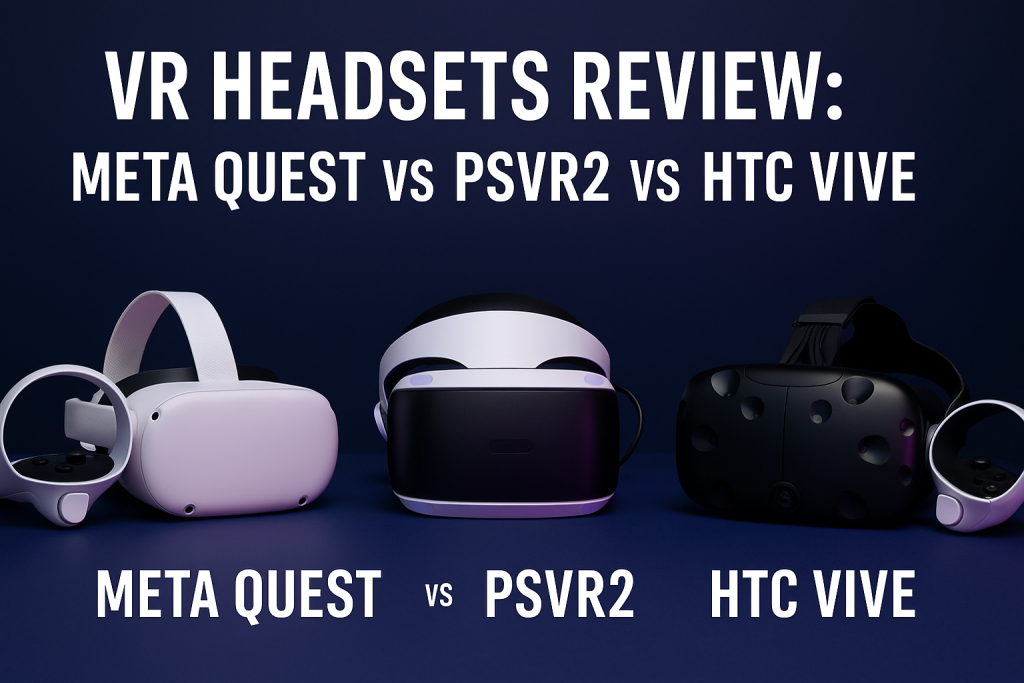
The current VR landscape offers three dominant ecosystems: Meta Quest leading standalone accessibility, PlayStation VR2 delivering console-integrated premium experiences, and HTC Vive targeting enthusiasts with high-end PC VR capabilities. Each platform brings distinct advantages, yet selecting between them often leaves potential buyers overwhelmed by technical specifications and marketing claims.
This comprehensive review examines the Meta Quest 3, PlayStation VR2, and HTC Vive XR Elite through real-world testing and expert analysis. We’ll compare display quality, performance metrics, game libraries, comfort factors, and overall value proposition to help you make an informed purchasing decision based on your specific needs and budget.
By the end of this guide, you’ll understand exactly which VR headset aligns with your gaming preferences, technical requirements, and financial considerations.
Understanding the Current VR Headset Landscape
The virtual reality market has matured significantly, with three distinct approaches competing for consumer attention. Understanding these philosophies helps clarify why each headset excels in different scenarios.
The Three VR Ecosystem Approaches
Standalone VR (Meta Quest): These self-contained systems require no external devices, offering complete portability and simplified setup. Meta Quest headsets run on internal processors similar to smartphones, making them accessible but potentially limited in graphical fidelity compared to tethered alternatives.
Console-Tethered VR (PlayStation VR2): Designed exclusively for PlayStation 5 integration, PSVR2 leverages Sony’s gaming ecosystem and established controller technology. This approach delivers high-quality graphics without requiring expensive gaming PCs but restricts users to PlayStation’s walled garden.
PC-Tethered VR (HTC Vive): Premium headsets targeting enthusiasts willing to invest in powerful gaming computers. HTC Vive systems access the extensive SteamVR library and support cutting-edge features, though they demand significant technical knowledge and financial investment.
Who Should Consider Each Platform?
Different user profiles benefit from different VR approaches:
- Casual users and VR newcomers: Meta Quest offers the lowest barrier to entry with reasonable pricing and no additional hardware requirements
- PlayStation 5 owners: PSVR2 provides seamless integration with existing console libraries and familiar PlayStation ecosystem
- PC gaming enthusiasts: HTC Vive delivers maximum fidelity and flexibility for users with high-end gaming rigs
- Content creators and developers: Professional-grade tracking and mixed reality features make HTC Vive appealing for specialized applications
Meta Quest 3: Standalone VR Powerhouse
Meta Quest 3 represents the third generation of Meta’s standalone VR vision, building upon the Quest 2’s massive success with significant hardware improvements and enhanced mixed reality capabilities.
Technical Specifications Overview
| Specification | Meta Quest 3 Details |
|---|---|
| Display Resolution | 2064 x 2208 per eye (4.5 megapixels total) |
| Refresh Rate | 90Hz standard, 120Hz experimental |
| Processor | Qualcomm Snapdragon XR2 Gen 2 |
| RAM | 8GB |
| Storage Options | 128GB or 512GB |
| Weight | 515 grams |
| Battery Life | 2-3 hours average |
| Tracking | Inside-out with 6 cameras |
| Audio | Integrated spatial audio speakers |
| Price Range | $499 (128GB) / $649 (512GB) |
Display and Visual Performance
The Quest 3’s pancake lens design delivers exceptional clarity compared to previous Quest models. Visual improvements include significantly reduced screen door effect, sharper text readability, and improved color accuracy that approaches OLED quality despite using LCD panels.
The increased resolution makes virtual environments feel more convincing, particularly in detailed games like Red Matter 2 or architectural visualization applications. However, the mobile processor still creates visible compromises in texture quality and lighting effects compared to PC-powered alternatives.
Mixed reality passthrough capabilities stand out as Quest 3’s killer feature. Full-color, high-resolution camera feeds enable seamless blending of virtual objects with your physical environment, opening creative possibilities for productivity apps, fitness programs, and augmented reality experiences.
Game Library and Content Ecosystem
Meta Quest boasts the largest standalone VR game library with over 500 titles available directly through the Quest Store. Popular exclusives include:
- Asgard’s Wrath 2: Epic fantasy RPG with 60+ hours of content
- Beat Saber: Rhythm game phenomenon with extensive music library
- Resident Evil 4 VR: Acclaimed survival horror remake
- Supernatural: Subscription-based fitness platform
- Demeo: Tabletop RPG with cross-platform multiplayer
The Quest platform also supports PC VR through Meta Link (wired) or Air Link (wireless), expanding your library to include SteamVR titles when connected to a gaming computer. This flexibility provides best-of-both-worlds functionality for users who own gaming PCs.
Comfort and Ergonomics
Quest 3’s weight distribution improves over Quest 2, though the front-heavy design still causes discomfort during extended sessions. The default head strap provides adequate support for casual use, but many users invest in third-party accessories like the Elite Strap or Bobovr straps for better weight distribution.
Glasses accommodation works reasonably well with the included spacer, though users with larger frames may experience occasional lens contact. The adjustable IPD (interpupillary distance) mechanism offers three discrete settings: 58mm, 63mm, and 68mm, covering most users but lacking the infinite adjustment found in premium headsets.
Ventilation proves adequate for most experiences, though intense fitness games can generate fogging. The open acoustic design allows ambient awareness, which some users appreciate while others prefer the isolation of over-ear headphones.
Setup and User Experience
Quest 3’s setup process takes approximately 10-15 minutes, requiring only the headset, controllers, and a smartphone for initial configuration. The Guardian boundary system works reliably, creating safe play spaces that persist between sessions.
Hand tracking functionality has improved dramatically, enabling controller-free navigation and gaming in supported titles. While not perfect for fast-paced action games, hand tracking excels in menu navigation, productivity apps, and casual experiences.
The Quest operating system receives regular updates introducing new features, performance improvements, and security enhancements. Meta’s continued software support ensures the platform evolves beyond initial hardware capabilities.
Strengths and Limitations
What Quest 3 Does Best:
- Wireless freedom with no external hardware required
- Extensive game library with regular new releases
- Outstanding mixed reality passthrough for AR experiences
- User-friendly setup appeals to VR newcomers
- Reasonable price point for capabilities offered
Where Quest 3 Falls Short:
- Limited graphical fidelity compared to PC-powered headsets
- Battery life restricts extended gaming sessions
- Front-heavy design causes discomfort for some users
- Privacy concerns surrounding Meta’s data collection practices
- Requires Facebook account for full functionality
PlayStation VR2: Console VR Excellence
Sony’s PlayStation VR2 represents a complete reimagining of console virtual reality, abandoning the original PSVR’s camera-based tracking for inside-out technology while introducing advanced features like haptic feedback and adaptive triggers borrowed from the DualSense controller.
Technical Specifications Overview
| Specification | PlayStation VR2 Details |
|---|---|
| Display Resolution | 2000 x 2040 per eye (4 megapixels total) |
| Display Technology | OLED with HDR |
| Refresh Rate | 90Hz or 120Hz |
| Field of View | 110 degrees |
| Processor | PlayStation 5 |
| Tracking | Inside-out with 4 cameras |
| Eye Tracking | Built-in foveated rendering |
| Haptic Feedback | Headset and controller vibration |
| Audio | Stereo headphone jack (headphones not included) |
| Cable | Single USB-C connection to PS5 |
| Weight | 560 grams |
| Price | $549 (headset + controllers) |
Display and Visual Fidelity
PSVR2’s OLED panels deliver stunning visual quality that immediately distinguishes it from Quest 3’s LCD screens. Deep blacks, vibrant colors, and HDR support create immersive environments with exceptional contrast ratios. Games like Horizon Call of the Mountain showcase the platform’s graphical prowess through detailed textures, dynamic lighting, and impressive draw distances.
The 110-degree field of view provides expansive peripheral vision that enhances immersion, particularly in racing games and flight simulators where environmental awareness matters. Foveated rendering technology uses eye tracking to concentrate processing power on areas where you’re actually looking, maintaining visual quality while improving performance.
OLED technology does introduce potential mura effect (subtle screen uniformity variations) that some users notice in dark scenes, though this rarely impacts enjoyment during actual gameplay. The Fresnel lenses create visible god rays in high-contrast situations but represent acceptable compromises for the overall visual quality delivered.
Game Library and PlayStation Integration
PSVR2’s game library focuses on quality over quantity, featuring approximately 200 titles with strong first-party support from Sony’s studio network. Standout experiences include:
- Horizon Call of the Mountain: Exclusive showcase title demonstrating platform capabilities
- Gran Turismo 7: Full racing simulation with VR support for entire game
- Resident Evil Village: Horror masterpiece fully playable in VR
- No Man’s Sky: Expansive space exploration with complete VR implementation
- Firewall Ultra: Competitive multiplayer shooter
The platform benefits from Sony’s established relationships with major publishers, resulting in high-quality ports of AAA titles. However, the closed ecosystem means no access to SteamVR libraries or cross-platform multiplayer in many games.
PlayStation 5 integration streamlines the VR experience through system-level features like quick resume, party chat, and trophy support. The single-cable connection simplifies setup compared to original PSVR’s tangled mess of cables and external processors.
Controller Innovation and Haptics
PSVR2 Sense controllers represent significant evolution in VR input devices. Adaptive triggers provide variable resistance simulating actions like drawing bowstrings or pulling weapon triggers, while sophisticated haptics deliver nuanced feedback from subtle textures to explosive impacts.
The ergonomic design suits various hand sizes, with finger detection enabling natural gestures without physical button presses. Capacitive sensors track thumb and finger positions, allowing for more expressive interactions in social VR applications.
Battery life exceeds Quest 3’s controllers significantly, typically lasting 4-5 hours per charge. USB-C charging maintains consistency with PlayStation ecosystem standards, and controllers charge through the PS5’s USB ports when not in use.
Comfort and Build Quality
PSVR2’s halo-style head mounting distributes weight effectively, though the 560-gram mass still causes fatigue during marathon sessions. The dial adjustment mechanism allows quick tightening or loosening without removing the headset, and the rigid front portion reduces pressure on facial contact points.
Sony’s build quality feels premium with sturdy materials and solid construction throughout. The single cable design eliminates tangling issues but tethers users to their PS5, restricting movement range compared to wireless alternatives.
Ventilation channels help minimize fogging, though intense gaming in warm environments can still cause condensation. The headset accommodates glasses better than Quest 3, with more generous spacing between lenses and facial interface.
Setup and User Experience
PSVR2 setup takes approximately 20 minutes, requiring PS5 system software updates and initial calibration. The process proves straightforward for existing PlayStation users familiar with system interfaces.
Eye tracking calibration ensures foveated rendering works optimally for each user, typically requiring 30-60 seconds and delivering noticeable performance benefits in supported titles. The system remembers individual profiles, making the calibration a one-time setup for most users.
PlayStation 5’s powerful hardware enables consistent performance without the compromises necessary in standalone headsets. Load times prove impressively short thanks to the console’s SSD, and graphical settings automatically optimize based on game requirements.
Strengths and Limitations
What PSVR2 Does Best:
- Stunning OLED visual quality with HDR support
- Innovative controller haptics and adaptive triggers
- Seamless PlayStation ecosystem integration
- Eye tracking enables advanced rendering techniques
- Strong first-party game support from Sony studios
Where PSVR2 Falls Short:
- Requires PlayStation 5 ownership (additional $499+ investment)
- Limited game library compared to Quest platform
- Tethered design restricts movement freedom
- No backward compatibility with original PSVR games
- Closed ecosystem prevents SteamVR access without adapters
HTC Vive XR Elite: Premium PC VR Experience
HTC Vive XR Elite represents the company’s pivot toward standalone-capable headsets while maintaining premium PC VR credentials. This dual-functionality approach targets enthusiasts seeking maximum flexibility and cutting-edge technology.
Technical Specifications Overview
| Specification | HTC Vive XR Elite Details |
|---|---|
| Display Resolution | 1920 x 1920 per eye (3.7 megapixels total) |
| Display Technology | LCD with RGB stripe |
| Refresh Rate | 90Hz |
| Field of View | 110 degrees |
| Processor | Qualcomm Snapdragon XR2 (standalone mode) |
| PC Connection | USB-C DisplayPort or wireless |
| Storage | 128GB internal |
| Weight | 625 grams (with battery) / 380 grams (without) |
| Battery Life | 2 hours (hot-swappable batteries) |
| Tracking | Inside-out with 4 cameras |
| Mixed Reality | Full-color passthrough |
| Audio | Integrated speakers or 3.5mm jack |
| Price | $1,099 |
Display and Visual Quality
The XR Elite’s display resolution falls between Quest 3 and PSVR2, delivering sharp visuals without quite matching either competitor’s clarity. The RGB stripe subpixel arrangement provides better text readability than pentile OLED displays, benefiting productivity applications and simulation gaming.
The adjustable lens system allows users to customize interpupillary distance continuously from 57mm to 72mm, accommodating wider facial structure variations than Quest 3’s discrete settings. This precision adjustment ensures optimal visual clarity for each user.
Mixed reality passthrough quality approaches Quest 3’s capabilities with full-color, reasonably detailed camera feeds. The cameras capture sufficient environmental detail for mixed reality applications, though some latency remains noticeable during quick head movements.
PC VR Performance and Compatibility
When connected to gaming PCs, the XR Elite accesses the extensive SteamVR library containing thousands of titles spanning genres from simulation to action. The headset supports both wired DisplayPort connections for maximum quality and wireless streaming through Wi-Fi 6E for cable-free experiences.
PC VR mode enables graphics settings impossible on standalone hardware, with titles like Microsoft Flight Simulator and Half-Life: Alyx showcasing photorealistic environments, complex lighting, and detailed textures that mobile processors cannot replicate.
SteamVR compatibility ensures access to virtually all PC VR content, including games, productivity software, and experimental applications. The open platform philosophy contrasts sharply with PlayStation’s closed ecosystem, appealing to users valuing flexibility and choice.
Standalone Functionality
The XR Elite runs Android-based software in standalone mode, accessing the Viveport store’s limited library. While standalone capabilities add versatility, the content ecosystem pales compared to Meta Quest’s extensive offerings.
Standalone performance proves adequate for lighter experiences and productivity applications but noticeably trails Quest 3’s newer XR2 Gen 2 processor. Most users will primarily leverage PC VR capabilities, treating standalone mode as a convenient backup option rather than the primary use case.
Design and Comfort Considerations
The XR Elite’s convertible design allows removing the rear battery pack, transforming the headset into a lightweight 380-gram device suitable for brief sessions or situations where cable weight matters less than facial pressure.
However, achieving proper weight distribution proves challenging. The front-heavy design without the battery pack causes significant discomfort, while including the battery adds mass that some users find excessive for extended wear.
The glasses-style arms replace traditional head straps, offering interesting ergonomics that suit some users perfectly while others find them unstable. This polarizing design choice means trying before buying becomes particularly important for the XR Elite.
Business and Professional Applications
HTC markets the XR Elite toward enterprise and professional users, emphasizing applications beyond gaming. The headset excels in:
- Architectural visualization: High-resolution displays suit detailed 3D model review
- Medical training: Precise tracking enables surgical simulation applications
- Industrial design: CAD integration for product development workflows
- Virtual collaboration: Mixed reality capabilities for remote teamwork
The modular design and hot-swappable batteries suit business environments where continuous uptime matters. Enterprise support options and device management tools further distinguish Vive from consumer-focused competitors.
Strengths and Limitations
What XR Elite Does Best:
- Dual functionality supporting standalone and PC VR modes
- Extensive SteamVR library access
- Continuous IPD adjustment for precise optical alignment
- Hot-swappable batteries prevent session interruptions
- Premium build quality and modular design
Where XR Elite Falls Short:
- High price point limits mainstream appeal
- Controversial comfort design won’t suit all users
- Limited standalone content library
- Lower resolution than Quest 3
- Complex setup process intimidates casual users
Head-to-Head Comparison: Key Decision Factors
Choosing between these three VR platforms requires evaluating multiple factors based on your specific circumstances, preferences, and intended use cases.
Display Quality and Visual Fidelity
Winner: PlayStation VR2
PSVR2’s OLED panels with HDR support deliver the most visually impressive experience, particularly in games leveraging the technology’s contrast capabilities. Dark environments feel genuinely black rather than the grayish tones LCD panels produce, while bright highlights pop with intensity impossible on traditional displays.
Quest 3 claims second place with its improved pancake lenses and higher resolution, making text readability and fine details superior to Vive XR Elite. The Meta headset serves users prioritizing sharpness and clarity over color depth.
HTC Vive XR Elite trails in pure visual quality, though its RGB stripe subpixel arrangement offers advantages for specific applications like reading text in productivity software.
Game Library and Content Availability
Winner: Meta Quest 3
Meta Quest dominates content availability with over 500 native titles plus PC VR compatibility through Link/Air Link. The platform receives nearly daily new releases, ranging from AAA ports to innovative indie experiences.
PlayStation VR2 offers quality over quantity with approximately 200 carefully curated titles, including exclusive AAA experiences unavailable elsewhere. Sony’s first-party support ensures regular high-profile releases but limits overall variety.
HTC Vive XR Elite accesses the massive SteamVR library but offers minimal standalone content. Users committed to PC VR will appreciate the openness, while those wanting standalone flexibility should look elsewhere.
Performance and Processing Power
Winner: Tie (PSVR2 and Vive XR Elite in PC mode)
Both tethered options leverage external hardware delivering superior graphics compared to standalone Quest 3. PlayStation 5’s specialized architecture and PC gaming rigs provide processing capabilities mobile chips cannot match.
Quest 3’s Snapdragon XR2 Gen 2 represents impressive mobile computing but ultimately accepts compromises in texture quality, lighting effects, and scene complexity. For users prioritizing absolute visual fidelity, tethered solutions win decisively.
Ease of Use and Setup
Winner: Meta Quest 3
Quest 3’s completely wireless, self-contained design requires minimal technical knowledge. Users simply charge the headset, download apps, and start playing within 15 minutes of unboxing.
PSVR2’s single-cable connection to PlayStation 5 provides moderate convenience for existing console owners but requires additional hardware investment for newcomers. Setup proves straightforward though more involved than Quest.
Vive XR Elite demands the most technical proficiency, particularly when optimizing PC VR settings, troubleshooting connectivity issues, and managing SteamVR configurations. Enthusiasts appreciate the control while casual users may feel overwhelmed.
Value Proposition and Total Cost
Winner: Meta Quest 3
Meta Quest 3’s $499 entry price includes everything needed for complete VR experiences, making it the most accessible option. No additional hardware purchases or subscription requirements exist beyond individual game costs.
PlayStation VR2 costs $549 but mandates PlayStation 5 ownership ($499+), pushing total investment beyond $1,000 for new users. Existing PS5 owners gain better value, though the platform remains pricier than Quest overall.
HTC Vive XR Elite’s $1,099 price targets enthusiasts and professionals, requiring powerful gaming PCs for optimal experiences. Total system costs easily exceed $2,000 when including necessary computer hardware, limiting appeal to dedicated VR users.
Comfort and Wearability
Winner: PlayStation VR2
PSVR2’s halo mounting system distributes weight most effectively, reducing facial pressure and enabling longer comfortable sessions. The design proves particularly suitable for glasses wearers and users with larger head sizes.
Quest 3’s front-heavy design causes fatigue despite improvements over Quest 2. Third-party accessories significantly enhance comfort, though additional costs apply.
Vive XR Elite’s glasses-style arms create polarizing experiences. Users finding proper adjustment appreciate the unique approach, while others struggle with stability and pressure points.
Platform Ecosystem and Future Support
Winner: Meta Quest 3
Meta demonstrates strongest commitment to VR’s future through massive investments in content development, hardware subsidies, and platform features. Regular software updates and announced roadmap items suggest long-term support.
Sony’s support for PlayStation VR2 appears solid but less certain given the original PSVR’s gradual abandonment after initial enthusiasm. The platform’s success ultimately depends on PS5 adoption rates and Sony’s strategic priorities.
HTC’s enterprise focus suggests continued professional market support, though consumer gaming enthusiasm appears secondary. The company’s smaller market share raises questions about long-term content pipeline sustainability.
Detailed Comparison Table: All Specifications
| Feature | Meta Quest 3 | PlayStation VR2 | HTC Vive XR Elite |
|---|---|---|---|
| Display Type | LCD (pancake lens) | OLED with HDR | LCD (RGB stripe) |
| Resolution Per Eye | 2064 x 2208 | 2000 x 2040 | 1920 x 1920 |
| Total Resolution | 4.5MP | 4MP | 3.7MP |
| Refresh Rate | 90Hz (120Hz experimental) | 90Hz / 120Hz | 90Hz |
| Field of View | 110 degrees (horizontal) | 110 degrees | 110 degrees |
| IPD Adjustment | 3 discrete settings | Continuous (mechanical) | Continuous (58-72mm) |
| Tracking System | 6-camera inside-out | 4-camera inside-out | 4-camera inside-out |
| Eye Tracking | No | Yes (foveated rendering) | No |
| Haptic Feedback | Controllers only | Headset + controllers | Controllers only |
| Audio | Integrated spatial speakers | 3.5mm jack (no headphones) | Integrated speakers + 3.5mm |
| Connection | Wireless (standalone) | Wired USB-C to PS5 | Wireless standalone or PC |
| Weight | 515g | 560g | 625g (with battery) |
| Battery Life | 2-3 hours | N/A (powered by PS5) | 2 hours (hot-swappable) |
| Storage | 128GB / 512GB | N/A (uses PS5 storage) | 128GB |
| PC VR Compatible | Yes (Link/Air Link) | Yes (requires adapter) | Yes (native) |
| Standalone Gaming | Yes (500+ titles) | No | Yes (limited library) |
| Mixed Reality | Full-color passthrough | No | Full-color passthrough |
| Price | $499 / $649 | $549 (requires $499 PS5) | $1,099 |
| Best For | General users, VR newcomers | PS5 owners, AAA gaming | PC enthusiasts, professionals |
Real-World Gaming Performance Analysis
Understanding how each headset performs across different gaming genres helps identify the best match for your preferences.
Action and Adventure Games
PSVR2 Excellence: Titles like Horizon Call of the Mountain and Resident Evil Village showcase the platform’s graphical capabilities with detailed environments, impressive lighting effects, and smooth frame rates. The adaptive triggers add immersion during combat and exploration.
Quest 3 Versatility: Asgard’s Wrath 2 demonstrates impressive standalone capabilities, though texture quality and draw distance reveal mobile hardware limitations. PC VR connection elevates experiences significantly when gaming computer access exists.
Vive XR Elite Power: PC VR mode delivers maximum fidelity in demanding titles like Half-Life: Alyx, with texture details and lighting effects standalone systems cannot match. The headset’s limitations emerge primarily in standalone mode.
Rhythm and Music Games
Quest 3 Dominance: Beat Saber and other rhythm games thrive on wireless freedom, making Quest 3 the natural choice. Precise tracking, minimal latency, and zero cable interference create optimal conditions for precise movements.
PSVR2 Capability: The platform handles rhythm games competently, though the tethered cable occasionally interferes during energetic play. Titles like Synth Riders perform well despite this limitation.
Vive XR Elite Adequate: Wireless PC VR streaming works reasonably well for rhythm games, though potential latency makes dedicated wireless headsets preferable for competitive play.
Racing and Flight Simulation
Tethered Advantage: Both PSVR2 and Vive XR Elite (PC mode) excel in simulation gaming where seated play eliminates cable concerns. Gran Turismo 7 on PSVR2 and Microsoft Flight Simulator on Vive deliver photorealistic experiences leveraging powerful external hardware.
Quest 3 Limitations: While functional for racing games, Quest 3’s graphical compromises become obvious in simulation titles depending on environmental detail and distant visibility. Wireless freedom provides minimal advantage in seated experiences.
Fitness and Exercise Applications
Quest 3 Supremacy: Wireless design makes Quest 3 ideal for fitness applications like Supernatural, FitXR, and Les Mills BodyCombat. Zero cables prevent tripping hazards during energetic movements.
PSVR2 Challenges: The tethered design complicates fitness gaming, with cables requiring careful management during workouts. Some users successfully integrate PSVR2 fitness games but wireless alternatives prove more practical.
Vive XR Elite Mixed: Standalone mode enables cable-free fitness gaming, though limited content availability restricts options compared to Quest’s extensive fitness library.
Social VR and Virtual Meetings
Quest 3 Community: The largest user base ensures populated social spaces in VRChat, Rec Room, and Horizon Worlds. Regular social VR events and active communities make Quest the social platform choice.
PSVR2 Limited: Minimal dedicated social VR applications exist on PlayStation, with the platform focusing primarily on traditional gaming experiences.
Vive XR Elite Professional: Enterprise-focused virtual meeting applications suit business users, though consumer social VR remains better served by Quest or PC VR through SteamVR.
Use Case Recommendations: Which Headset for You?
Matching headsets to specific user profiles ensures satisfactory purchases aligned with needs and expectations.
Best for VR Beginners
Recommended: Meta Quest 3
First-time VR users benefit from Quest 3’s approachable design, simplified setup, and extensive tutorial content. The wireless experience prevents cable frustration while learning VR mechanics, and the moderate price point reduces financial risk if VR doesn’t resonate.
The platform’s content variety exposes newcomers to different VR experiences without committing to specific genres. Hand tracking allows controller-free exploration, reducing learning curve intimidation.
Best for PlayStation Enthusiasts
Recommended: PlayStation VR2
Existing PS5 owners gain seamless ecosystem integration, familiar interface design, and confidence in Sony’s gaming expertise. The investment feels natural for users already committed to PlayStation’s exclusive titles and online communities.
Trophy hunters appreciate system-level achievement tracking, while PlayStation Plus subscribers access included VR content. The controller design’s similarity to DualSense creates immediate familiarity.
Best for PC Gaming Veterans
Recommended: HTC Vive XR Elite
Users with powerful gaming rigs maximize their hardware investment through demanding VR titles impossible on standalone systems. The open SteamVR ecosystem aligns with PC gaming culture’s customization and modding preferences.
Technical users appreciate configuration options, advanced settings, and the ability to optimize experiences beyond console limitations. The professional features suit content creators and developers exploring VR application development.
Best for Fitness Enthusiasts
Recommended: Meta Quest 3
Wireless freedom proves essential for energetic fitness routines involving full-body movements, jumping, and lateral motion. The extensive fitness app library provides workout variety from boxing to dance to guided meditation.
Subscription services like Supernatural offer regularly updated content maintaining long-term motivation. The lightweight design (compared to tethered alternatives) reduces fatigue during hour-long workouts.
Best for Sim Racing and Flight Fans
Recommended: PlayStation VR2 (with PS5) or HTC Vive XR Elite (with gaming PC)
Simulation enthusiasts benefit from maximum graphical fidelity and processing power. PSVR2 serves users preferring console gaming with Gran Turismo 7’s exceptional VR implementation, while PC gamers access superior simulation diversity through SteamVR.
Seated play eliminates tethered design disadvantages, making cable presence irrelevant. The detailed visuals enhance immersion crucial to simulation appreciation.
Best for Social VR Connection
Recommended: Meta Quest 3
The largest VR social community concentrates on Quest platform, ensuring populated spaces and regular events. Friend groups typically gravitate toward Quest’s accessibility, making cross-play and shared experiences more feasible.
Wireless design enables natural movement during social interactions, while hand tracking allows expressive gestures approximating real-world body language.
Best for Professional and Enterprise Use
Recommended: HTC Vive XR Elite
Enterprise support options, device management tools, and professional application compatibility make Vive the business choice. The hot-swappable batteries enable uninterrupted demonstrations, training sessions, and collaborative meetings.
Mixed reality capabilities facilitate hybrid workflows blending virtual and physical elements. The modular design accommodates various professional scenarios from architecture to medical training.
Setup Guides: Getting Started with Each Platform
Understanding setup requirements helps prepare for your first VR experience and identifies potential obstacles before purchasing.
Meta Quest 3 Setup Process
Requirements:
- Quest 3 headset and controllers
- Smartphone with Meta Quest app (iOS or Android)
- Wi-Fi connection
- 6.5 x 6.5 feet minimum play space (recommended)
Setup Steps:
- Charge the headset and controllers using included USB-C cables for at least one hour before first use
- Download Meta Quest mobile app and create or log into your Meta account
- Follow app instructions to pair headset via Bluetooth
- Put on headset and adjust straps for comfortable, stable fit
- Use hand controllers to select language and confirm settings
- Define Guardian boundary by tracing your play space perimeter
- Adjust IPD setting using slider beneath headset to match your measurement
- Complete tutorial introducing movement, interaction, and menu navigation
- Browse Quest Store and download initial games or applications
Optional PC VR Setup:
- Install Meta Quest Link software on gaming PC
- Connect Quest 3 to PC using high-quality USB-C cable (Link) or via Wi-Fi (Air Link)
- Configure graphics settings within Link software based on PC capabilities
- Access SteamVR library through Link interface
PlayStation VR2 Setup Process
Requirements:
- PlayStation 5 console with latest system software
- PSVR2 headset and Sense controllers
- HDMI display for PS5 output
- 6.5 x 6.5 feet minimum play space
- Well-lit room for camera tracking
Setup Steps:
- Update PS5 system software to latest version (Settings > System Software Update)
- Connect PSVR2 headset to PS5’s front USB-C port using included cable
- Turn on headset and Sense controllers by holding PlayStation button
- Follow on-screen instructions for initial pairing and configuration
- Adjust headset using dial mechanism for comfortable fit
- Complete eye tracking calibration by following dot on screen
- Set IPD using mechanical adjustment dial beneath headset
- Define play area by scanning room with headset cameras
- Complete included tutorial demonstrating controller features
- Download PSVR2 games from PlayStation Store
Tips for Optimal Setup:
- Position PS5 console to prevent cable strain while playing
- Ensure adequate lighting without direct sunlight hitting cameras
- Clear play space of obstacles that might cause tripping
- Organize cable using included clips to prevent tangling
HTC Vive XR Elite Setup Process
Requirements (Standalone Mode):
- Vive XR Elite headset with charged batteries
- Wi-Fi connection for app downloads
- 6.5 x 6.5 feet play space
Requirements (PC VR Mode):
- Gaming PC meeting VR-ready specifications (RTX 3060+ recommended)
- DisplayPort or USB-C with DisplayPort Alt Mode
- SteamVR and Viveport software installed
- Wi-Fi 6E router for wireless streaming
Continue the article
Dec 29, 2025
(optional)
Setup Steps (Standalone):
- Charge headset and batteries completely before first use
- Power on headset and follow initial setup wizard
- Connect to Wi-Fi network for software updates
- Create or log into HTC account
- Adjust glasses-style arms for secure, comfortable fit
- Define boundary using room-scale or stationary options
- Download Viveport apps for standalone experiences
Setup Steps (PC VR):
- Install SteamVR and Vive software on gaming PC
- Connect headset to PC using DisplayPort cable
- Launch SteamVR and follow setup wizard
- Calibrate room-scale tracking by defining play space boundaries
- Configure graphics settings based on PC specifications
- Test connection with included VR Home environment
- Access Steam store for game library
Wireless Streaming Setup:
- Install Vive Streaming software on PC
- Ensure PC and headset connect to same Wi-Fi 6E network
- Launch streaming app within headset
- Connect to PC wirelessly for cable-free PC VR
Maintenance and Long-Term Ownership
Proper care extends headset lifespan and maintains optimal performance throughout ownership.
Cleaning and Care Guidelines
Lens Maintenance:
- Use microfiber cloths specifically designed for optical surfaces
- Clean lenses gently with circular motions from center outward
- Never use paper towels, tissues, or abrasive materials
- Avoid cleaning solutions unless specifically designed for VR lenses
- Store headset in protective case preventing dust accumulation
Facial Interface Cleaning:
- Remove foam interface after extended play sessions
- Clean with damp cloth and mild soap for Meta Quest and HTC Vive
- PSVR2’s interface requires gentler cleaning due to integrated materials
- Allow complete drying before reattaching
- Consider silicone covers for easier cleaning and hygiene
Controller Care:
- Wipe controllers with slightly damp cloth after sweaty gaming sessions
- Check battery compartments for corrosion monthly
- Replace batteries when low rather than allowing complete discharge
- Store controllers in protective locations preventing drops
Software Updates and Optimization
Meta Quest 3:
- Automatic updates download during charging while connected to Wi-Fi
- Manual update checks available in Settings > System > Software Update
- Monthly updates typically include feature additions and performance improvements
- Factory reset occasionally resolves persistent software issues
PlayStation VR2:
- Updates arrive through PS5 system software updates
- Game updates download automatically with internet connection
- Rebuilt database occasionally improves system performance (Safe Mode option)
- Controller firmware updates occur automatically when connected
HTC Vive XR Elite:
- Standalone firmware updates check via settings menu
- SteamVR updates automatically through Steam client
- Graphics driver updates on PC significantly impact performance
- Regularly verify SteamVR file integrity for stability
Battery Management Tips
Quest 3 Best Practices:
- Charge headset before battery reaches complete depletion
- Store with 40-60% charge for extended periods without use
- Replace controller batteries promptly when low warnings appear
- Consider rechargeable AA batteries for controller cost savings
PSVR2 Considerations:
- Sense controllers feature excellent battery life requiring infrequent charging
- Charge controllers through PS5 USB ports when not in use
- Battery degradation minimal due to efficient power management
Vive XR Elite Strategies:
- Purchase additional battery packs for extended sessions
- Rotate batteries maintaining each at healthy charge levels
- Hot-swap batteries mid-session preventing interruptions
- Monitor battery health through system settings
Troubleshooting Common Issues
Tracking Problems:
- Clean camera lenses regularly
- Ensure adequate, even lighting in play space
- Remove reflective surfaces near play area
- Reset Guardian/boundary settings if drift occurs
Display Issues:
- Adjust IPD setting matching your measurement precisely
- Clean lenses thoroughly before assuming hardware problems
- Check cable connections for PSVR2 and wired Vive setups
- Update graphics drivers for PC VR performance issues
Comfort Complaints:
- Experiment with different head strap configurations
- Try third-party comfort accessories
- Take regular breaks preventing extended pressure
- Adjust eye relief distance on supported headsets
The Verdict: Final Recommendations
After extensive testing and analysis across multiple criteria, each headset excels in specific scenarios while facing limitations in others.
Overall Winner for Most Users: Meta Quest 3
Meta Quest 3 delivers the best combination of performance, content availability, ease of use, and value for general consumers. The wireless freedom, reasonable price point, and extensive game library make it the safe recommendation for most VR shoppers.
First-time VR users particularly benefit from Quest 3’s approachable design and minimal technical requirements. The ability to add PC VR functionality later provides growth potential without initial complexity.
Choose Quest 3 if you:
- Want wireless VR freedom without external hardware
- Prioritize content variety and regular new releases
- Need user-friendly setup and maintenance
- Value portability for VR gaming anywhere
- Desire strong mixed reality capabilities
- Prefer spending under $700 total
Best Premium Experience: PlayStation VR2
PSVR2 represents the pinnacle of console VR with stunning OLED visuals, innovative controller haptics, and high-quality exclusive games. PlayStation 5 owners gain a premium VR option without gaming PC investment.
The closed ecosystem ensures consistent quality and optimized experiences, though it simultaneously limits flexibility and content access compared to open platforms.
Choose PSVR2 if you:
- Already own PlayStation 5 console
- Prioritize visual quality above all else
- Want AAA gaming experiences with VR implementation
- Appreciate Sony’s exclusive titles and franchises
- Don’t mind tethered design for seated gaming
- Value ecosystem integration with existing PlayStation library
Best for Enthusiasts: HTC Vive XR Elite
Vive XR Elite targets demanding users seeking maximum flexibility, professional features, and cutting-edge capabilities. The premium price reflects advanced specifications and dual-mode functionality.
PC gaming enthusiasts with powerful hardware unlock the headset’s full potential, while business users appreciate enterprise support and professional application compatibility.
Choose Vive XR Elite if you:
- Own high-end gaming PC with VR-capable graphics
- Need professional features for business applications
- Want both standalone and premium PC VR capabilities
- Appreciate open platform philosophy and customization
- Require hot-swappable batteries for extended use
- Budget allows $1,000+ VR investment
Budget-Conscious Alternative: Meta Quest 2
While not featured in this primary comparison, Meta Quest 2 remains available at reduced pricing ($299) for budget-conscious buyers. The platform shares Quest 3’s content library with older hardware and lower resolution.
Budget shoppers willing to accept compromises save $200 while accessing the same wireless VR ecosystem. The reduced resolution and older processor create noticeable visual differences but deliver functional VR experiences.
Future-Proofing Your VR Investment
Understanding each platform’s trajectory helps predict long-term value and support longevity.
Meta Quest Ecosystem Outlook
Meta’s massive investment in VR suggests continued strong support for Quest platform. Announced features like improved hand tracking, enhanced mixed reality capabilities, and expanded social features indicate active development roadmap.
The company’s transition focus toward mixed reality and “spatial computing” aligns Quest with broader industry trends. Regular software updates and backward compatibility with Quest 2 games demonstrate commitment to long-term support.
However, Meta’s business model relying on data collection and advertising raises privacy considerations some users find concerning. The company’s requirement for Meta accounts to use devices creates ecosystem lock-in some users resist.
PlayStation VR Future Considerations
Sony’s VR future depends partially on PlayStation 5’s market success and the company’s strategic priorities. The original PSVR’s gradual content slowdown after initial enthusiasm raises questions about PSVR2’s long-term trajectory.
However, Sony’s first-party studio integration and announced PSVR2 titles suggest at least medium-term support commitment. The platform’s success ultimately hinges on Sony’s willingness to continue investing in VR content development.
PlayStation’s tradition of supporting hardware for 6-7 years suggests PSVR2 remains viable through PlayStation 5’s lifecycle, though revolutionary advances may arrive with PlayStation 6 rather than through PSVR2 updates.
HTC Vive Market Position
HTC’s smaller market share compared to Meta raises questions about long-term consumer gaming support. The company’s pivot toward enterprise and professional markets suggests business applications may receive priority over consumer gaming.
However, SteamVR’s open nature ensures continued compatibility with thousands of titles regardless of HTC’s specific support. Users investing in Vive hardware access the broader PC VR ecosystem rather than relying solely on HTC.
The modular, upgradable nature of PC VR systems provides inherent future-proofing. Users can upgrade graphics cards, processors, and other components maintaining performance with evolving software demands.
Emerging Technology Trends
Several technological advances promise to enhance future VR experiences:
Pancake Lenses: Quest 3 already implements this technology, with other manufacturers likely following. The thinner profile and improved clarity represent significant comfort and visual quality improvements.
Eye Tracking and Foveated Rendering: PSVR2’s implementation demonstrates the technology’s performance benefits. Expect wider adoption as processing requirements increase with visual fidelity demands.
Improved Resolution: Current headsets still show individual pixels under close inspection. Next-generation displays will continue pushing toward retina-quality clarity eliminating screen door effect completely.
Wireless Standards: Wi-Fi 7 and future wireless technologies will enable higher-bandwidth PC VR streaming, potentially making wireless premium PC VR indistinguishable from wired connections.
Mixed Reality Integration: The boundary between VR and AR continues blurring, with mixed reality capabilities becoming standard features rather than premium additions.
Conclusion: Making Your VR Headset Decision
The virtual reality landscape offers compelling options across different price points, use cases, and technical requirements. Understanding your priorities helps navigate the choices confidently.
Meta Quest 3 represents the mainstream choice, delivering wireless freedom, extensive content libraries, and user-friendly experiences at reasonable prices. Its standalone functionality removes barriers preventing many consumers from exploring VR, while optional PC VR compatibility provides upgrade paths for enthusiasts.
PlayStation VR2 serves the dedicated PlayStation community with premium visual quality and innovative controller features. The investment makes sense for PS5 owners seeking AAA gaming experiences in virtual reality, though the closed ecosystem and tethered design create limitations compared to more flexible alternatives.
HTC Vive XR Elite targets enthusiasts and professionals willing to pay premium prices for maximum capabilities. The dual-mode functionality, extensive SteamVR access, and professional features justify the cost for users with specific requirements, though casual gamers find better value elsewhere.
Whichever platform you choose, virtual reality offers experiences impossible in traditional gaming. The technology continues advancing rapidly, with each generation bringing improved comfort, visual quality, and content diversity. Today’s headsets represent mature, capable devices delivering genuinely compelling experiences rather than the experimental novelties of VR’s early years.
Consider your budget, existing hardware ecosystem, content preferences, and technical comfort level when making your decision. Try headsets before purchasing when possible, as comfort and visual quality assessments prove highly subjective. Most importantly, choose the platform aligning with your specific needs rather than chasing specifications or recommendations that don’t reflect your actual use cases.
Ready to start your VR journey? Research current prices across retailers, watch for holiday sales offering significant discounts, and join VR communities for ongoing support and recommendations. The future of entertainment awaits in virtual reality, and 2025 offers the perfect time to dive in with confidence that the technology has matured into truly accessible, enjoyable experiences.
FAQs About VR Headsets Review
1. Which VR headset is best for beginners?
Meta Quest is usually the best for beginners because it works without a PC or console and has simple setup. Most people enjoy casual games and easy controls.
2. Is PSVR2 better than Meta Quest?
PSVR2 has better visuals and strong gaming titles, but it needs a PlayStation 5 and uses a cable. Meta Quest is wireless, cheaper, and easier for quick gaming sessions.
3. Do you need a gaming PC for HTC Vive?
Yes. HTC Vive requires a gaming PC with strong hardware, plus space for sensors. It offers great tracking and graphics, but setup and price are high.
4. Does VR cause motion sickness?
Some users feel motion sickness, dizziness, or stomach discomfort when starting VR. Most people adjust over time, but a few may always feel uncomfortable.
5. Can I use my VR headset for productivity and work applications?
Yes, all three headsets support productivity applications, though effectiveness varies by platform. Meta Quest 3 offers apps like Immersed and Horizon Workrooms for virtual workspaces, multiple virtual monitors, and collaborative meetings. The mixed reality passthrough allows seeing your physical keyboard while working in virtual environments.
HTC Vive XR Elite targets professional users directly with enterprise-grade virtual collaboration tools, CAD integration, and presentation applications. The PC connection enables running standard productivity software in virtual display configurations.
PlayStation VR2 focuses primarily on gaming with minimal dedicated productivity applications. While technically possible to develop work-related VR apps, the PlayStation ecosystem doesn’t prioritize this use case.
Most users find current VR headsets suitable for occasional productivity sessions but not yet comfortable enough for full workday use. Weight, battery life, and resolution limitations still prevent VR from fully replacing traditional monitors for most office tasks.
6. How do I prevent motion sickness while using VR headsets?
Motion sickness in VR results from sensory conflict between visual motion and physical stillness. Several strategies help minimize discomfort:
Start gradually: Begin with stationary experiences and short sessions (15-20 minutes), progressively increasing duration and movement intensity as you acclimate. Most users build tolerance within several sessions.
Choose comfort settings: Many games offer comfort options like teleportation movement, reduced field of view during motion, or snap turning instead of smooth rotation. Enable these settings initially, disabling them gradually as tolerance improves.
Maintain high frame rates: Ensure your system maintains consistent 90fps or higher. Frame drops significantly increase motion sickness likelihood. Lower graphics settings if necessary to maintain smooth performance.
Use a fan: Airflow on your face helps ground your senses and reduce nausea. Position a fan blowing gently toward your play space.
Take breaks immediately: Stop playing at first discomfort signs. Pushing through nausea worsens symptoms and creates negative associations making future sessions more challenging.
Stay hydrated and avoid full stomachs: VR on an empty or very full stomach increases nausea likelihood. Light snacks and adequate hydration help maintain comfort.
Consider ginger supplements: Some users report success with natural ginger supplements or ginger tea reducing motion sickness susceptibility.
Most users develop complete VR tolerance within 5-10 sessions, though individual variation exists. Those extremely sensitive to motion sickness might find certain VR experiences permanently uncomfortable.
7. Are VR headsets safe for children, and what’s the recommended age?
VR headset manufacturers recommend minimum ages, though exact guidance varies:
Meta Quest: Official guidance suggests ages 13+ for Meta Quest devices, citing developing vision systems in younger children. However, many parents allow supervised younger children to use VR for brief sessions.
PlayStation VR2: Sony recommends ages 12+ for PSVR2, aligning with broader PlayStation platform age guidelines.
HTC Vive: HTC suggests ages 13+ for Vive products, though notes vary by specific model.
These recommendations stem from concerns about developing vision systems, though limited research directly examines long-term VR effects on children. Most ophthalmologists suggest moderation and frequent breaks rather than absolute prohibition.
Additional safety considerations for children:
Session duration limits: Restrict young children to 10-15 minute sessions with breaks, gradually increasing as they mature.
Content appropriateness: Carefully select age-appropriate games and experiences. Many VR titles contain intense content unsuitable for children.
Physical safety: Children may lose spatial awareness more easily than adults. Ensure generous play space clear of obstacles and provide active supervision.
IPD compatibility: Smaller interpupillary distances in children may fall outside headset adjustment ranges, causing eyestrain and discomfort.
Regular vision check-ups: Monitor children using VR regularly for vision changes or complaints. Discontinue use if problems develop.
Ultimately, parents must weigh minimal but uncertain risks against VR’s potential educational and entertainment value, making informed decisions based on individual children’s maturity and needs.
8. Are VR headsets safe for children, and what’s the recommended age?
VR headset manufacturers recommend minimum ages, though exact guidance varies:
Meta Quest: Official guidance suggests ages 13+ for Meta Quest devices, citing developing vision systems in younger children. However, many parents allow supervised younger children to use VR for brief sessions.
PlayStation VR2: Sony recommends ages 12+ for PSVR2, aligning with broader PlayStation platform age guidelines.
HTC Vive: HTC suggests ages 13+ for Vive products, though notes vary by specific model.
These recommendations stem from concerns about developing vision systems, though limited research directly examines long-term VR effects on children. Most ophthalmologists suggest moderation and frequent breaks rather than absolute prohibition.
Additional safety considerations for children:
Session duration limits: Restrict young children to 10-15 minute sessions with breaks, gradually increasing as they mature.
Content appropriateness: Carefully select age-appropriate games and experiences. Many VR titles contain intense content unsuitable for children.
Physical safety: Children may lose spatial awareness more easily than adults. Ensure generous play space clear of obstacles and provide active supervision.
IPD compatibility: Smaller interpupillary distances in children may fall outside headset adjustment ranges, causing eyestrain and discomfort.
Regular vision check-ups: Monitor children using VR regularly for vision changes or complaints. Discontinue use if problems develop.
Ultimately, parents must weigh minimal but uncertain risks against VR’s potential educational and entertainment value, making informed decisions based on individual children’s maturity and needs.
9. Can I wear glasses with these VR headsets?
All three headsets accommodate glasses wearers, though comfort and ease vary:
Meta Quest 3: Includes a glasses spacer expanding internal volume. Most standard-sized glasses fit comfortably, though very wide or tall frames may contact lenses. The spacer adds slight distance from your eyes, minimally reducing field of view. Many glasses wearers prefer prescription lens inserts from third-party manufacturers like VR Wave or Zenni, which eliminate glasses-related hassles while improving comfort.
PlayStation VR2: Offers the most generous glasses accommodation of the three headsets. The halo design and adjustable depth positioning allows wearing most glasses comfortably without accessories. Very few users report glasses compatibility issues with PSVR2.
HTC Vive XR Elite: Includes a glasses spacer similar to Quest 3. The convertible design’s glasses-style arms can complicate wearing traditional glasses simultaneously. Prescription lens inserts again represent the optimal solution for regular VR users who wear corrective lenses.
Contact lens alternative: Many VR users who normally wear glasses switch to contact lenses for VR sessions, eliminating accommodation concerns entirely while providing optimal field of view.
Prescription lens inserts: Third-party companies manufacture custom prescription lenses that attach directly to VR headsets. These cost approximately $70-150 but provide superior comfort and visual clarity compared to wearing glasses inside headsets. They also prevent potential lens scratching from glasses frames.
If you wear glasses and plan regular VR use, budget for prescription lens inserts as a worthwhile investment improving comfort significantly.
10. What internet speed do I need for VR gaming and wireless PC VR streaming?
Internet speed requirements depend on your VR usage:
Standalone gaming (Quest 3, Vive XR Elite standalone mode): Games download from respective stores requiring standard broadband speeds. A 25-50 Mbps connection downloads most games within 15-30 minutes. No internet connection needed for playing downloaded games offline, though online multiplayer requires 10+ Mbps for smooth performance.
PlayStation VR2: Games download through PlayStation Network at speeds determined by your PS5’s internet connection. Recommended 50+ Mbps for timely downloads of large VR titles. Online multiplayer benefits from stable 25+ Mbps connections.
Wireless PC VR streaming (Quest Link, Air Link, Vive Streaming): Requires robust local network rather than internet speed. Your Wi-Fi router bandwidth and stability matter most:
Wi-Fi 5 (802.11ac): Minimum 5GHz band with dedicated router positioning near play space. Expect compression artifacts and potential latency. Functional but not optimal.
Wi-Fi 6 (802.11ax): Recommended minimum for quality wireless PC VR. Provides sufficient bandwidth for good visual quality with minimal compression. Position router optimally and use dedicated 5GHz band.
Wi-Fi 6E or 7: Optimal wireless PC VR performance. The 6GHz band eliminates interference from other devices. Minimal compression with latency approaching wired connections.
Network optimization tips:
Place router in line-of-sight with play space when possible
Connect gaming PC to router via Ethernet cable
Dedicate 5GHz or 6GHz band to VR streaming, using separate bands for other devices
Disable bandwidth-intensive activities during VR sessions
Consider mesh networks or dedicated VR router for large homes
Cloud VR services and game streaming require higher internet speeds (50+ Mbps) but remain limited in availability and quality compared to local processing.